
Student profile and seat time
Every student has a profile page that shows everything about their progress: courses, progress, scores, time spent, a full time log, quiz attempts, sign-ins and staff notes. Time is kept by the server, second by second, so the hours stand up in an audit.
Open a student's profile
- From a course: open the course and click the student's name in the Students list.
- From Users: click any student's name.
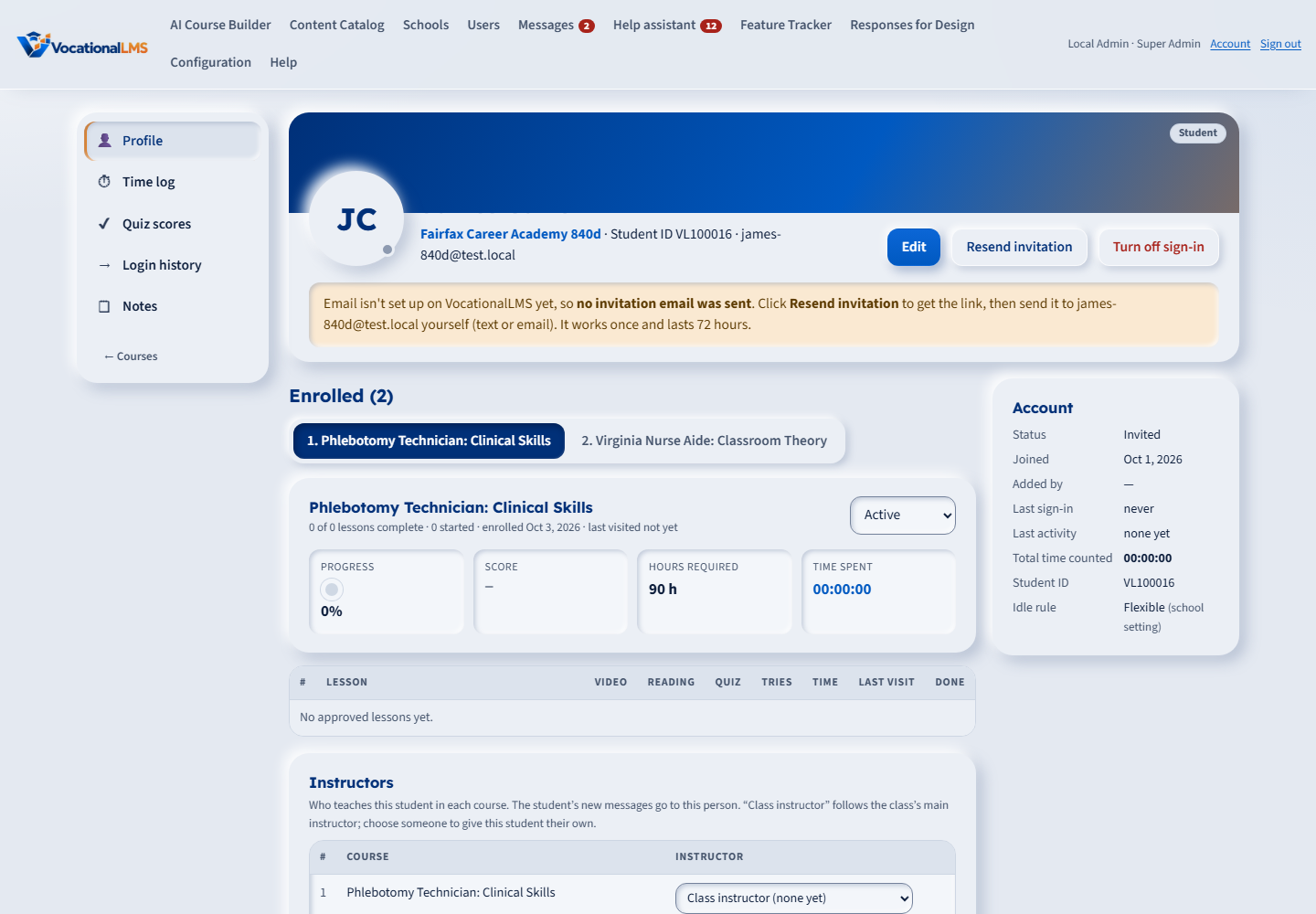
What the profile shows
| Part | What you see |
|---|---|
| Header | Name, school, Student ID and email. Edit opens the contact details. Send reset link or Resend invitation lets the student choose a password. Turn off sign-in blocks access at once. |
| Enrolled | One course at a time. A student in more than one course gets a numbered tab per course across the top — click a tab to switch. The open course shows four tiles (progress, score, hours required, time spent), the enrolled date and last visit, the enrollment status, and underneath it that course's lesson-by-lesson table: video, reading, best quiz score, tries, time, last visit and done. Nothing to expand — the lessons for the open course load straight away. A student in a single course sees it with no tabs. |
| Enroll | Pick another course your school has and click + Enroll. |
| Info | Legal and preferred name, phone, date of birth, address and emergency contact. |
| Account | Status, date joined, who added the student, last sign-in, last activity, total time counted, Student ID and your school's idle rule. |
| Time log | Every stretch of time counted, newest first, with the lesson, what the student was doing, the IP address and the device. |
| Quiz scores | Every attempt with score and result. |
| Login history | Every sign-in, including failed attempts, with the IP address. |
| Notes | Notes from staff, kept permanently with the author and time. Students never see them. |
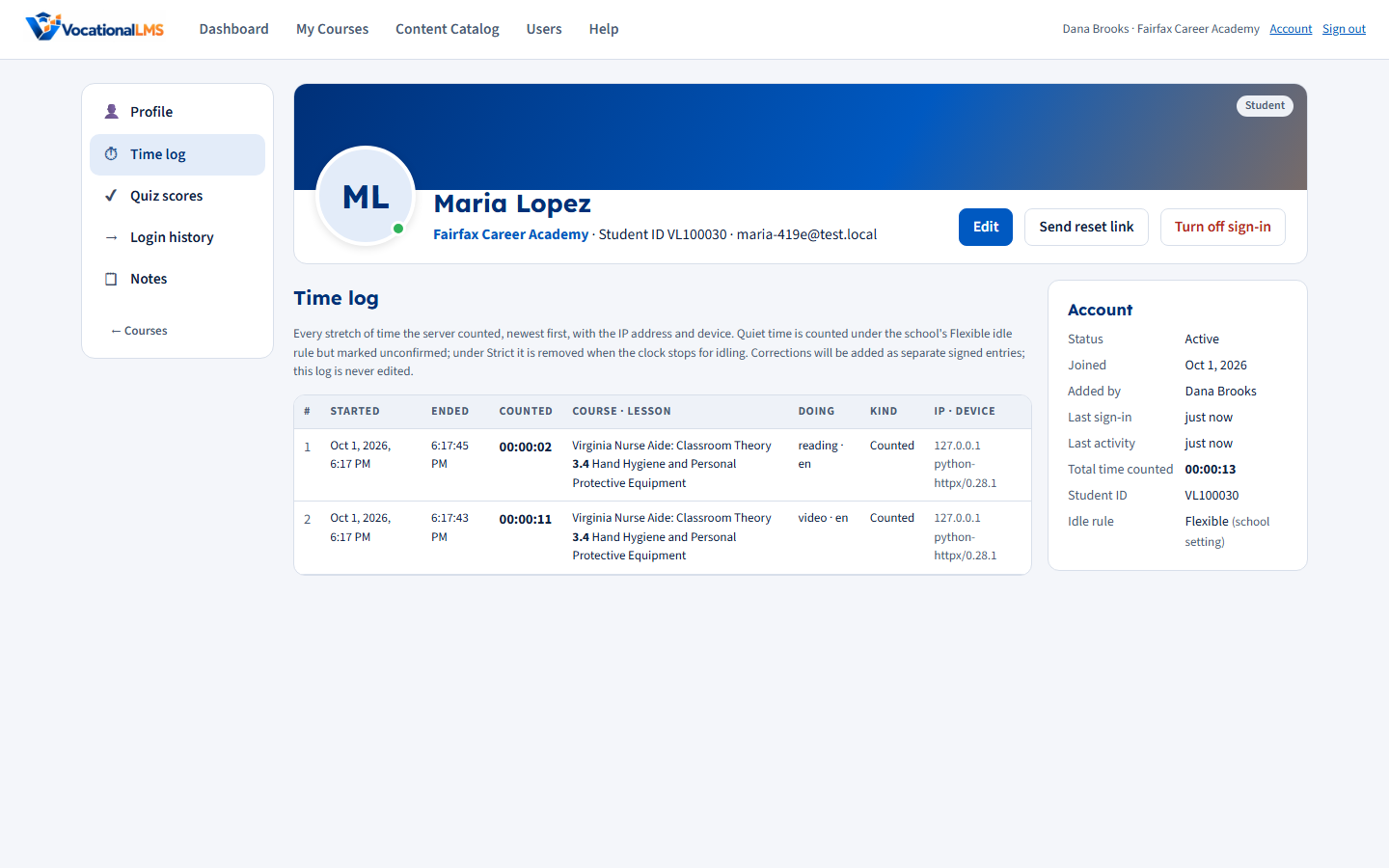
How seat time is counted
- The clock runs only while a student has a lesson open. Staff previewing a lesson are never counted.
- The student's screen checks in with the server every 15 seconds. Time counts only between check-ins that arrive on time, so a closed laptop, a sleeping tab or a lost connection is never counted.
- A student has one clock. If they open the lesson in a second window, the clock moves there and the first window says so.
- If the student switches to another browser tab or window, or minimizes the browser, the clock stops at that moment and the video pauses. The time away is never counted, even a few seconds; it shows in the time log as Not counted · left the page. When they come back, counting starts again and they see a short notice. A document open inside the lesson still counts as being on the page.
- A playing video counts as activity. So do clicks, typing and scrolling. A student who watches a long video without touching anything is not asked "Are you still there?" when it ends.
- When a lesson's video plays to its end, the clock pauses at that moment and the student's page says so: Clock paused: the video has ended. It starts again when you continue. Nothing is counted while the student does nothing. The clock counts again from the student's next real activity: a key pressed or text typed, a click or tap on a button, tab, answer or other control, the page scrolled, the video playing again, or the next step or item opened. Moving the mouse does not start it. The wait shows in the time log as Not counted · video ended, waiting for the student.
- A video earns study time for its first 3 viewings, counted for each student and each lesson. A viewing is counted when the video plays to its end; a student who watches part of a video and finishes it later has used one viewing. After the third, the student can still watch, and the page says so: You can watch this video as often as you like. Your hours count for the first 3 viewings only. The time while the video plays is then not counted; it shows in the time log as Not counted · video already watched 3 times. The reading, the quiz and notes count as before.
- Captions are on when a video starts. The student turns them off and on with the CC button on the video, and the choice is remembered.
- My dashboard, My courses, Messages and My notes earn no study time. A School Admin can turn on Count study time on My dashboard, Messages and My notes (Dashboard, then Seat-time idle rule). That time is then counted by the same rules, but it is recorded separately as Other pages and is never added to a course's seat time or clock hours. Check your state's rules before you count it as clock hours.
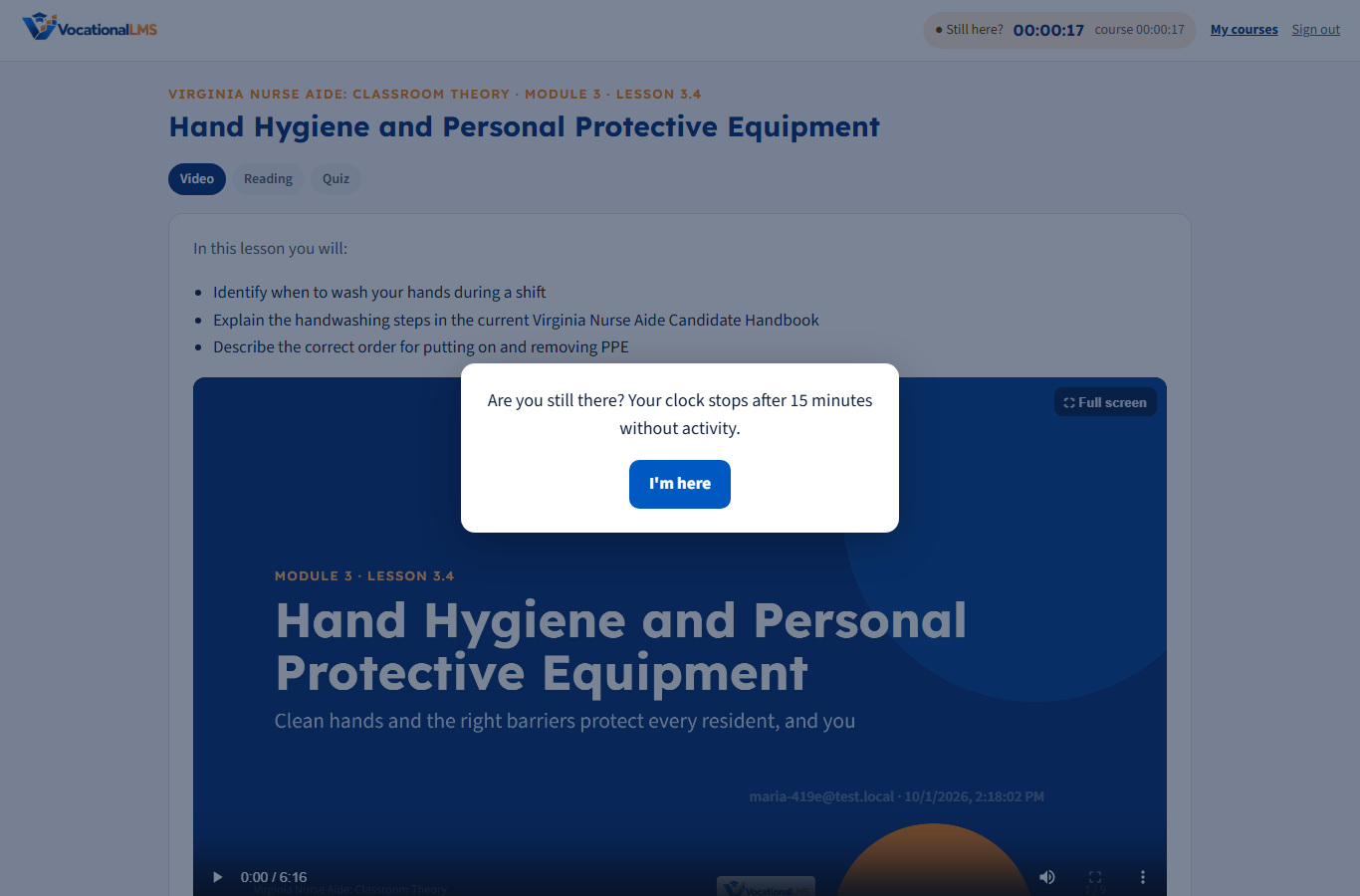
- After 14 minutes with no activity the student sees "Are you still there?". At 15 minutes the clock stops until they continue.
- Students must watch at least 95% of a video before moving on. Only time actually played counts, never skipping ahead. Playback up to 1.5× is allowed and counted at real time.
- A lesson is complete when the video is watched and the quiz is passed.
English and Spanish
- Every lesson has an English | Español switch at the top. It changes the video, captions, reading and quiz. Switching during the video picks up at about the same point.
- On their home page, each student picks a default lesson language. It is saved to their account, so every lesson opens in that language on any device. The home page and the clock change language too.
- If a lesson's Spanish version isn't produced yet, "Español" is greyed out and the lesson plays in English.
- Video watched is counted per language, so switching never loses progress, and seat time keeps counting through a switch.
Your school's idle rule (School Admin)
On your school Dashboard, choose what happens to the quiet minutes before the clock stops:
- Flexible (recommended): the quiet minutes are counted but marked "quiet" in the time log.
- Strict: the quiet minutes are removed when the clock stops.
If the student answers "Are you still there?", the quiet minutes count normally under either rule.
Quizzes are graded by the server. Students never receive the answer key, and every attempt is saved.