
S-09For students
What happens when you leave the lesson page
Another tab, another window or a minimized browser pauses the clock and the video at once.
How-to video S-09 · 0:48
Read the words of this video
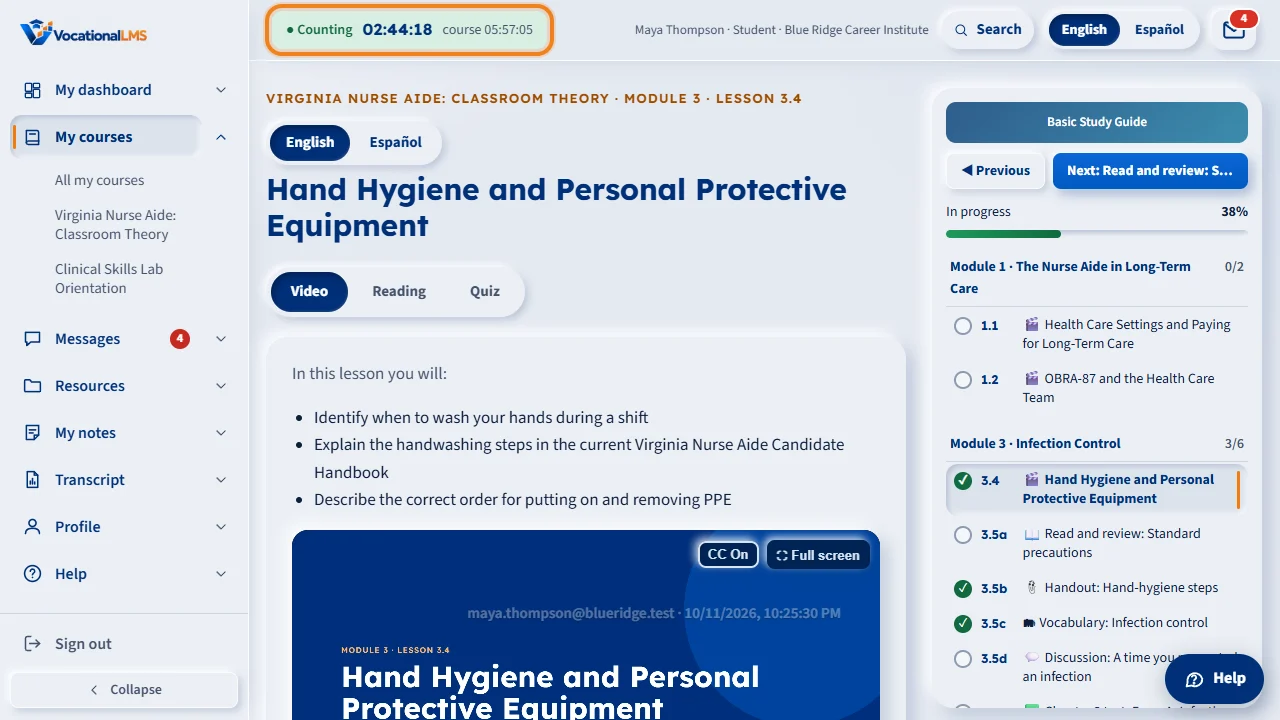
Your hours count only while you are on the lesson page and working on it. The clock bar at the top says Counting.
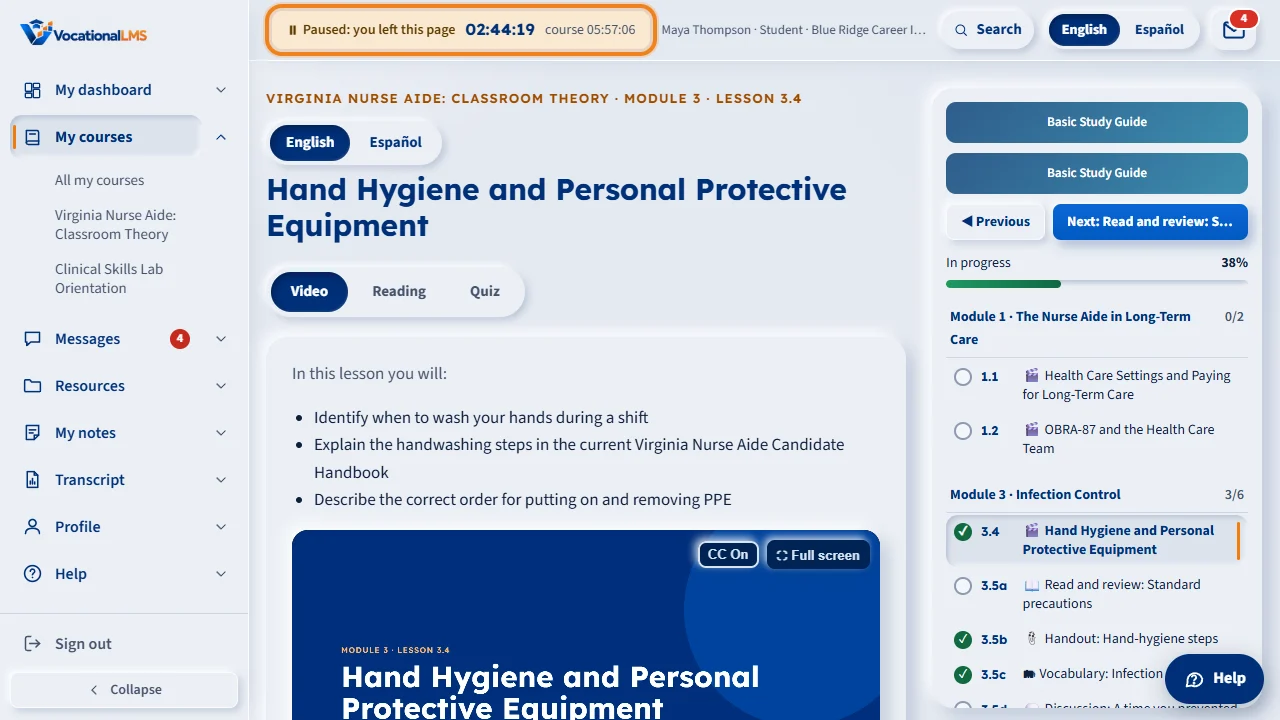
The moment you switch to another tab, another window or another app, the clock stops and the video pauses. The bar says Paused: you left this page. The time away is never counted. (If your school keeps the clock running on other tabs, see S-45.)
When you come back to the lesson, a note says Welcome back, and counting starts again. The time up to the moment you left is kept. Press play if the video was paused.
A document that opens inside the lesson page still counts as being on the page. If you study with notes, keep them on paper, or in a window beside the lesson, and click back on the lesson to work in it.
What it is for
Hours count only while you are on the lesson page. The moment you switch to another browser tab, another window or another app, the clock stops and the video pauses. The time away is never counted, not even a few seconds.
Steps
- Stay on the lesson page while you study. Opening a lesson document inside the page is fine; it still counts.
- If you need to step away, just go. The bar changes to Paused: you left this page.
- Come back to the tab. A short note says Welcome back and counting starts again.
- Press play again if the video was paused.
What happens next
The time up to the moment you left is kept. The time away shows in your school's time log as Not counted · left the page.
Common problems
| # | Problem | What to do |
|---|---|---|
| 1 | You study with notes open in another tab. | Put the notes in a separate window beside the lesson and click back on the lesson to work in it; only the window you are using counts. Paper notes are easier. |
| 2 | The video keeps pausing. | Something is taking you off the page, such as a pop-up or another app. Close it and click on the lesson. |