
V-68For the VocationalLMS Super Admin
Mind map videos wait for memory: the voice process, the memory guard and one heavy job at a time
Why a mind map video sometimes says Paused or Waiting for its turn: the free Kokoro voice runs in a short-lived process of its own, a video starts only while the server has enough memory, and a slide-pictures job and a mind map video job take turns.
How-to video V-68 · 0:52
Read the words of this video
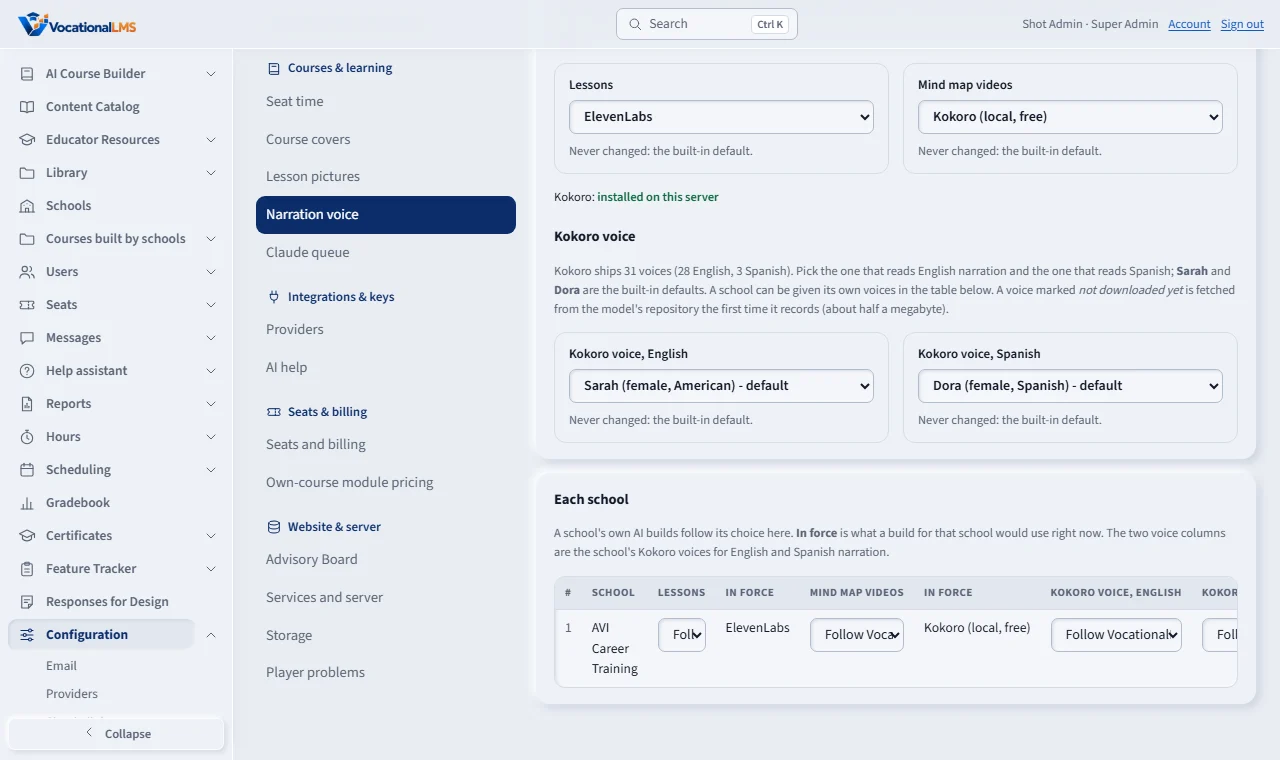
The free narration voice, Kokoro, is chosen under Configuration, Narration voice. Sarah reads English and Dora reads Spanish unless you pick another. Since November twelfth the voice no longer lives inside the web server. It runs in a small helper that starts for one mind map video, speaks every clip, and ends, so its memory goes back to the server at once.
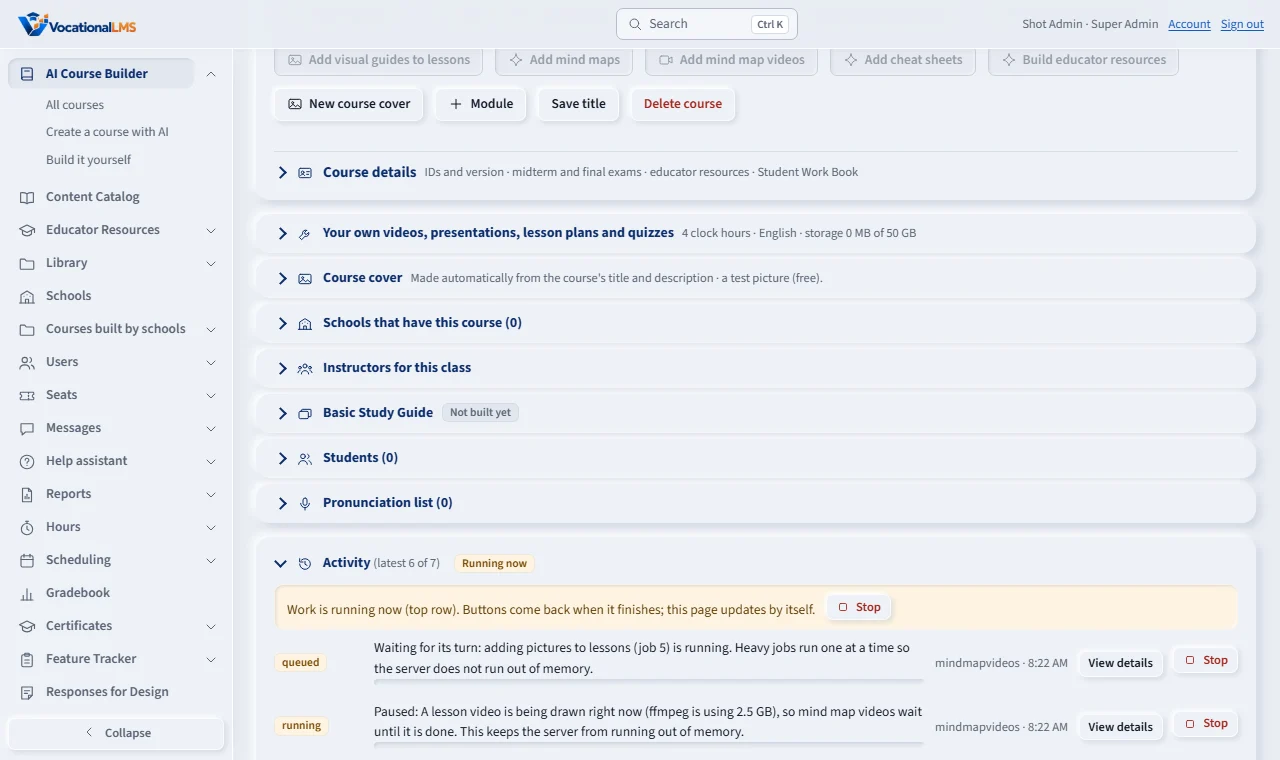
Before a mind map video starts, and before every clip, the server checks that it has enough free memory and that no lesson video is being drawn. If not, the Activity list says Paused, with the reason, or Waiting for its turn when a pictures job is running. Nothing is lost. The video goes on by itself, and Stop still works while it waits.
Open this in VocationalLMSConfiguration > Narration voice
Who can do this: The VocationalLMS Super Admin and School Admins who build mind map videos see these messages. Nothing needs to be set up: the safeguards are always on.
What it is for
The server has 3.9 GB of memory. Drawing a lesson video with pictures can take 2.6 GB for a while, and the free Kokoro voice takes about 1.3 GB while it speaks. Together they once left the server with 30 MB free. Three safeguards now prevent that. The voice runs in a process of its own: when a mind map video needs narration, the server starts a small helper that loads the voice, speaks every clip of that video, and ends, so the memory goes back at once. The web server itself never holds the voice. A memory guard checks before the video starts and before every clip: it needs at least 1.8 GB of free memory and no lesson video being drawn. If not, Add mind map videos is grey with the reason in its tooltip, Build video answers in plain words, and a video that is already running shows Paused: and the reason, ends its voice process while it waits, and goes on by itself. One heavy job at a time: a slide-pictures job (Add pictures to lessons) and a mind map video job take turns. The second shows Waiting for its turn in the Activity list and starts when the first ends.
Steps
What you see
- On the course page the button Add mind map videos is grey while a lesson video is being drawn or the server is short of memory. Point at it: the tooltip says why, for example A lesson video is being drawn right now (ffmpeg is using 2.5 GB), so mind map videos wait until it is done.
- Open Activity on the course page. A video job shows Paused: followed by the same words while it waits, and Waiting for its turn: when a pictures job is running. Nothing is lost: it goes on by itself when memory is free or the other job ends.
- Stop works while a job waits: click Stop in the Activity list and the job ends as stopped without starting.
If it waits a long time
- A pictures job for a whole course can run for hours. The video job waits behind it; this is by design. Start the videos after the pictures job has finished, or let them wait.
- After 60 minutes of waiting for memory a video job stops with plain words and what to do. Click Add mind map videos again when the other work has finished.
What happens next
Videos already built are kept. The voice is the one chosen under Configuration, Narration voice (V-66); its name is in the job's View details log.
Common problems
| # | Problem | What to do |
|---|---|---|
| 1 | Add mind map videos is grey and the tooltip talks about a lesson video. | A slide-pictures or lesson video render is using the server's memory. Wait for it to finish (Activity list) and open the course page again. |
| 2 | The Activity list says Waiting for its turn. | A slide-pictures job is running. The video job starts by itself when it ends. To start the videos sooner, stop the pictures job in the Activity list and start it again later. |
| 3 | The job says Paused for a deploy after N of M videos. | An update is being installed. The video job stops between two videos (never in the middle of one) and starts again by itself as a new job when the update is live; videos already built are not made again. Nothing to click. |
| 4 | The job says it gave up waiting for memory. | Other work kept the server busy for an hour. Click Add mind map videos again when the Activity list shows nothing running. |