
V-67For the VocationalLMS Super Admin
Claude queue: the work your own Claude Code agents do instead of the paid API
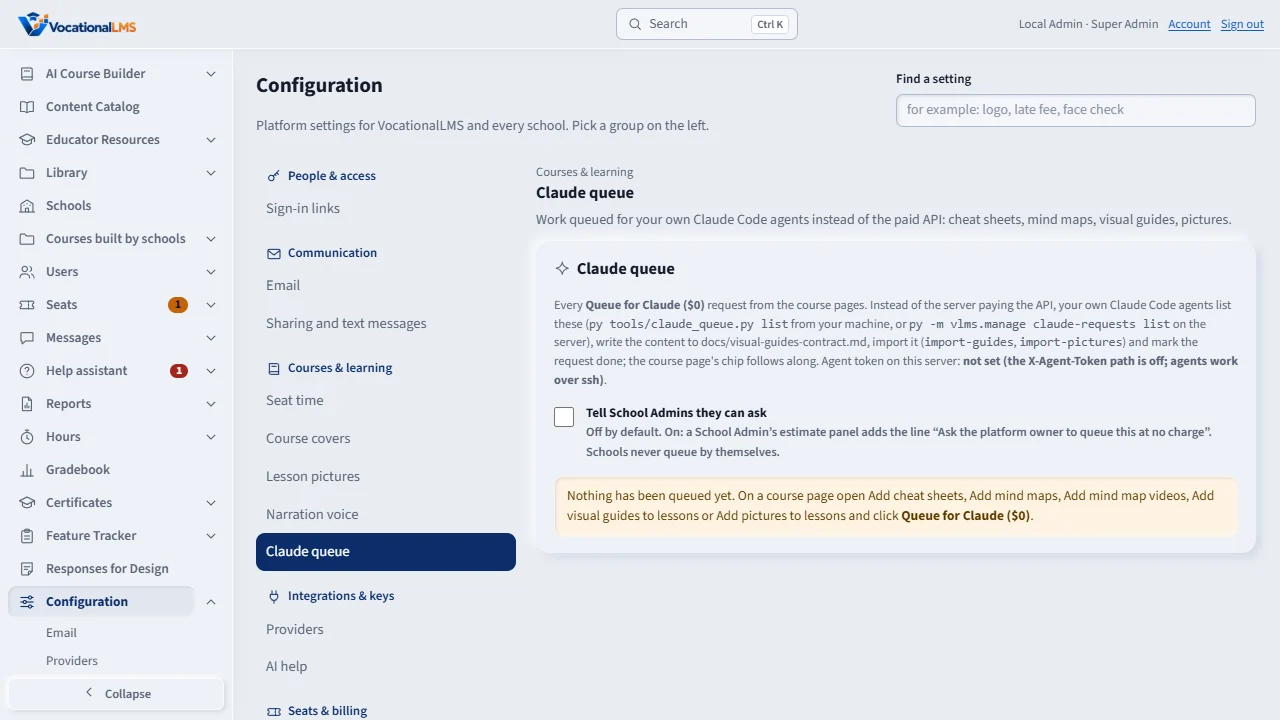
Configuration > Claude queue lists every Queue for Claude ($0) request from the course pages with its status, course, kind, count, who queued it and when, the dollars saved and Cancel; the switch that lets School Admins see 'Ask the platform owner to queue this at no charge'; and how the agents pick requests up.
How-to video A-115 · 0:41 (the same video as A-115)
Read the words of this video
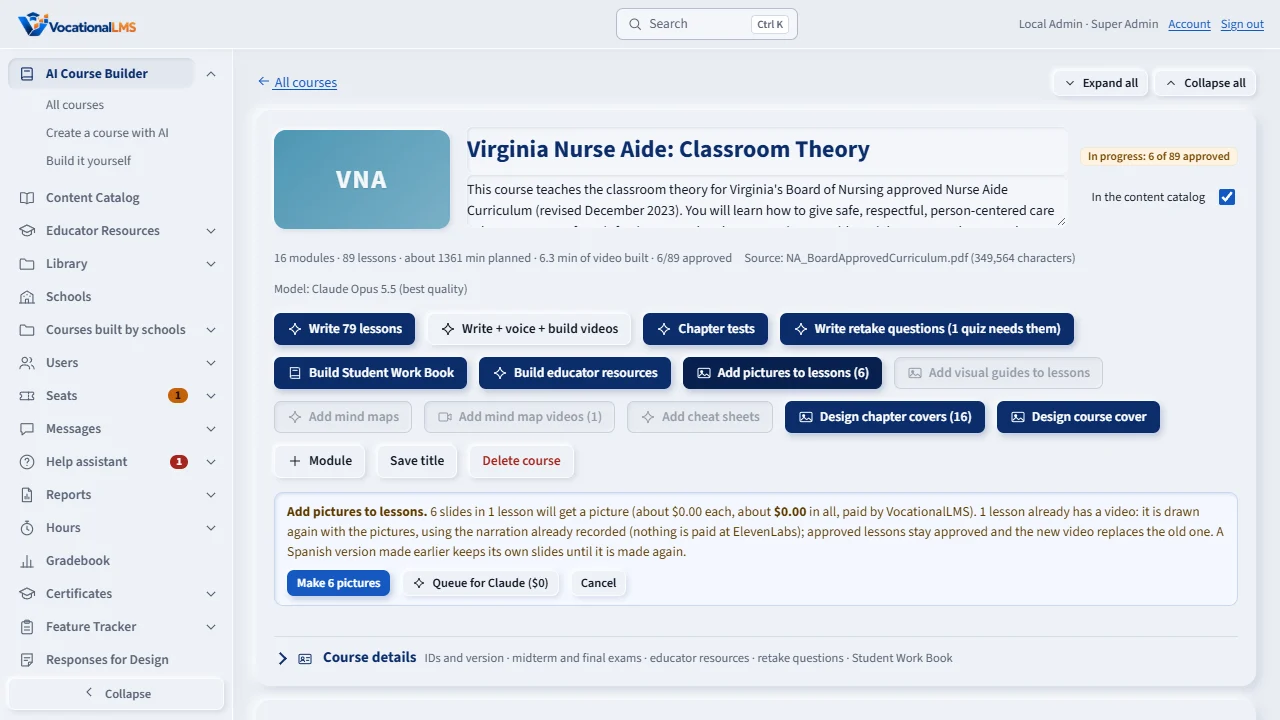
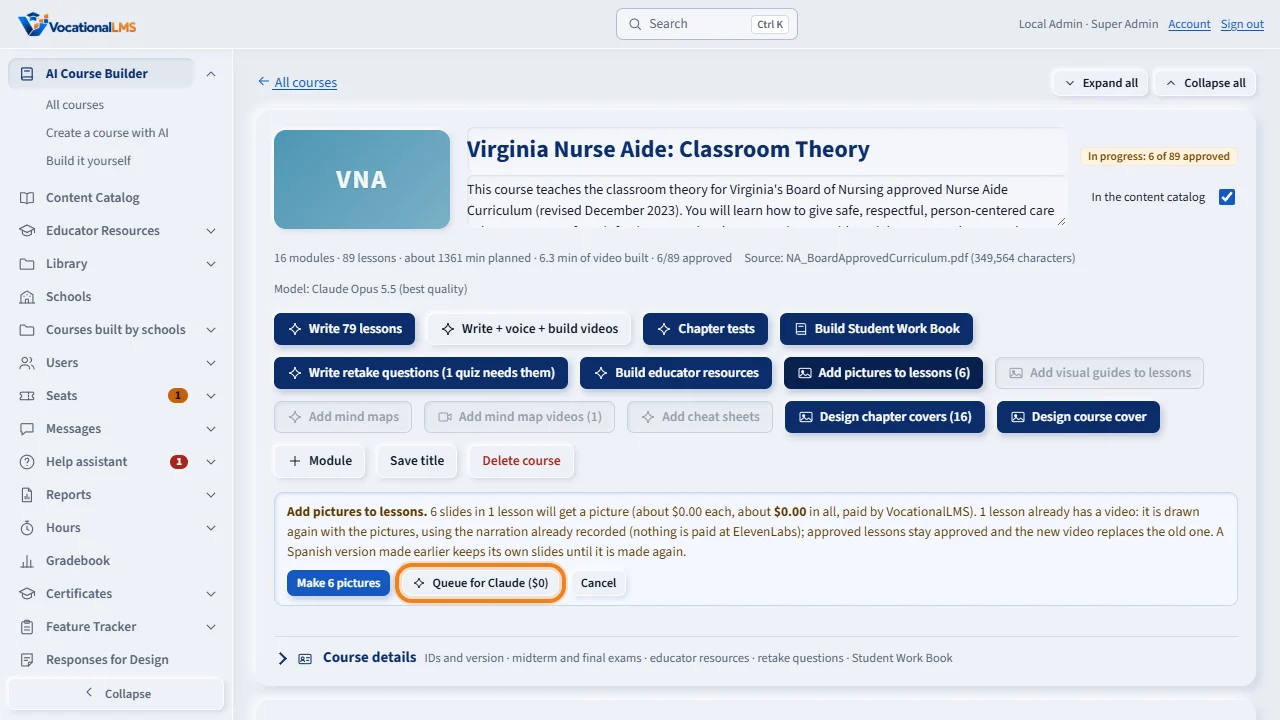
The paid buttons on a course page open a yellow estimate panel with the number of lessons and the cost. Right next to Start is Queue for Claude, zero dollars.
It writes the request down instead of paying the AI service, with the exact lessons the paid job would have done. A chip shows Queued for Claude.
Configuration, Claude queue lists every request with its status and the dollars saved. Your own Claude Code agents write the content and import it, and it appears for students at once.
Open this in VocationalLMSConfiguration > Courses & learning > Claude queue
Who can do this: The VocationalLMS Super Admin (and the owner's agents by token). Schools never queue by themselves.
What it is for
A request is one row in the table claude_requests: the course, the kind (cheat sheets, mind maps, mind map videos, visual guides, pictures), the exact lessons that lacked the item when it was queued, the count the panel showed, the estimate the paid job would have cost, and its status: Queued, Claude is writing (with 12 of 41), Done, Cancelled or Failed with a note. Your Claude Code agents read the queue with py tools/claude_queue.py list on your own machine (it calls the live site with the header X-Agent-Token, matching the server's VLMS_AGENT_TOKEN; when that variable is absent on the server the header path is off) or with py -m vlms.manage claude-requests list over ssh. The listing gives, per request, the course, the kind, the lesson ids and titles, the contract file, the import command and the exact start / done / fail commands. Agents mark a request started (start <id>), report progress, write the content as docs/visual-guides-contract.md describes, import it (py -m vlms.manage import-guides <folder> for cheat sheets, mind maps and visual guides; import-pictures <folder> --rerender for slide pictures) and mark it done with the counts (done <id> --result '{"added": 41}'). The course page's chip follows every step.
Steps
Read and tidy the queue
- Open Configuration › Courses & learning › Claude queue. Newest first: when and who, the course (click it to open), what and how many, the status, the estimate saved, the note and result.
- Cancel takes a queued request off the list (nothing has been written yet). A request already in progress is finished or marked failed by the agents, never cancelled here.
Let School Admins ask
- Tick Tell School Admins they can ask: every School Admin's estimate panel then adds Ask the platform owner to queue this at no charge under the paid Start. Off (the default) shows schools only the paid choice. Saved at once; the line under it says who changed it last.
Set up the agent token (optional, once)
- Put
VLMS_AGENT_TOKEN=<a long random value>in /etc/vocationallms/env on the server (deploy/README.md), restart with the next deploy, and set the same value in your own machine's environment. The page says Agent token on this server: set. Without it, agents work over ssh with the manage command; the site accepts no header.
What happens next
A finished request's content is the same kind the paid job makes, approved and visible to students, with source generated-local and nothing on the course's AI ledger. The course page's chip shows Done by Claude with the dollars saved for 7 days.
Common problems
| # | Problem | What to do |
|---|---|---|
| 1 | Agent token on this server: not set. | The header path is off by design until VLMS_AGENT_TOKEN is in /etc/vocationallms/env. Agents still work over ssh: py -m vlms.manage claude-requests list|start|done|fail. |
| 2 | A request says Failed. | Read its note. Fix what it names (a lesson with no slides, a refused folder) and queue it again from the course page. |
| 3 | The count on the request differs from the panel now. | The request keeps the lessons that lacked the item WHEN it was queued; lessons written or imported since are not in it. Cancel and queue again for a fresh list. |