
V-48For the VocationalLMS Super Admin
Own-course module pricing by students: the tiers for all schools, or one school
The own-course module's monthly price by how many active students a school has in its own courses: the default tiers, a different table for one school, and what each school pays and uses.
How-to video V-48 · 2:00
Read the words of this video
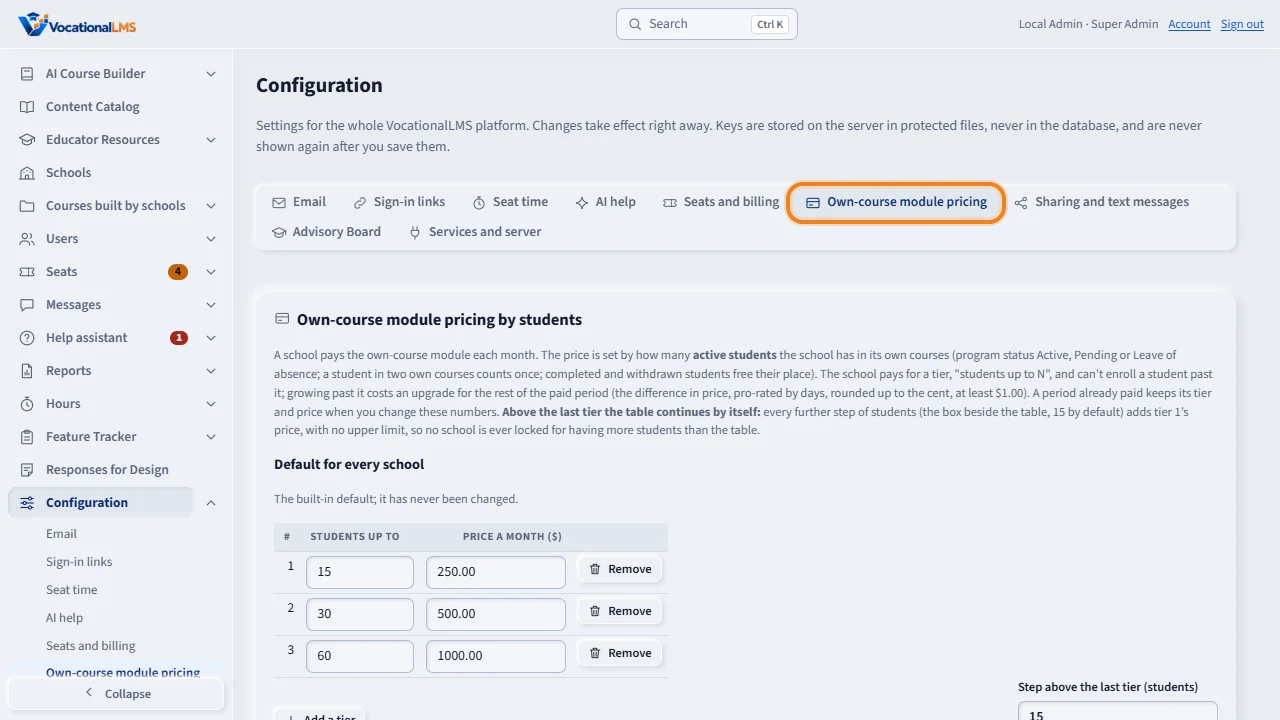
A school that builds its own courses pays the own-course module each month, and the price depends on how many active students it has in those courses. Click Configuration, then Own-course module pricing.
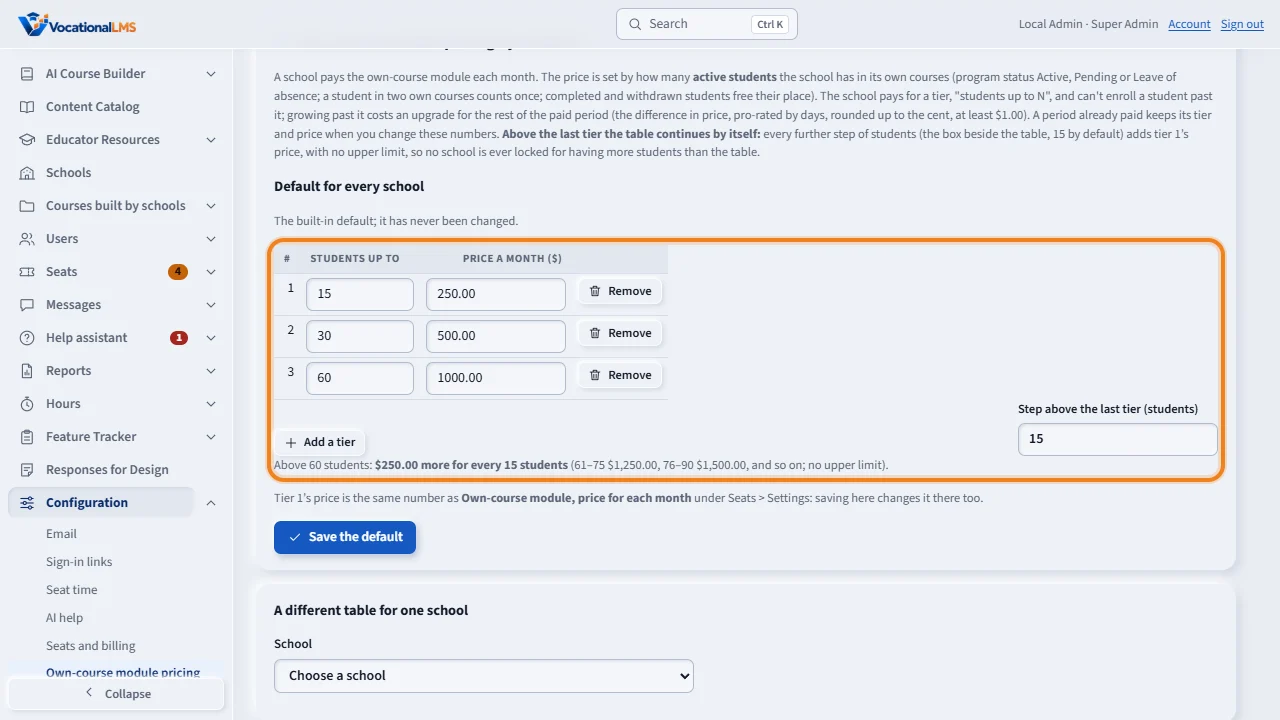
Under Default for every school, change a number, click Add a tier for another row, or Remove on a row. The tiers must be in ascending order of students. Beside the table, the step above the last tier: above sixty students, every further fifteen add tier one's price, two hundred fifty dollars, with no upper limit, and the sentence under the table spells it out. Click Save the default. Tier one's price is the same number as the module price under Seats, Settings.
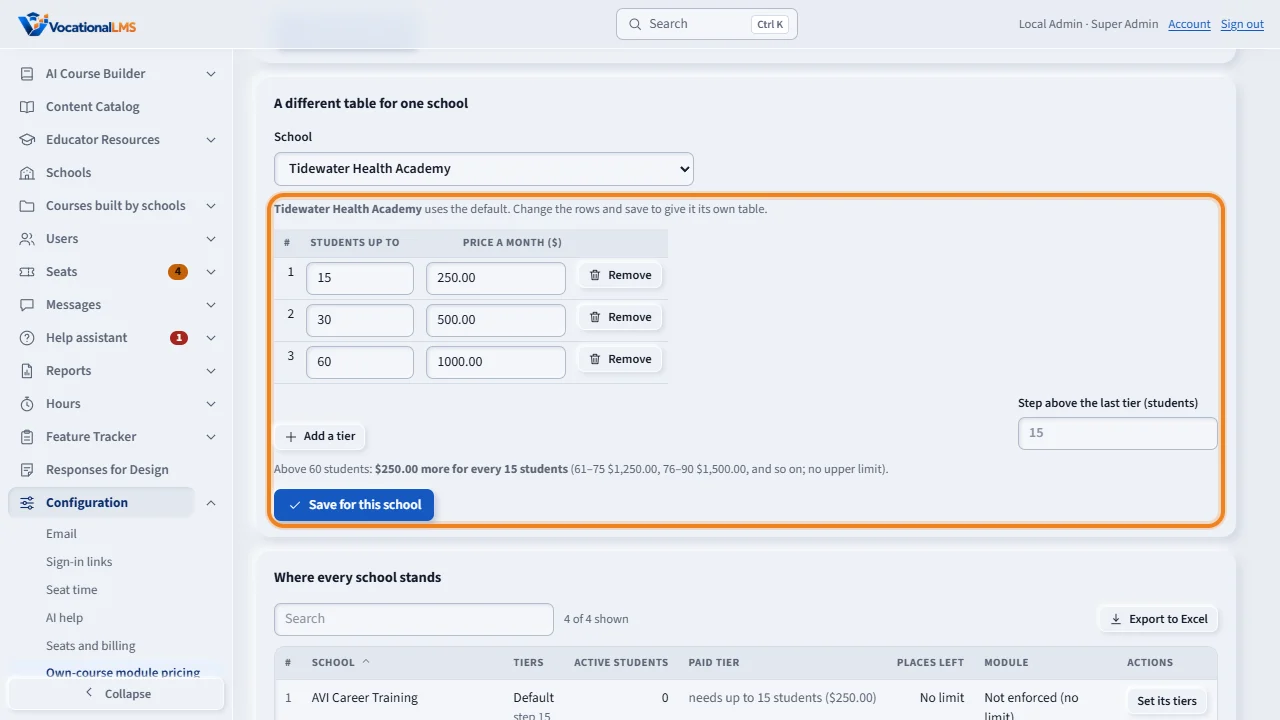
To give one school other numbers, choose it under A different table for one school, change the rows, give it its own step or leave the box empty, and click Save for this school. Use the default removes its table again.
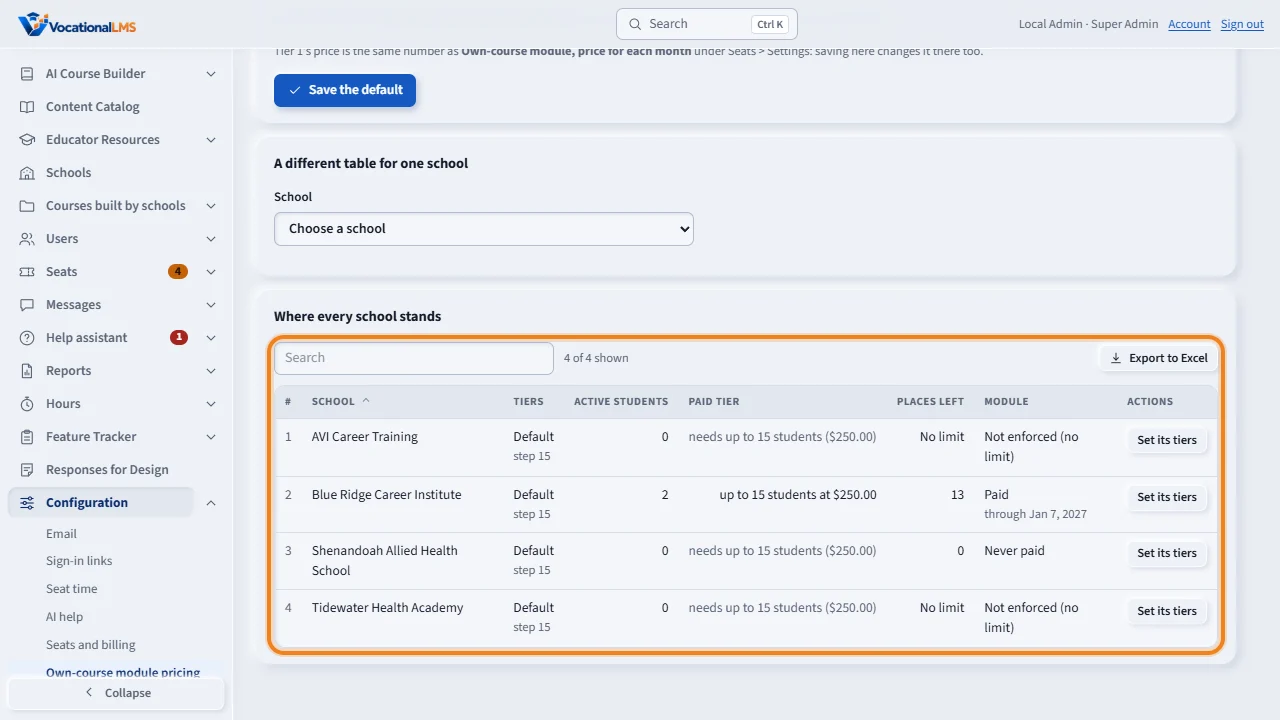
Where every school stands lists each school's table and step, its active students, the tier it paid for, and the places left. A school can't enroll a student past its tier; growing past it costs an upgrade for the rest of the paid period, pro-rated by days. A school above the last row is never locked: its tier is simply a step above the table. A period already paid keeps its tier and price when you change the numbers.
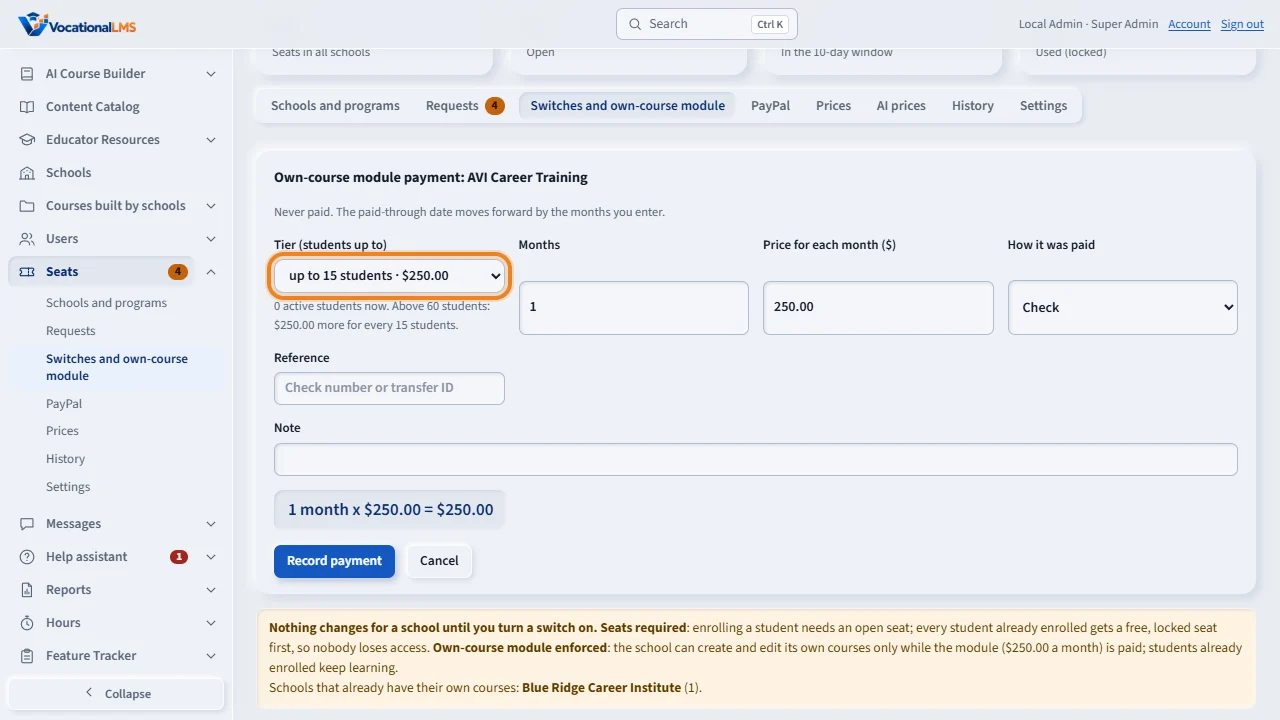
On Seats, Switches and own-course module, the Students column shows the same for each school, and Record payment has a Tier box that fills the price. A school's own request carries its tier, and paid with PayPal it is approved at once. The report Payments received names the tier on every row.
Open this in VocationalLMSConfiguration > Own-course module pricing
Who can do this: The VocationalLMS Super Admin.
What it is for
A school that builds its own courses pays the own-course module each month, and the price depends on how many active students it has in those courses: program status Active, Pending or Leave of absence, each student counted once. The school pays for a tier, students up to N: by default up to 15 students $250.00, up to 30 $500.00, up to 60 $1,000.00. It can't enroll a student past its tier; growing past it costs an upgrade for the rest of the paid period (the difference in price, pro-rated by days, rounded up to the cent, at least $1.00). Above the last tier the table continues by itself: every further step of students (15 by default, a box beside each table) adds tier 1's price, with no upper limit, so 61–75 students cost $1,250.00, 76–90 $1,500.00, and so on. A school is never locked for having more students than the table. A period already paid keeps its tier and price when you change the numbers.
Steps
The default for every school
- Click Configuration, then Own-course module pricing.
- Under Default for every school change a number, click Add a tier for another row, or Remove on a row. Tiers must be in ascending order of students; prices are in dollars.
- Beside the table, Step above the last tier (15 by default) says how the price continues above the last row: every further step of students adds tier 1's price. The sentence under the table shows what that means as you type, for example Above 60 students: $250.00 more for every 15 students (61–75 $1,250.00, 76–90 $1,500.00, …).
- Click Save the default. Tier 1's price is the same number as Own-course module, price for each month under Seats > Settings; saving here changes it there too.
A different table for one school
- Under A different table for one school choose the school. Its rows start as the default.
- Change the rows, and its own step if you want one (leave the box empty for the same step as the default), and click Save for this school. Use the default removes the school's table and step again.
See what each school pays and uses
- Where every school stands lists each school's table, its active students, the tier it paid for, the places left and the module's state.
- On Seats > Switches and own-course module the column Students shows the same, and Record payment has a Tier box that fills the price. A school's own request carries its tier; paid with PayPal it is approved at once.
- The report Payments received names the tier on every module row and upgrade row.
What happens next
The school sees its tiers, its count and its tier on Seats and billing, is told when its last place is used, and is offered Upgrade when an enrollment is refused. Reminders before the paid-through date name the tier and the price. Unlock by hand (Seats > Switches and own-course module) and Own-course module enforced off mean no limit for that school. Every change of a table is in the Seats history with who and when.
Common problems
| # | Problem | What to do |
|---|---|---|
| 1 | A school has more students than the last row of its table. | Nothing to do: the table continues in steps. Its page and Where every school stands show the tier it needs, for example up to 75 students at $1,250.00, marked as a step above the table. Add rows, or change the step, only when you want other numbers. |
| 2 | A school paid before the tiers existed. | Its paid period counts as tier 1 (the price it paid). It chooses a tier at its next renewal, or upgrades now. |
| 3 | You want one school to pay less. | Give it its own table with lower prices, or larger tiers for the same price, or a larger step above the last row. |