
V-14For the VocationalLMS Super Admin
Seat requests: record the payment, approve, change the number, and the history
What to do when a school's payment arrives, and how to look anything up later.
How-to video V-14 · 1:15
Read the words of this video
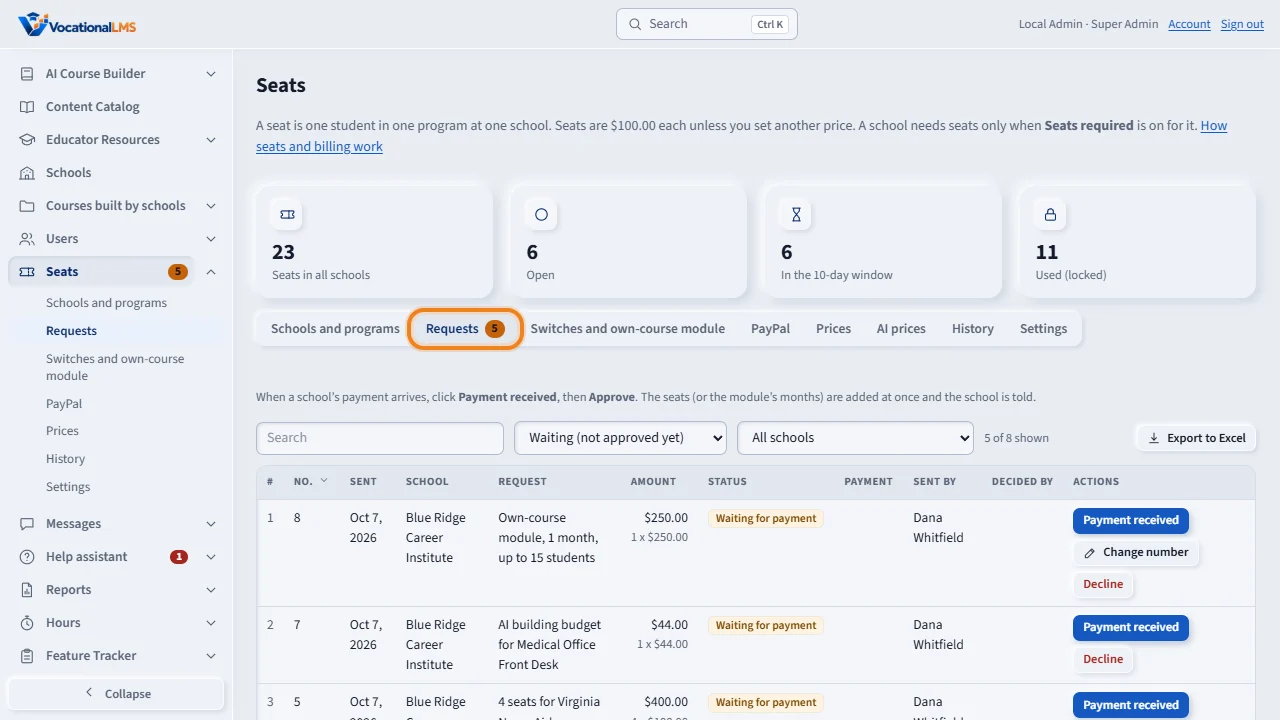
Schools send seat requests, and pay by PayPal, check or bank transfer. A request paid with PayPal arrives already recorded and approved, marked PayPal. A check or bank transfer you record by hand. Click Seats, then Requests. The number on the tab shows how many are waiting.
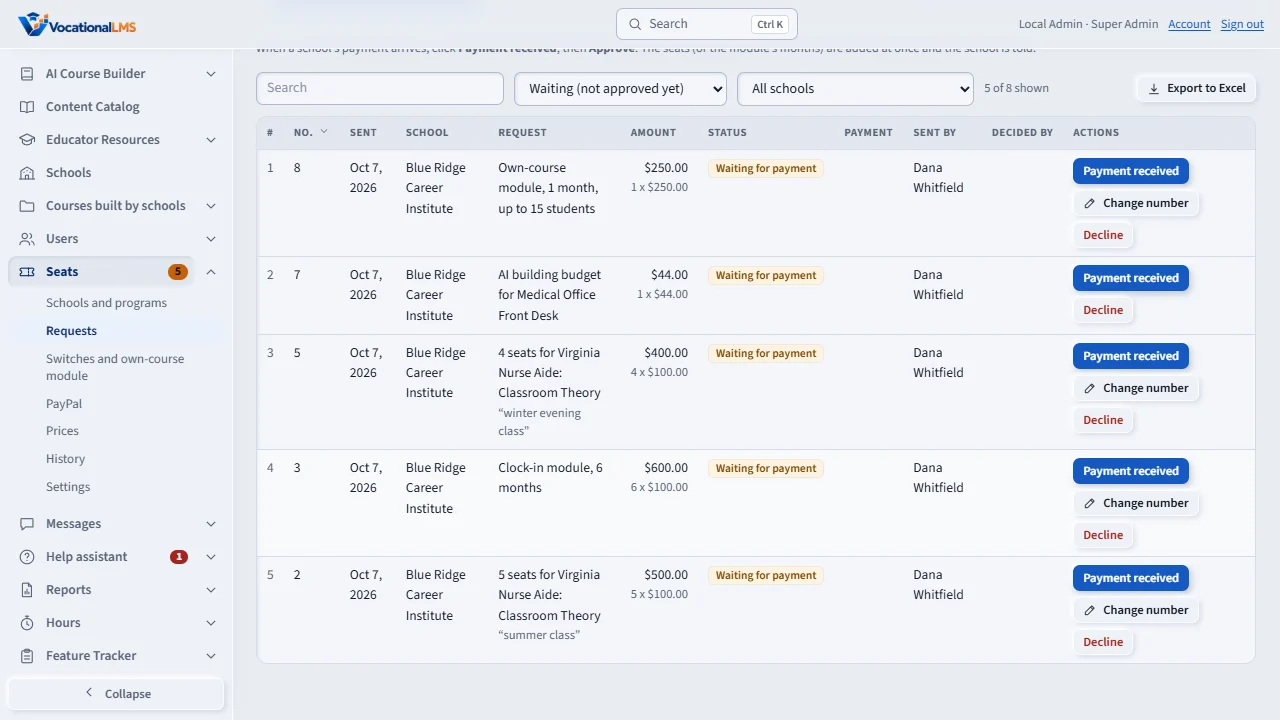
When the payment arrives, click Payment received. Choose how it was paid, type the reference, such as the check number, and click Payment received and approve. The seats are added at once, and the school is told.
If the school wants a different number, for example two seats instead of five, click Change number, save the new number, and then approve. The amount is worked out again at the request's original price. You can change it until the request is approved.
History keeps every action: grants, requests, payments, approvals, changes of number, students put in seats, and locks, each with who did it and when. Every table can be searched, filtered and exported to Excel.
Open this in VocationalLMSSeats > Requests
What it is for
Schools send seat requests and pay by PayPal, check or bank transfer. A request paid with PayPal arrives already recorded and approved, marked PayPal, with the capture ID and the payer under Payment (V-41). A check or bank transfer you record by hand and approve; the seats are added at once and the school is told. Until you approve, you can change the number of seats.
Steps
- Click Seats, then Requests. The number on the tab is how many are waiting.
- A request paid with PayPal needs nothing from you: it is already recorded and approved, marked PayPal.
- When a check or bank transfer arrives click Payment received, choose how it was paid and type the reference.
- Click Payment received and approve, or record the payment now and click Approve later.
- If the school wants fewer or more seats, click Change number (or Change number first in the payment form), save the new number, then approve.
- Decline needs a reason, which the school sees.
- History lists every action with who did it and when.
What happens next
Approving adds exactly the number in the request. When you change a number, the amount is worked out again at the request's original price each, the school is told, and the change is kept in the history with your name.
Common problems
| # | Problem | What to do |
|---|---|---|
| 1 | The school paid for 2 but asked for 5. | Change the number to 2 first, then approve. |
| 2 | You approved by mistake. | Take the open seats back on Schools and programs, with a reason. |