
S-15For students
Your transcript
Every item you completed, with dates, scores and the time counted, to read on screen. To get a printed transcript, ask your school office.
How-to video S-15 · 0:46
Read the words of this video
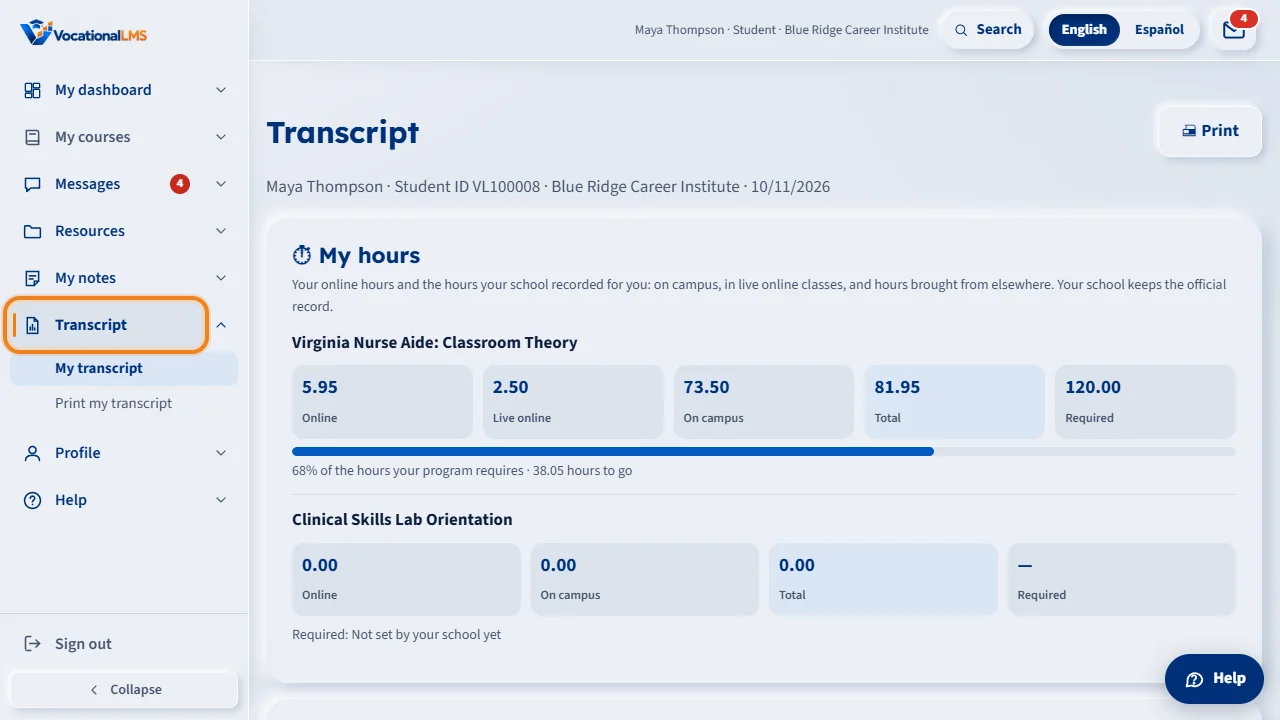
Your transcript is your own record of what you have done. Click Transcript in the menu on the left. For each course you see your status, the date you enrolled, the items you completed, your average score and the time counted for you.
Below that, every item of the course is listed with its number. A finished item shows the date you completed it, your score, and the time counted on it. A video lesson is complete when you watched ninety-five percent of the video and passed its quiz.
The transcript updates by itself as you finish items. You can read it here, but you cannot print or download it yourself. To get a printed transcript, ask your school office.
Open this in VocationalLMSTranscript
What it is for
Your Transcript is your record: for each course, the items you completed, your scores and the time counted for you.
Steps
- Click Transcript in the menu on the left.
- Read the summary of each course: items completed, average score, time counted, the date you enrolled and your status.
- Look down the list for each completed item with its date and score.
- To get a printed transcript, ask your school office: only the school prints transcripts. This page cannot be printed or downloaded.
What happens next
The transcript updates by itself as you finish items. It is for you to read; your school keeps the official record and prints transcripts for you when you ask.
Common problems
| # | Problem | What to do |
|---|---|---|
| 1 | An item you did is missing. | It appears when the item is complete: for a video lesson, 95% watched and the quiz passed. |
| 2 | The time looks low. | See S-08 and S-09 for what counts. |
| 3 | There is no Print or Download button. | Students cannot print or download a transcript. Ask your school office for a printed one (S-35). |