
A-54For School Admins and Directors
The Clock-in module: price, request and renewal
The Clock-in module costs $100.00 a month. Request it, see when it is paid through, and renew it.
How-to video A-54 · 1:02
Read the words of this video
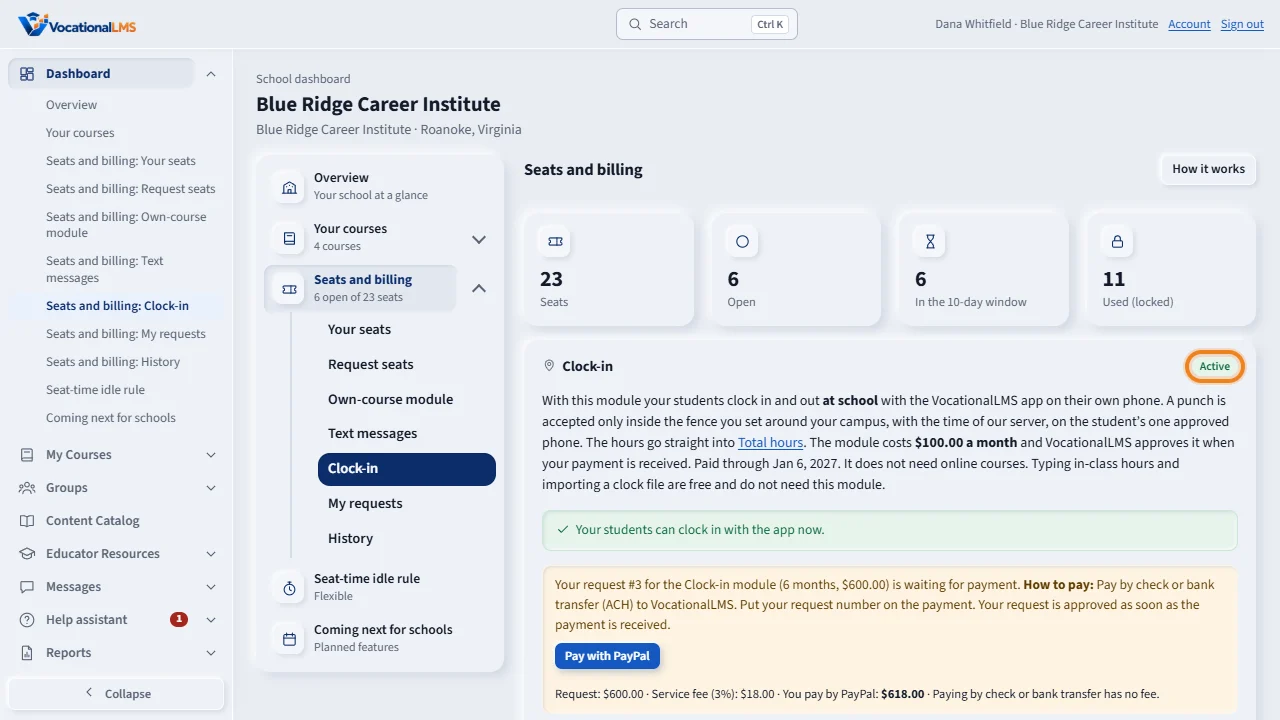
The clock-in app is a paid module. Click Dashboard, then Seats and billing, then Clock-in. The chip at the top says where you stand: Not purchased, Active, Payment due or Off. The line under it says whether your students can clock in now.
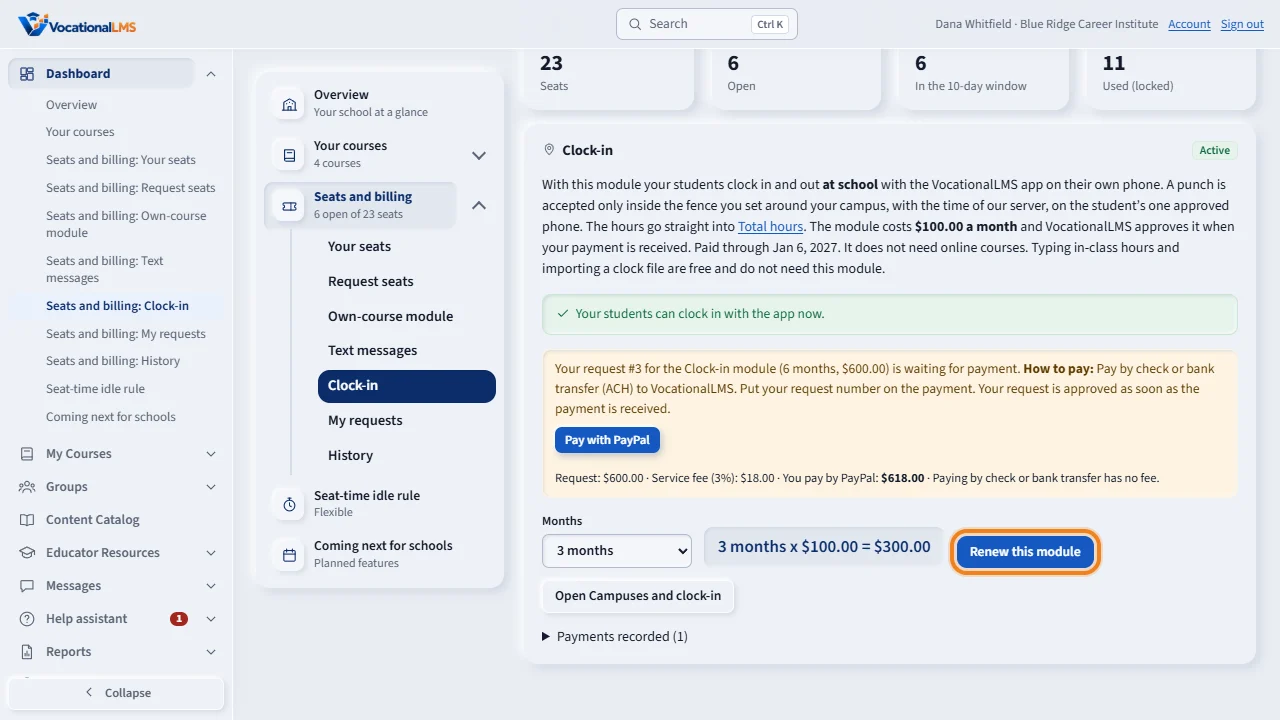
The module costs 100 dollars a month. Choose the number of months and click Request this module, or Renew this module. The page shows the amount. Pay with PayPal under My requests, and the request is approved at once. Or pay by check or bank transfer as the page says under How to pay, and VocationalLMS approves the request when your payment arrives.
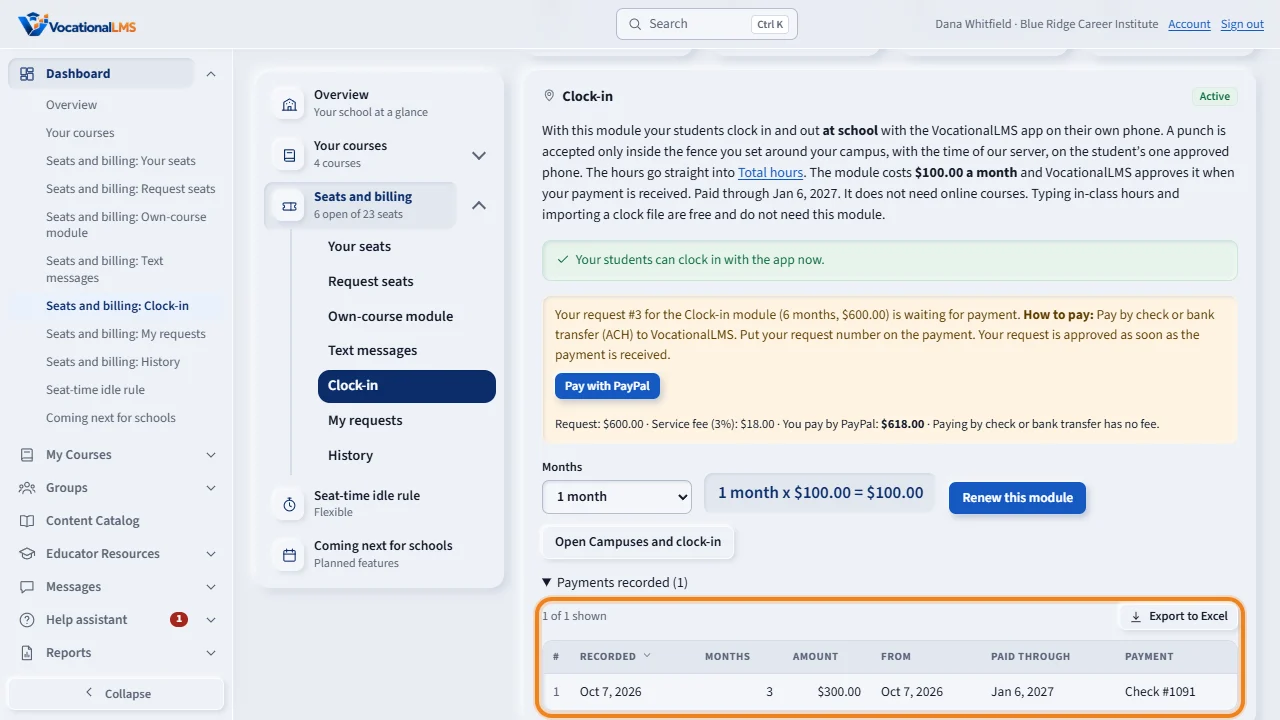
Payments recorded lists every payment, with the date the module is paid through. You get a reminder 7 days before that date. Typing in-class hours and importing a clock file are free, and do not need this module.
Open this in VocationalLMSDashboard > Seats and billing > Clock-in
What it is for
The clock-in app is a paid module: $100.00 a month for your school. With it your students clock in and out at school with the VocationalLMS app. Total hours, typing in-class hours and importing a clock file are free and do not need this module. The module does not need online courses.
Steps
- Click Dashboard, then Seats and billing, then Clock-in.
- The chip at the top says where you stand: Not purchased, Active, Payment due or Off. The line under it says whether your students can clock in now and, if not, what is missing.
- Choose the number of Months and click Request this module (or Renew this module). The page shows the amount.
- Under My requests click Pay with PayPal: the request is approved at once (a service fee may be added, shown beside the button: A-61). Or pay by check or bank transfer as shown under How to pay, with no fee, and VocationalLMS approves the request when your payment arrives. Either way you get a message, and the module is on through the paid-through date.
- Click Open Campuses and clock-in to add your campus and turn clock-in on (A-52). You can do this before you pay.
- Payments recorded lists every payment for this module. My requests lists your requests; you can change the number of months or cancel while a request waits for payment.
What happens next
You get a reminder 7 days before the paid-through date. After that date the app keeps working for 7 more days (the grace period), then it stops taking punches. Nothing is lost when it stops: every past punch, the hours and the reports stay, and you can still type or import in-class hours. A renewal adds to the time already paid for.
Common problems
| # | Problem | What to do |
|---|---|---|
| 1 | The module is Active but students cannot clock in. | The line under the chip says why: no campus yet, or clock-in is turned off for your school. Both are under Hours, then Campuses and clock-in. |
| 2 | My request is waiting. | It waits for your payment. Click Pay with PayPal beside the request, or pay by check or bank transfer as How to pay says beside it. |
| 3 | The module says Off. | The paid time and the grace period ended, or VocationalLMS switched it off. Send a new request to renew it. |