
V-57For the VocationalLMS Super Admin
Lesson pictures: a realistic picture on every slide of a lesson video, made when the video is built
Every photo slide of a lesson video gets a realistic picture of the activity it teaches, in the setting of the course's trade, when the video is built; Add pictures to lessons fills in a course built before; the build stops and tells you when the picture service has no credits.
How-to video V-57 · 1:22
Read the words of this video
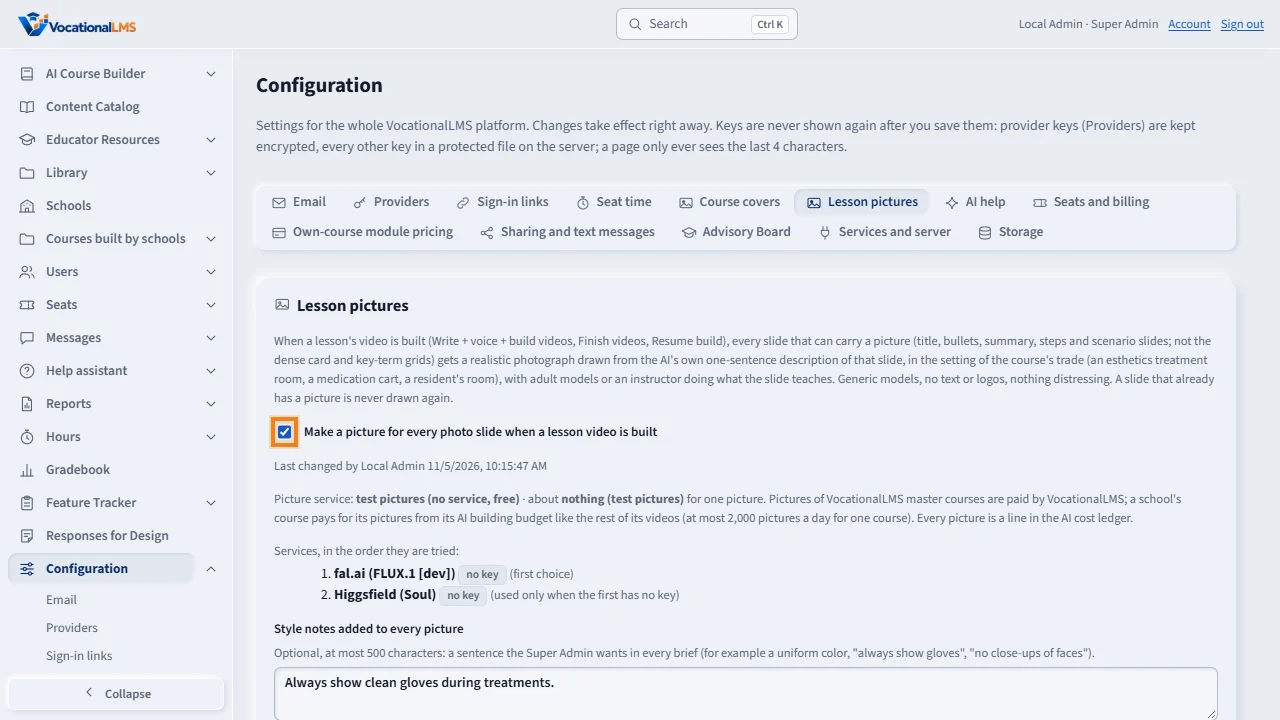
Configuration has a Lesson pictures tab. With the switch on, every lesson video built from now on gets a realistic picture on each slide that can carry one, drawn from the A I's own description of the slide in the setting of the course's trade. Style notes are added to every picture. The tab shows the services in order, the price, this month's pictures and cost, and the state of the last picture.
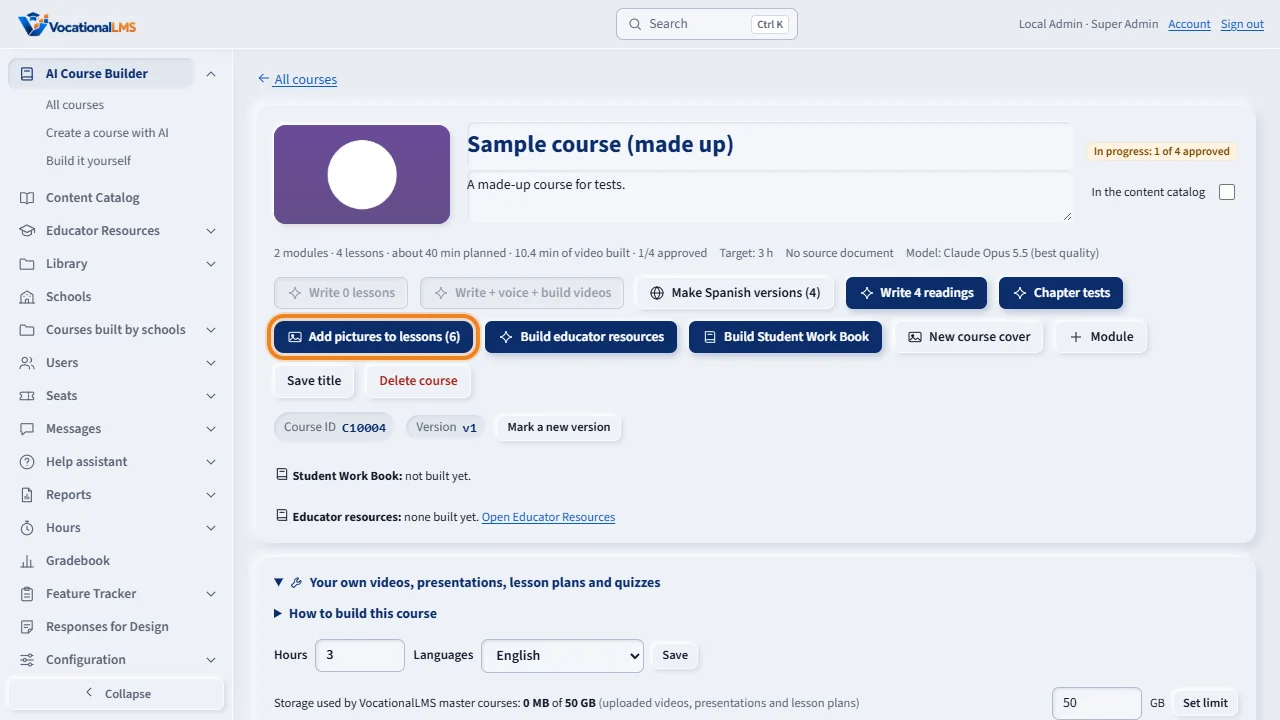
A course built before this has Add pictures to lessons on its page, with the number of slides that have no picture yet.
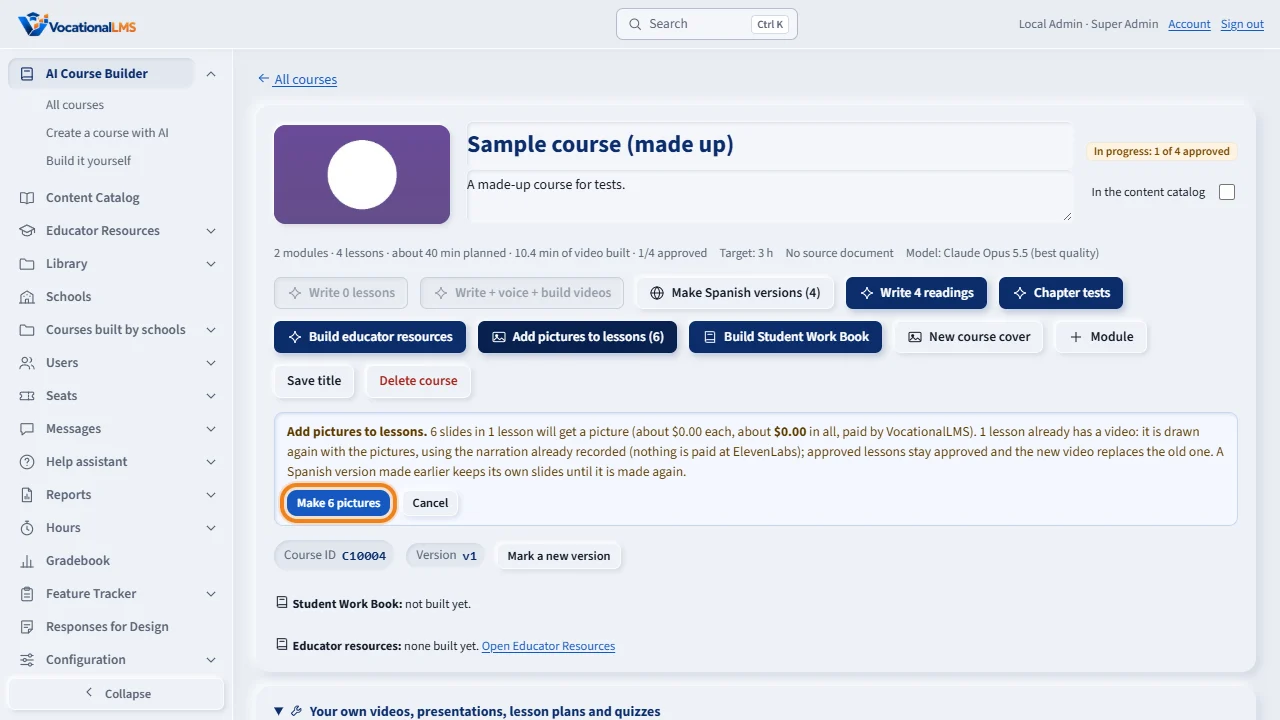
Click it. The box says how many slides in how many lessons will get a picture and what it costs, and that each video is drawn again with the narration it already has: nothing is recorded again, and approved lessons stay approved. Click Make pictures.
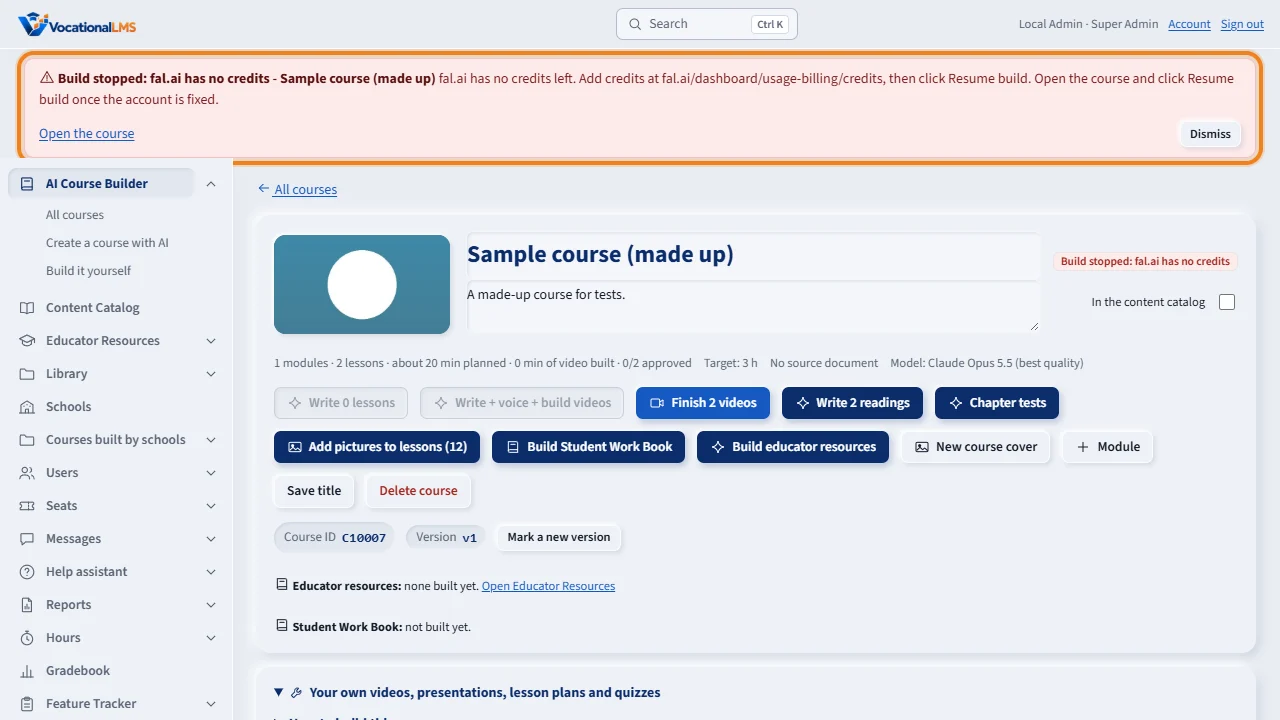
If the picture service refuses for credits, the build stops at the first refusal. The course says Build stopped: fal dot A I has no credits, a red alert appears at the top of every page, and an email goes out, once per stop. Add credits at fal dot A I, dismiss the alert, and click Resume build on the course.
Open this in VocationalLMSAI Course Builder > a course > Add pictures to lessons
Who can do this: The VocationalLMS Super Admin: the switch and the style notes for every course, Add pictures to lessons on any course. A School Admin on a course their own school builds (A-83).
What it is for
Until now the slides of an AI-built lesson video were text only (the Virginia Nurse Aide pictures were made by hand outside the server). Now, when a lesson's video is built (Write + voice + build videos, Finish videos, Resume build, Build video on one lesson), every slide that can carry a picture gets one: a realistic candid photograph of adult models or an instructor doing what that slide teaches, in the setting of the course's trade (an esthetics treatment room, a medication cart in an assisted living residence, a resident's room in a long-term care facility, a dental operatory, a clinic exam room), drawn from the AI's own one-sentence description of the slide. Generic adults, no text, logos or watermarks, nothing distressing. The picture fills the right part of the slide; the slide's words keep the left. Title, bullets, summary, steps and scenario slides get pictures; the dense card and key-term grids stay text so they remain readable. A slide that already has a picture is never drawn again, so a rebuild or Resume build only fills gaps. The pictures come from fal.ai (FLUX.1 [dev], about 3 cents each) or, when only a Higgsfield key is set, Higgsfield. If the picture service refuses for credits or a key, the build stops at once (like an ElevenLabs stop, V-55): the course says Build stopped: fal.ai has no credits, a red alert appears at the top of every page for the Super Admin, and an email goes out, once per stop. Add credits, then click Resume build.
Steps
When a video is built
- Nothing to click: with Configuration › Lesson pictures on (it is on by default), every video built from now on has its pictures. The job's View details shows Making picture 3 of 12 before the slides are drawn.
- The Resume build pre-flight (V-55) counts the pictures the rest of the build will make and warns when the last picture failed.
Add pictures to lessons (a course built before)
- Open the course. The button Add pictures to lessons (N) says how many slides have no picture yet. Click it: a box says how many slides in how many lessons, the cost, and that the videos are drawn again with the narration already recorded (nothing is paid at ElevenLabs).
- Click Make N pictures. One job makes the pictures lesson by lesson and draws each affected lesson's video again. Approved lessons stay approved and the new video replaces the old one in place (same captions). A lesson that has no video yet only gets its pictures; its video comes with Finish videos.
- The job can be stopped by a provider refusal like any other and continued with Resume build (What is left: pictures for N lessons).
Configuration › Lesson pictures
- The switch Make a picture for every photo slide when a lesson video is built governs VocationalLMS master courses and is the starting value for every school; each school can choose Follow / On / Off under its own Configuration, and you can set it per school here too.
- Style notes: a sentence added to every picture brief (for example the color of the tunics, or always show clean gloves). Pictures already made are not redrawn.
- The services in the order they are tried (fal.ai first, Higgsfield second), the price of one picture, this month's pictures and cost, and the last picture's state (OK, or the refusal) with links to the billing pages. Neither service offers a balance API, so the state of the last picture is the signal.
When the picture service has no credits
- The build stops at the first refusal. The course card and page say Build stopped: fal.ai has no credits; the red alert at the top of every page (and the email) says the same with the billing link. Dismiss the alert once you have read it.
- Add credits at fal.ai (Usage and billing › Credits) or higgsfield.ai, then open the course and click Resume build. The narration recorded before the stop is kept; nothing is paid twice.
What happens next
Every picture is a line in the AI cost ledger (kind: pictures on lesson slides). Pictures of VocationalLMS master courses are paid by VocationalLMS; a school's course pays for its pictures from its AI building budget like the rest of its video, and a school's course may have at most 2,000 pictures a day.
Common problems
| # | Problem | What to do |
|---|---|---|
| 1 | A video has no pictures. | Lesson pictures were off when it was built, or no picture service key is set (Configuration › Providers). Turn them on and click Add pictures to lessons on the course. |
| 2 | One slide has no picture while the others do. | That picture failed on its own (the safety checker, a timeout): the job's View details says so. Add pictures to lessons tries the missing ones again. |
| 3 | The build says fal.ai has no credits. | Add credits at fal.ai/dashboard/usage-billing/credits, then Resume build. The alert at the top of the page has the link. |
| 4 | Add pictures to lessons is gray. | Nothing is missing, work is running on the course, lesson pictures are off for the course's school, or no picture service is connected. |
See also
- V-55 Resume build: continue a build that stopped, after a pre-flight check
- V-54 Course cover pictures: made by themselves, regenerated on request
- V-56 Providers: the ElevenLabs, Anthropic and fal.ai keys, in Configuration
- A-83 Lesson pictures on the videos your school builds
- AI Course Builder (full guide)