
V-56For the VocationalLMS Super Admin
Providers: the ElevenLabs, Anthropic and fal.ai keys, in Configuration
Paste a new provider key on Configuration > Providers; it is saved encrypted, used at once (no restart), shown by its last 4 characters only, and Test connection checks it without spending anything.
How-to video V-56 · 1:16
Read the words of this video
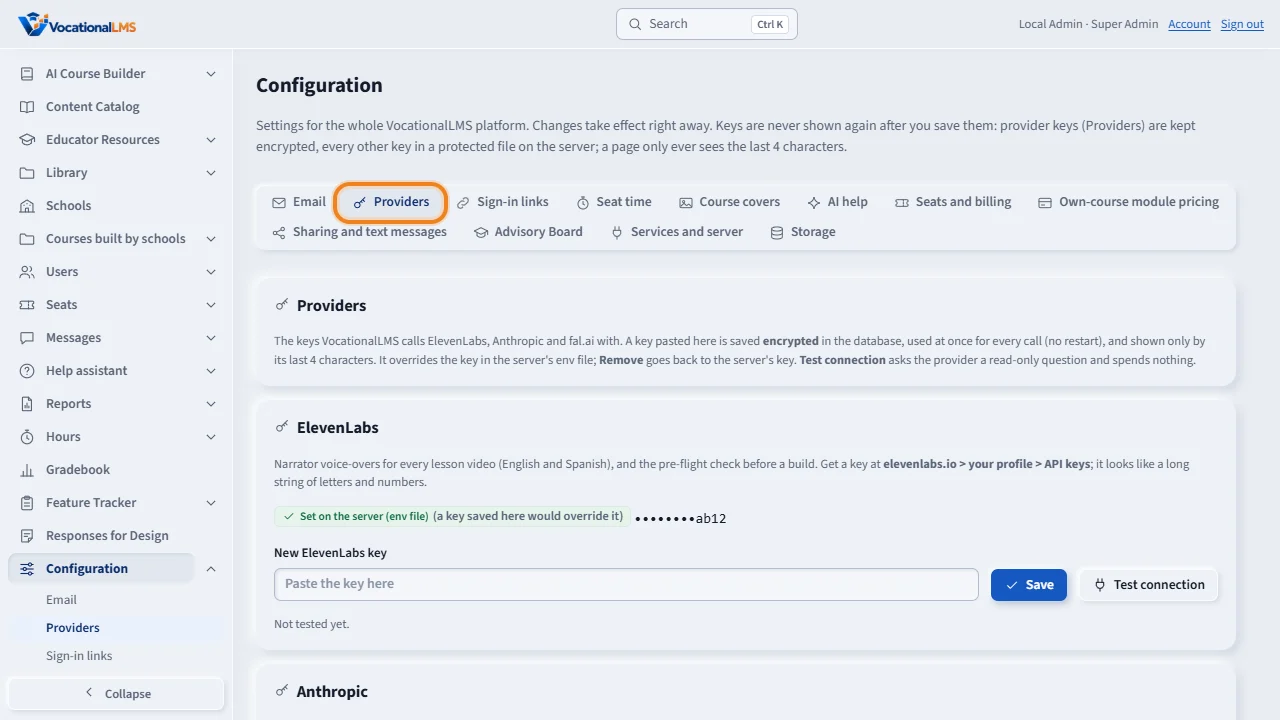
Configuration has a Providers tab: one card each for ElevenLabs, Anthropic and fal dot A I. Each card says where the key in use comes from: set here in Configuration, set on the server, or not set, with the key masked to its last four characters.
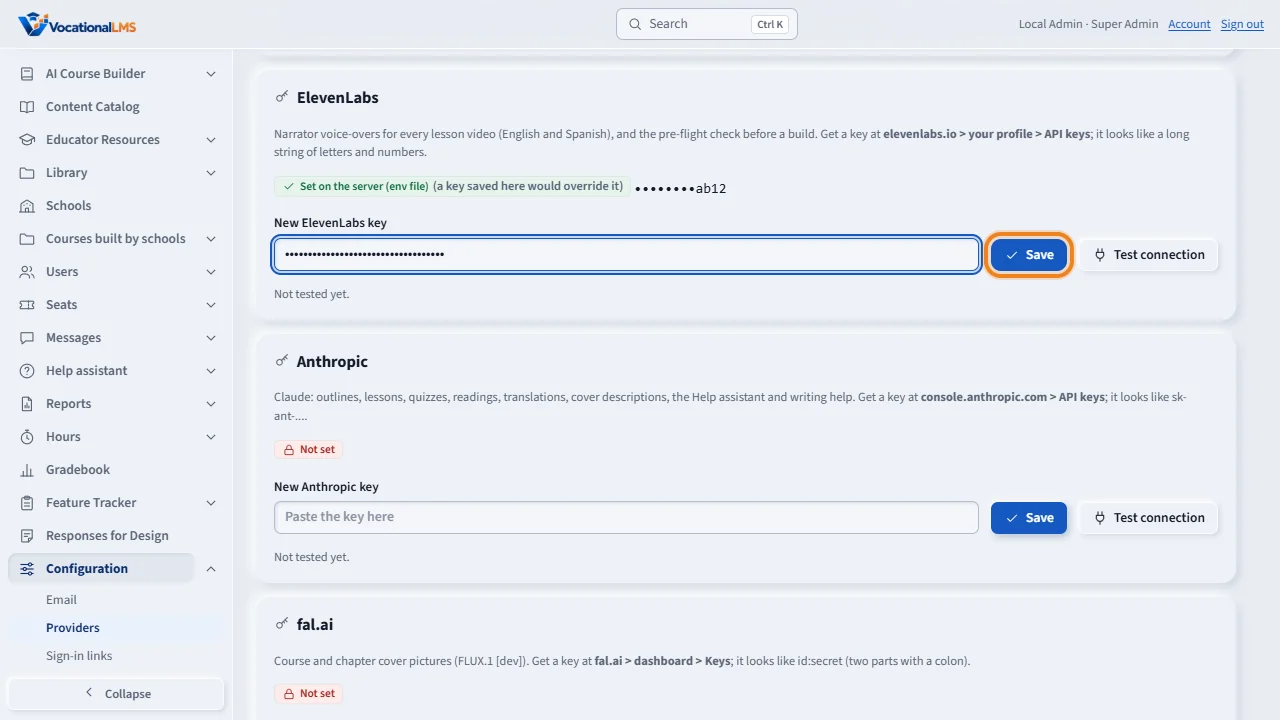
To change the ElevenLabs key, paste the new one in the password field and click Save. It is saved encrypted and used by the very next call. Nothing restarts.
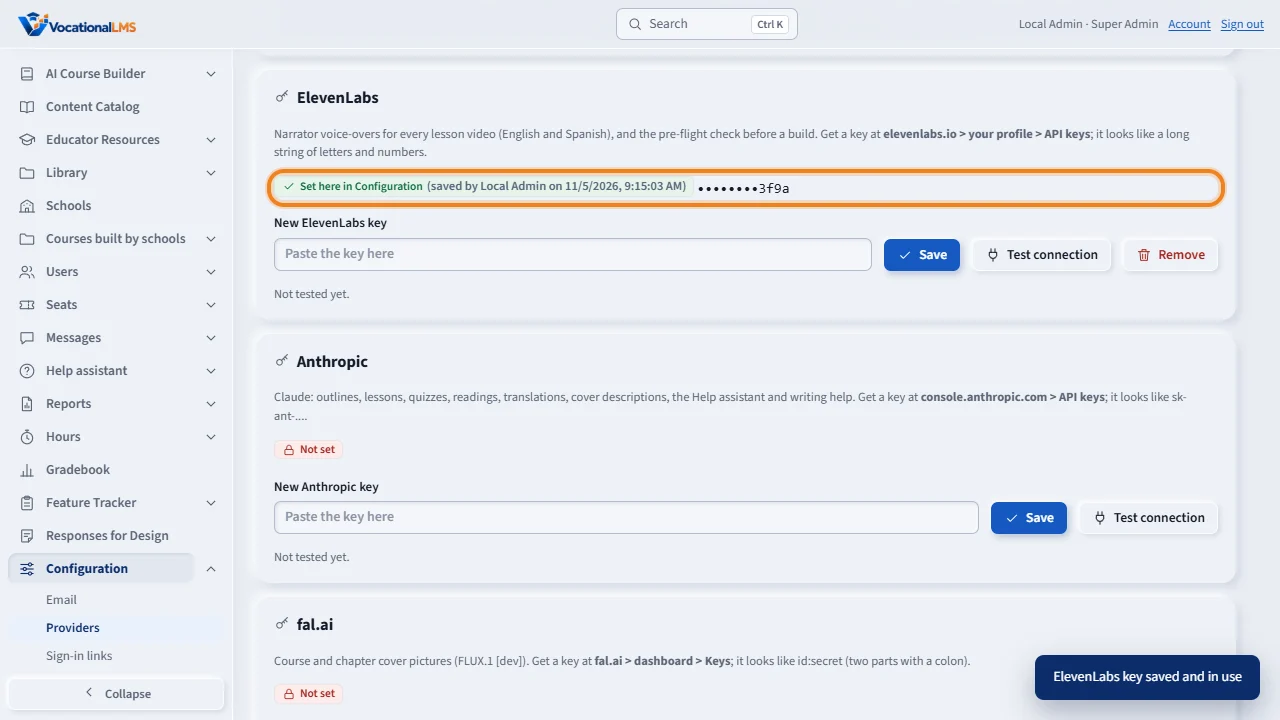
The card now says Set here in Configuration, shows the last four characters, and who saved it. The key itself is never shown again. Remove goes back to the server's own key.
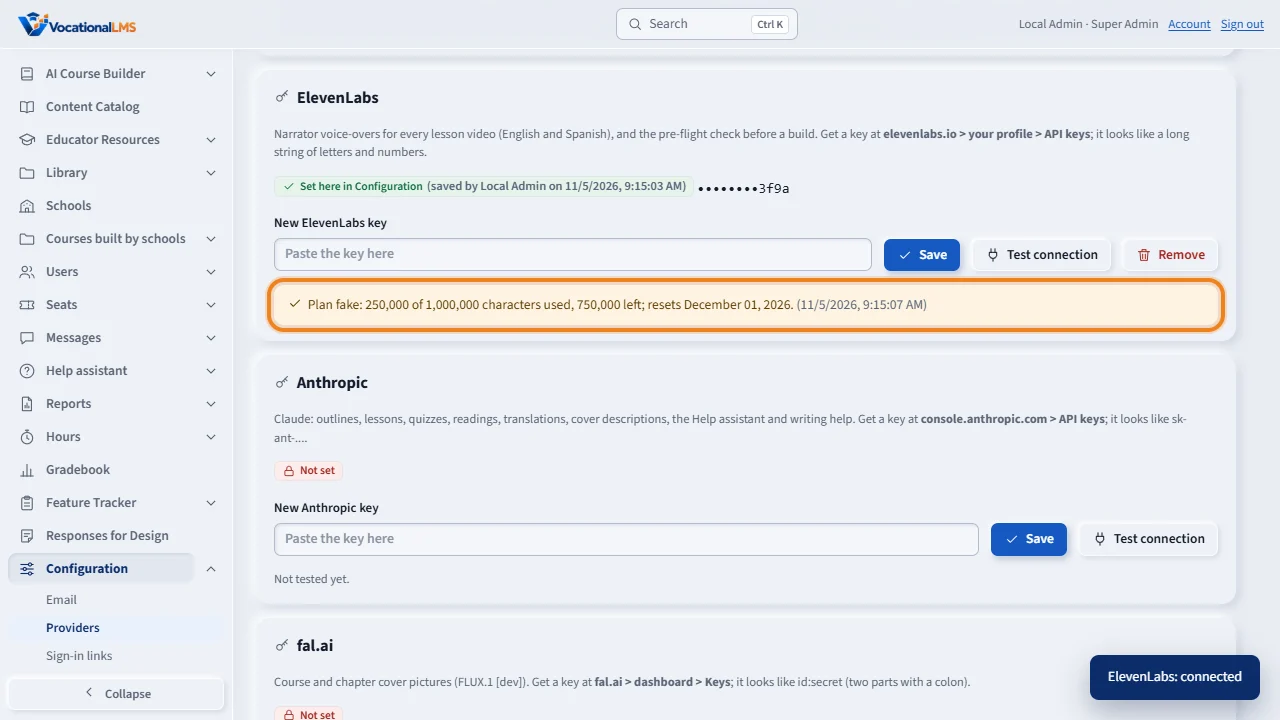
Test connection asks ElevenLabs for the plan: the tier, the characters used of the limit, and the next reset date. A refused key shows the provider's own reason. The test spends nothing.
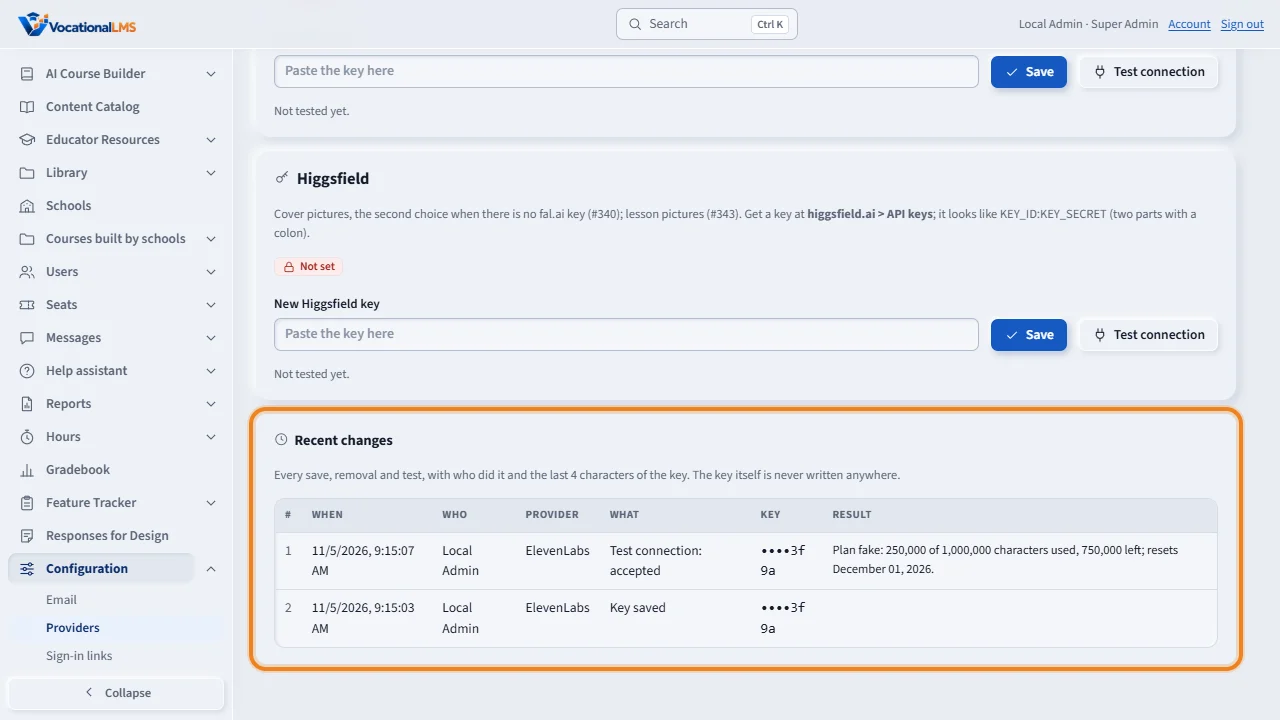
Recent changes lists every save, removal and test, with who did it and the last four characters. The same cards work for the Anthropic and fal dot A I keys.
Open this in VocationalLMSConfiguration > Providers
Who can do this: The VocationalLMS Super Admin only. A School Admin cannot open this tab (the server refuses).
What it is for
VocationalLMS calls three providers with keys: ElevenLabs (the narrator voice-overs), Anthropic (Claude: outlines, lessons, quizzes, readings, the Help assistant) and fal.ai (cover pictures). Until now each key lived only in the server's env file and a change needed the operator and a restart. Now Configuration > Providers has one card per provider: where the key in use comes from (Set here in Configuration, Set on the server (env file) or Not set), the key masked to its last 4 characters, a field to paste a new one, Save, Test connection and Remove. A key saved here is kept encrypted in the database (under a key that lives only on the server, so a copy of the database alone gives nothing), overrides the server's env file, and is used by the very next call: nothing restarts. The key is never shown again, never written to a log, a job message or the ledger. Every save, removal and test is listed under Recent changes with who, when and the last 4 characters.
Steps
Paste a new ElevenLabs key
- Get the key at elevenlabs.io (your profile > API keys). Click Configuration, then the Providers tab.
- On the ElevenLabs card, paste the key in New ElevenLabs key (a password field) and click Save. The card now says Set here in Configuration with the masked key (••••••••3f9a) and who saved it; the field is emptied.
- Click Test connection. ElevenLabs is asked for the plan: the tier, characters used of the limit, characters left and the next reset date. A refused key shows the provider's own reason instead. The test spends nothing.
- A build that said Build stopped: ElevenLabs key problem now continues: open the course and click Resume build (V-55).
Anthropic and fal.ai
- The same card for each: paste, Save, Test connection. Anthropic's test lists the models the key may use (nothing is generated); fal.ai's test checks the key's shape (id:secret) and that fal.ai accepts it (nothing is rendered). A fourth card, Higgsfield (the second picture service), checks the key's shape only.
Remove
- Remove deletes the key saved here; the server's own key (env file), if there is one, is used again at once. Remove is only offered for a key saved here.
What happens next
Every call from that moment uses the new key: the next voice-over, the Resume build pre-flight (the characters left), the Services and server tab. The server's env file is untouched; to change the server's own key the operator edits the env file as before.
Common problems
| # | Problem | What to do |
|---|---|---|
| 1 | Test connection says the key is refused. | The provider did not accept it: copy the whole key again (fal.ai keys have two parts with a colon) and Save. Until a good key is saved, the server's own key, if any, is still used. |
| 2 | The card says 'A key saved here cannot be read any more'. | The server's provider-keys key changed (the secrets folder was replaced). Paste the key again, or Remove it to go back to the server's key. |
| 3 | A School Admin asks to see the keys. | Only the Super Admin can; the tab is not on their Configuration page and the server answers 403. |
| 4 | The build still says ElevenLabs has no credits. | That is the account's balance, not the key: add credits at elevenlabs.io, then Resume build. |