
V-16For the VocationalLMS Super Admin
The Configuration page and its tabs
Email, sign-in links, seat time, AI help, seats and billing, sharing and text messages, services and server.
How-to video V-16 · 1:12
Read the words of this video
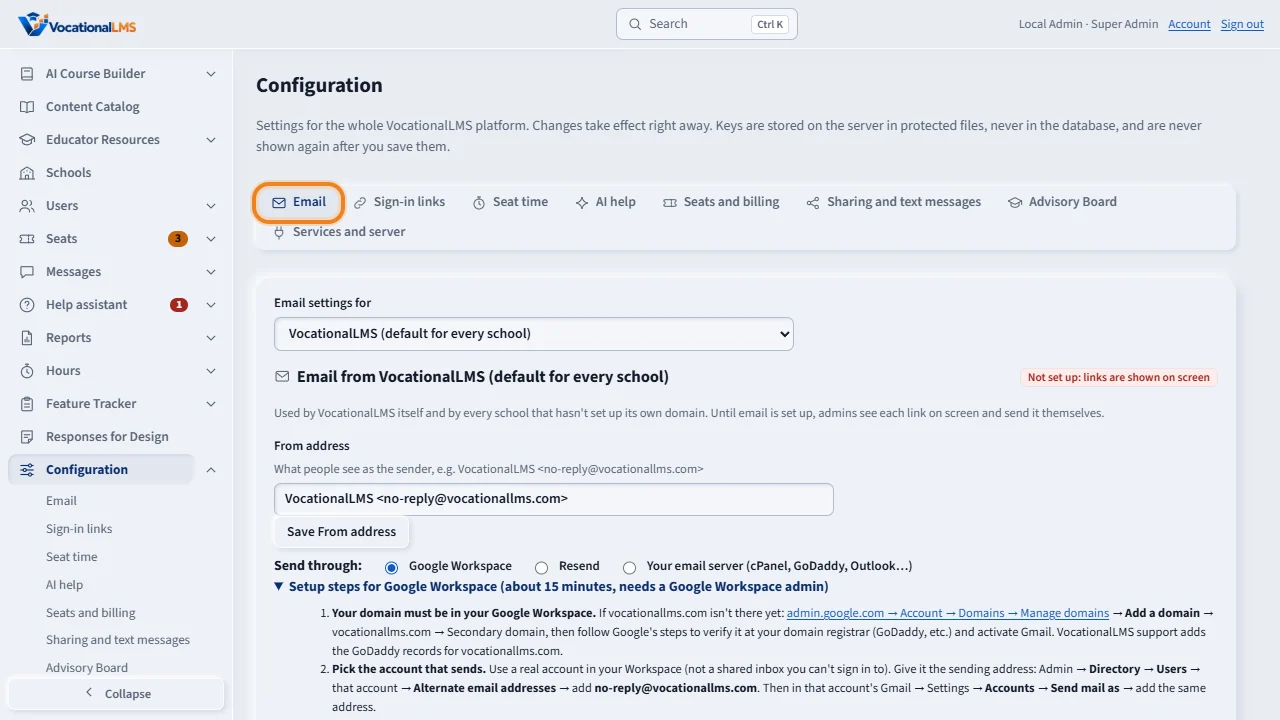
Configuration holds the settings of the whole platform, with a tab for each group. The Email tab sets who VocationalLMS sends email as, and how: Google Workspace, Resend, or an email server. You can also set up email for one school here.
Sign-in links sets how long invitation links and password-reset links work: seventy-two hours and one hour to start with. Seat time sets the idle rule that new schools start with.
A I help covers the student Help assistant and the writing help on messages: the model, the questions each student may ask in an hour, and the monthly limit for each school.
Seats and billing shows the values in use, with buttons to the Seats page where they are changed. Sharing and text messages has the switch for student sharing at each school.
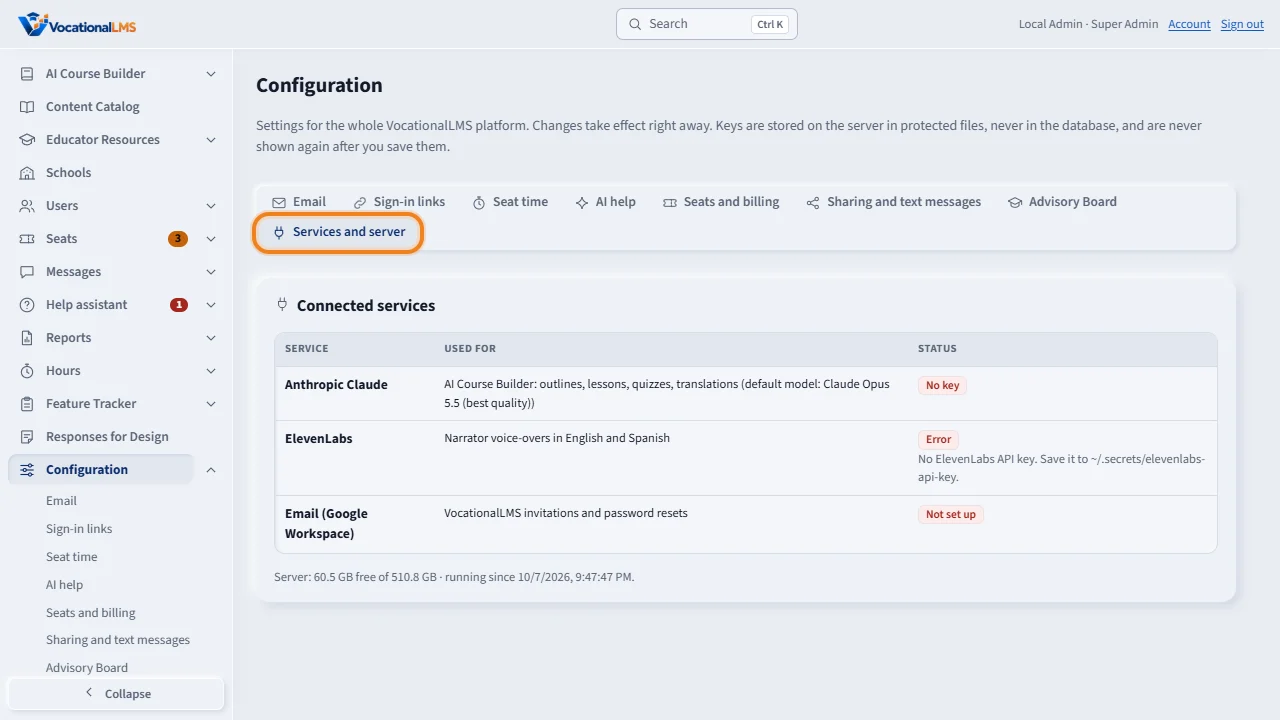
Services and server shows the connected services, the free disk space, and how long the server has been running. Changes on any tab take effect right away. Keys are kept on the server and are never shown again.
Open this in VocationalLMSConfiguration > Email
What it is for
Configuration holds the settings of the whole platform, one group per tab. Changes take effect right away. Keys are never shown again after you save them: the provider keys (Providers) are kept encrypted, every other key in a protected file on the server.
Steps
- Click Configuration. The open tab is in the address, so you can bookmark it.
- Email: choose VocationalLMS or one school in Email settings for. Set the From address and how to send: Google Workspace, Resend or an email server. Send a test email.
- Providers: the ElevenLabs, Anthropic and fal.ai keys. Paste a new key, Test connection, see where each key comes from (V-56).
- Sign-in links: how many hours invitation links (72) and reset links (1) work.
- Seat time: the idle rule new schools start with.
- AI help: the model, questions per hour, the monthly limit per school, and this month's usage.
- Seats and billing: the values in use, with buttons to the Seats page.
- Sharing and text messages: student sharing at each school, and the text-message provider (off until you set one).
- Services and server: connected services, free disk space and uptime.
What happens next
Until email is set up, invitation and reset links are shown on screen for the admin to send. A school that sets up its own domain sends through it; every other school uses the VocationalLMS default.
Common problems
| # | Problem | What to do |
|---|---|---|
| 1 | Check connection fails for an email server. | The message says why: wrong password, server, port or security setting. |
| 2 | A key needs to be replaced. | Paste the new one; only its last 4 characters are ever shown. The ElevenLabs, Anthropic and fal.ai keys are on the Providers tab (V-56). |