
V-24For the VocationalLMS Super Admin
Retake questions: write extra questions with AI and approve them
Give each quiz and test enough questions for a different second take. Nothing reaches students until a person approves it.
How-to video V-24 · 0:46
Read the words of this video
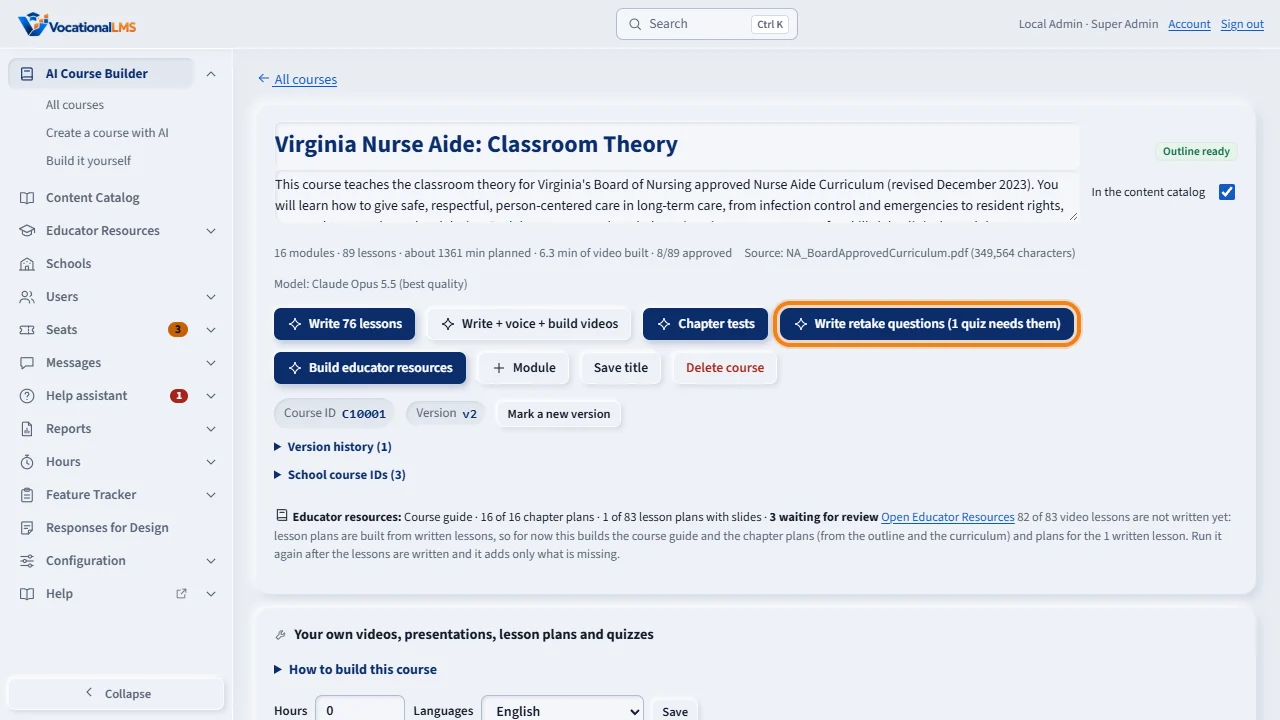
A retake should not repeat the first take. On a course page, Write retake questions writes extra questions for each quiz and test, from the course's own lessons, so a second take can be entirely new. The button says how many quizzes need them. It uses AI and costs money, so it never starts by itself.
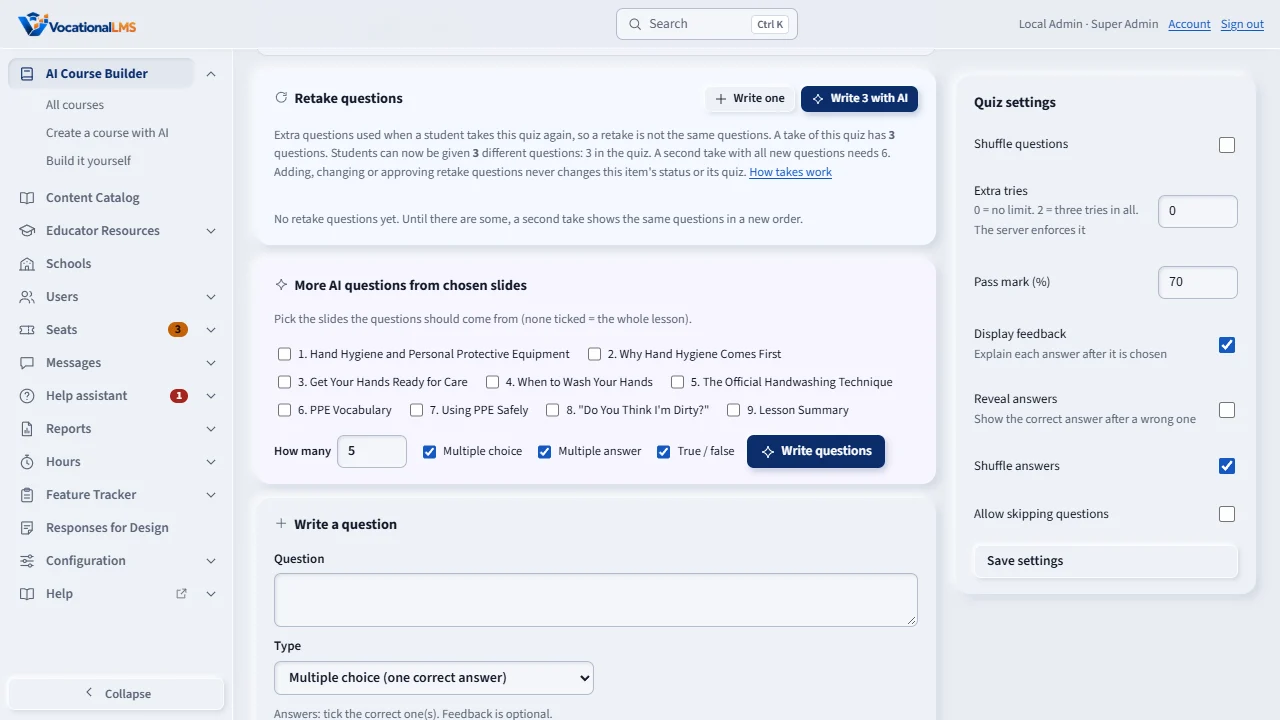
The new questions are drafts. On the item's Quiz questions tab, under Retake questions, read each one. Edit or delete where needed, then approve one, or approve all on this item. Your name is kept. Students only ever get approved questions, and the item's own status never changes.
Open this in VocationalLMSAI Course Builder > a lesson > Quiz > Retake questions
What it is for
A retake should not repeat the first take. For each quiz and test, the system can write extra questions from the course's own lessons, so a second take can be entirely new. They are drafts until a person reads and approves them.
Steps
- Open the course. Click Write retake questions. The button says how many quizzes need them.
- Read the note: it uses AI and costs money. Click Start writing.
- Watch Activity, and click View details to see each item being written.
- When it finishes, the course page lists the items with questions waiting. Open one and click Quiz questions.
- Under Retake questions, read each question. Use Edit or Delete where needed, then Approve one, or Approve all on this item. Your name is kept.
- Write one adds a retake question by hand.
What happens next
Students only ever get approved questions, and the item's own status never changes. The target is twice the quiz length; a chapter test that already has Form A and Form B needs none, because a retake of one form draws from the other. The questions are written only from the course's own lessons and curriculum. The job never starts by itself and is not resumed after a restart; click the button again and it writes only what is still missing. Schools get the retake questions of a VocationalLMS course automatically; only VocationalLMS can write or approve them.
Common problems
| # | Problem | What to do |
|---|---|---|
| 1 | New retake questions do not appear for students. | They are still marked Not approved yet. Approve them. |
| 2 | The job stopped part-way. | Click Write retake questions again. It writes only what is still missing. |
| 3 | A school says it cannot approve. | For a VocationalLMS course, only the Super Admin can. A school approves questions of its own courses. |