
V-20For the VocationalLMS Super Admin
The public website, the policy pages and the server behind it
What visitors see at vocationallms.com, the legal pages, and how the service is hosted and protected.
How-to video V-20 · 1:08
Read the words of this video
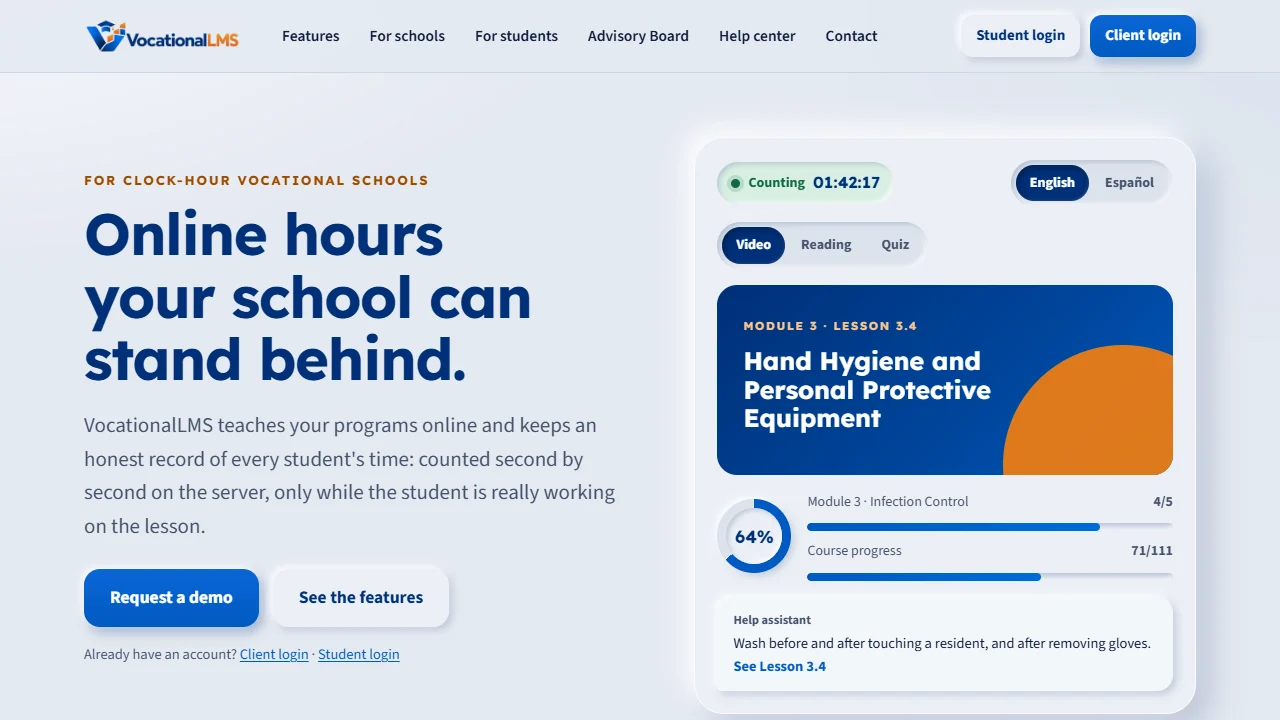
vocationallms.com opens a public website: Home, Features, For schools, For students, Help center and Contact. Client login and Student login are at the top right.
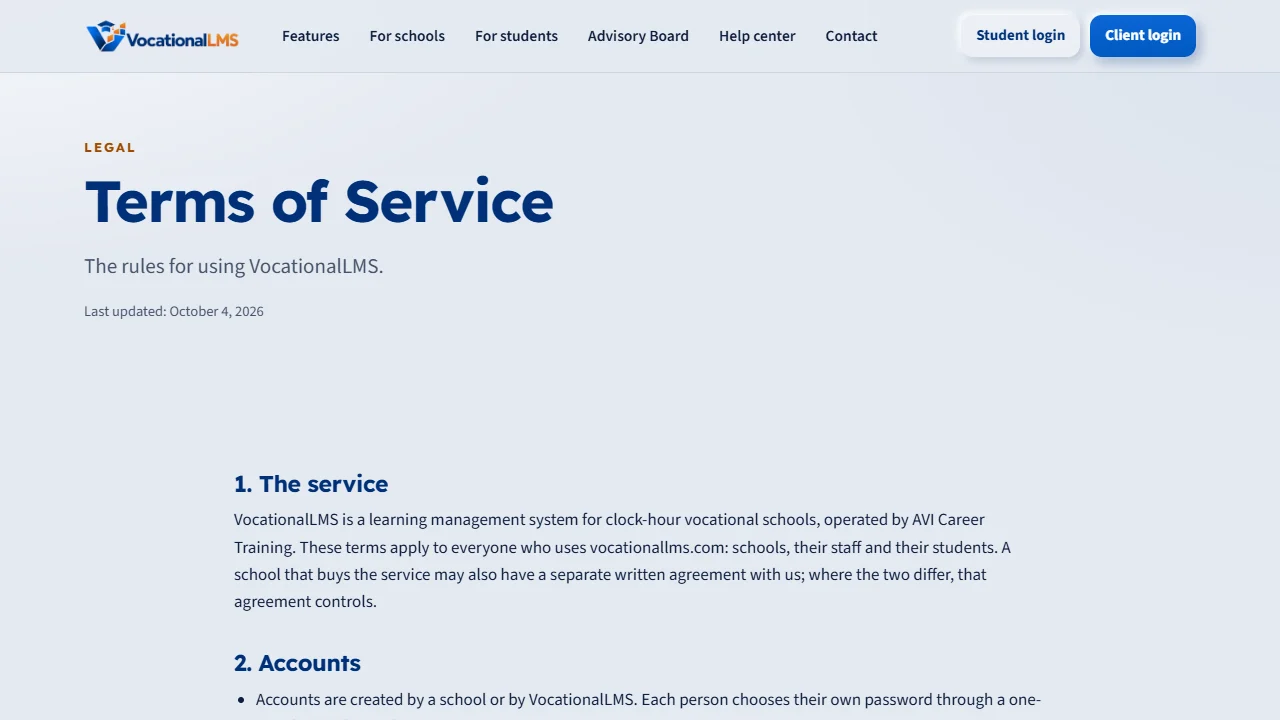
The links at the bottom of every page open the Privacy Policy, the SMS Policy and the Terms. They name the operator, and they are written so that text-message carriers can review them. A student's mobile number is saved only with a ticked consent box.
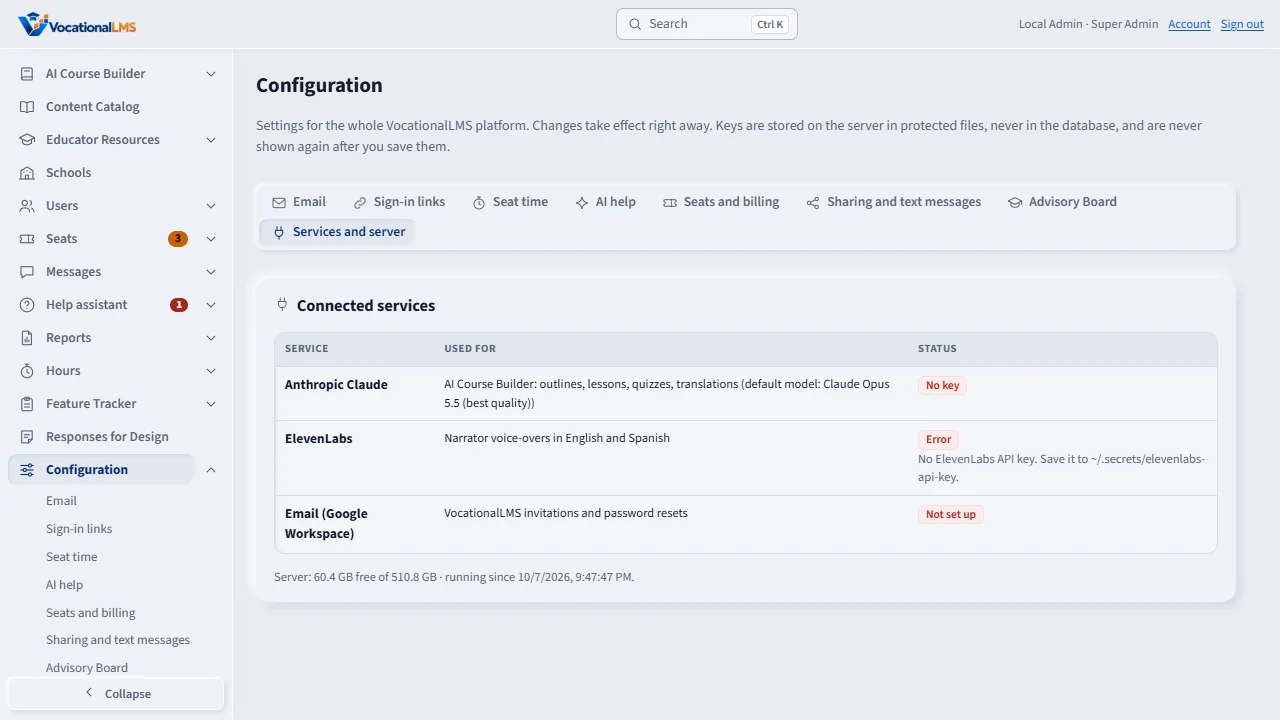
Behind the site is one production server, with its own private network, a firewall, daily backups and a nightly copy of the database. Services and server, on the Configuration page, shows the connected services, the free disk space and the uptime.
Lesson videos are protected. They stream encrypted, each link works only for the signed-in viewer and expires, there is no download, and the viewer's email moves across the picture. Lesson pages open in under a second.
Open this in VocationalLMSConfiguration > Services and server
What it is for
vocationallms.com opens a public website with Client login and Student login. It links to the Privacy Policy, SMS Policy and Terms. Behind it is one production server with daily backups, encrypted video and a one-command deploy.
Steps
- Open vocationallms.com: Home, Features, For schools, For students, Advisory Board, Help center and Contact, with the two login buttons at the top right. You manage the Advisory Board's members yourself (V-22).
- The links at the bottom of every page open /privacy-policy, /sms-policy and /terms. They name the operator and are written for text-message carrier review.
- A message sent from the Contact page is saved and emailed to you.
- Open Configuration > Services and server for the connected services, free disk space and uptime.
What happens next
The service runs on one server with its own private network, a firewall, HTTPS, daily backups and a nightly database copy; a script rebuilds it and another ships new code with a health check. Lesson videos are encrypted streams with links that expire, a key only for allowed viewers, no download, and a moving watermark. Lesson pages open in under a second.
Common problems
| # | Problem | What to do |
|---|---|---|
| 1 | A policy needs new wording. | The three pages are generated from one file by the developer; ask for the change. |
| 2 | Disk space is low. | Check Services and server. Videos are the largest files. |