
S-18For students
Your mobile number, and the privacy and text-message policies
Save a mobile number with your consent, and read the Privacy Policy, SMS Policy and Terms.
How-to video S-18 · 1:05
Read the words of this video
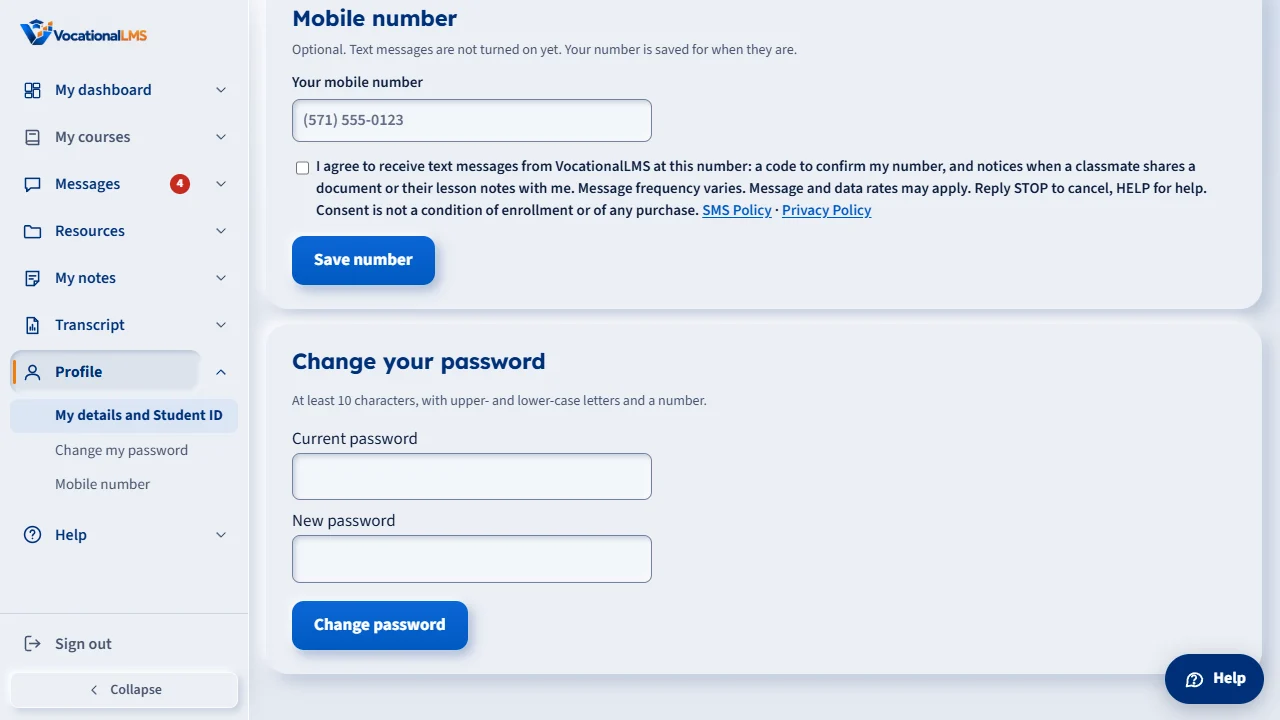
On your Profile page you can save a mobile number for text messages from VocationalLMS. Text messages are not turned on yet. Your number is saved for when they are.
Type your number, then read the words beside the box. Tick the box only if you agree to receive text messages at that number. The box is never ticked for you, and a number cannot be saved without it. Agreeing is not a condition of enrollment.
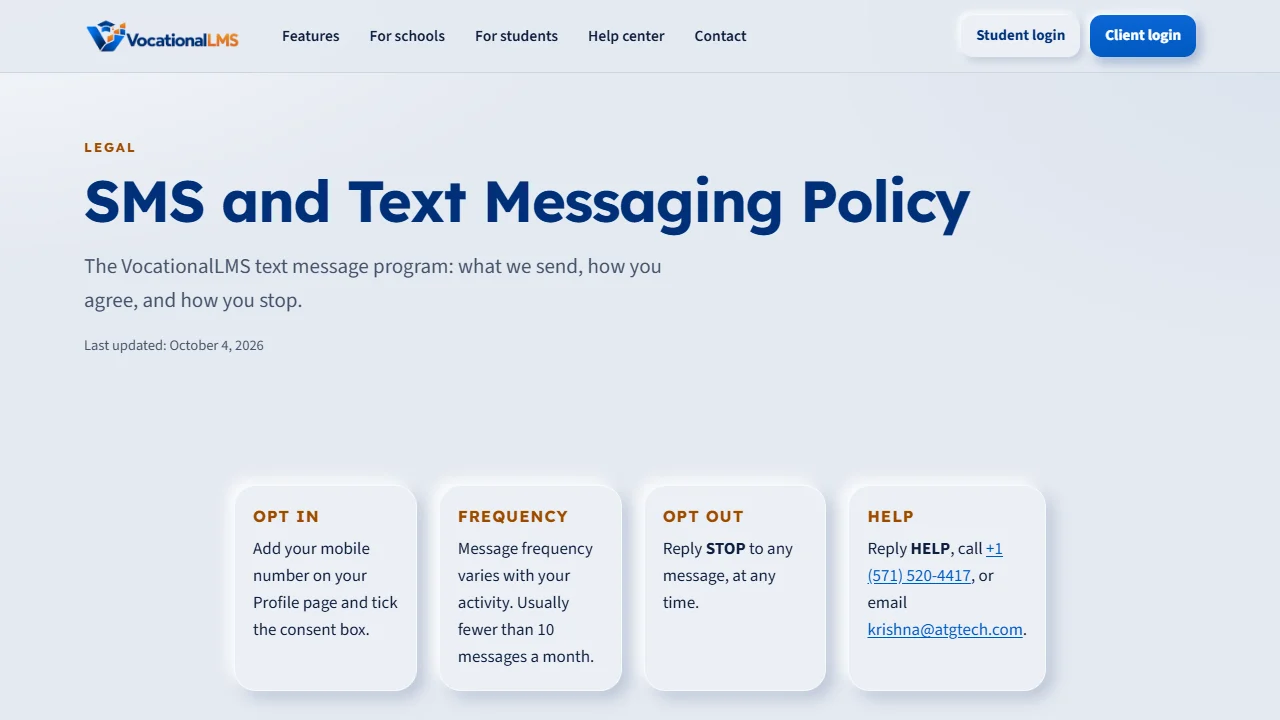
The SMS Policy says which messages are sent, how often, how to opt in, and that you can reply STOP to cancel or HELP for help. Message and data rates may apply.
The Privacy Policy explains what information VocationalLMS collects and how it is used and protected. Mobile numbers and text-message consent are never shared with others for marketing.
You can find the Privacy Policy, the SMS Policy and the Terms at the bottom of the sign-in page and of every page of the website.
Open this in VocationalLMSProfile > Mobile number
What it is for
On your Profile you can save a mobile number for text messages from VocationalLMS. A number is saved only if you tick the consent box. The Privacy Policy, SMS Policy and Terms are public pages anyone can read.
Steps
- Click Profile and find Your mobile number.
- Type your number.
- Read the words beside the box and tick it if you agree to receive text messages at that number. The box is never ticked for you.
- Click Save number.
- To read the policies, click SMS Policy or Privacy Policy beside the box, or the links at the bottom of the sign-in page and the website.
What happens next
The day and the exact words you agreed to are recorded. Text messages are not turned on yet; your number is saved for when they are. You can remove your number at any time, and consent is never a condition of enrollment.
Common problems
| # | Problem | What to do |
|---|---|---|
| 1 | The number is refused. | Tick the consent box. A number cannot be saved without it. |
| 2 | You get a text you do not want (once texts are on). | Reply STOP to cancel, or HELP for help. Message and data rates may apply. |