
V-11For the VocationalLMS Super Admin
The Content Catalog: give courses to a school
Tick courses for a school, or tick schools on a course page. Take a course back the same way.
How-to video V-11 · 0:52
Read the words of this video
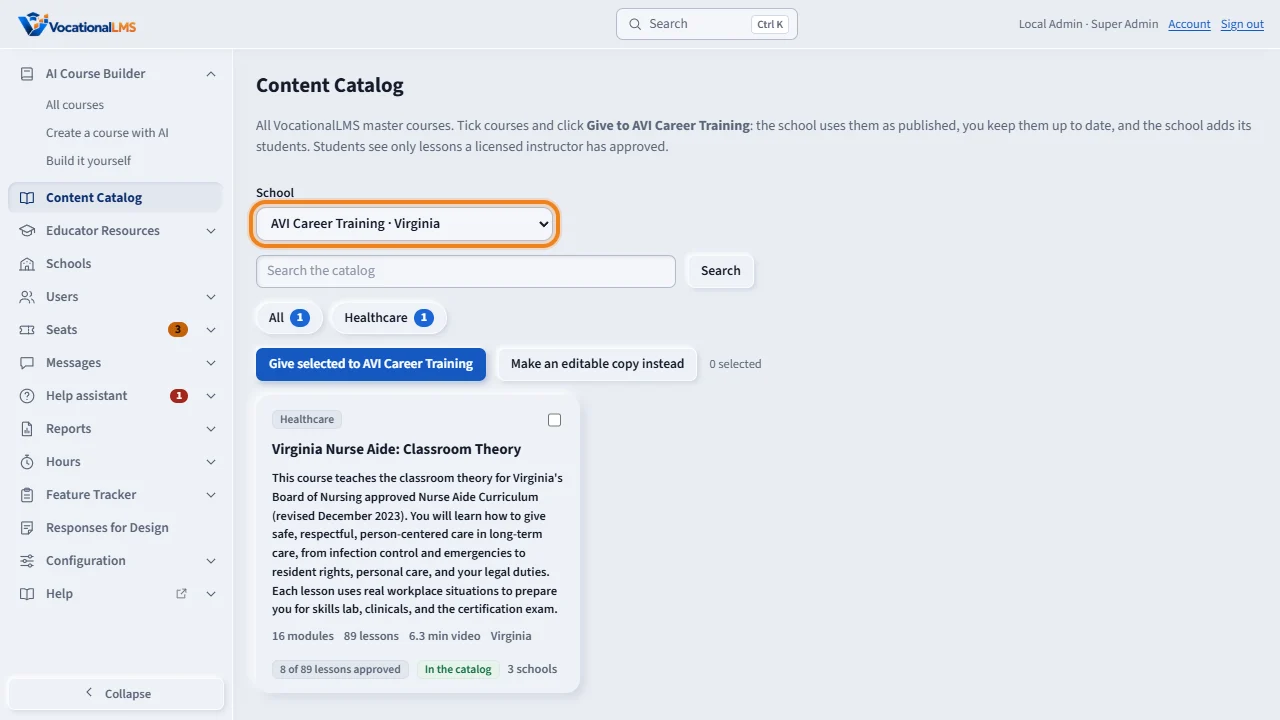
You decide which master courses each school has. Click Content Catalog and choose the school at the top.
Tick the courses, and click Give selected to the school. The course appears under that school's My Courses at once. The school uses it as published, you keep it up to date, and the school adds its own students.
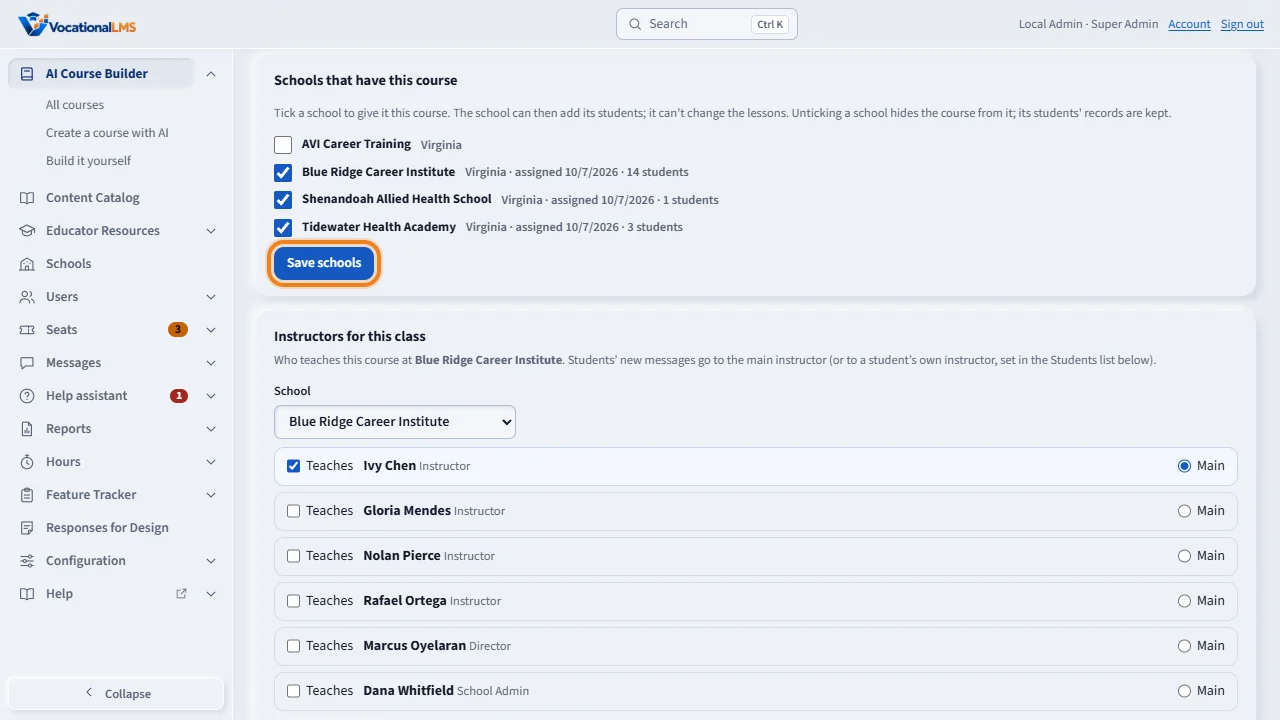
You can also work from the course page. Under Schools that have this course, tick the schools and click Save schools. Unticking a school hides the course there, and keeps its students' records.
In the content catalog, at the top of the course page, lists the course in the catalog for schools to see. A course does not need to be finished to be given, because students see only the lessons a licensed instructor has approved.
Open this in VocationalLMSAI Course Builder > a course > Schools that have this course
What it is for
You decide which master courses each school has. The school uses a course as published; you keep it up to date, and the school adds its own students.
Steps
From the Content Catalog
- Click Content Catalog and choose the School at the top.
- Tick the courses and click Give selected to the school.
- The school's library at the bottom shows what it has. Remove takes a course back.
From a course page
- Open the course. Under Schools that have this course tick the schools and click Save schools.
- Tick In the content catalog at the top to list the course in the catalog for schools to see.
An editable copy
- Make an editable copy instead gives the school its own copy to change. It needs every lesson approved.
What happens next
The course appears under the school's My Courses at once. A course does not need to be finished: students see only approved lessons. Unticking a school hides the course there and keeps its students' records, so ticking it again brings everything back.
Common problems
| # | Problem | What to do |
|---|---|---|
| 1 | A school asks why it cannot add a course itself. | Schools can look at the catalog; only you give a course. |
| 2 | The school needs seats first. | Only if Seats required is on for it (V-13). |