
V-01For the VocationalLMS Super Admin
Create a school and open its dashboard
Add a school with its first School Admin, then see VocationalLMS exactly as that school does.
How-to video V-01 · 0:55
Read the words of this video
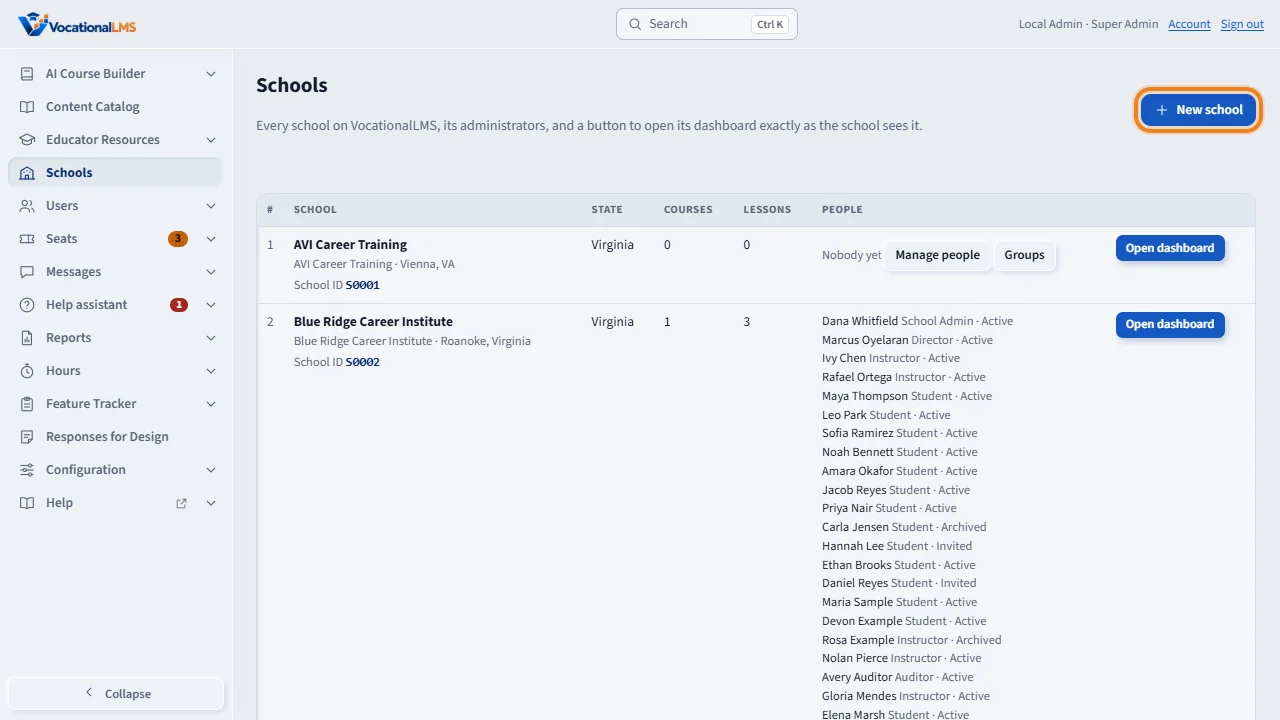
Each school on VocationalLMS is separate. Its people, students and records are seen only by that school and by you. Click Schools to see every school, then New school to add one.
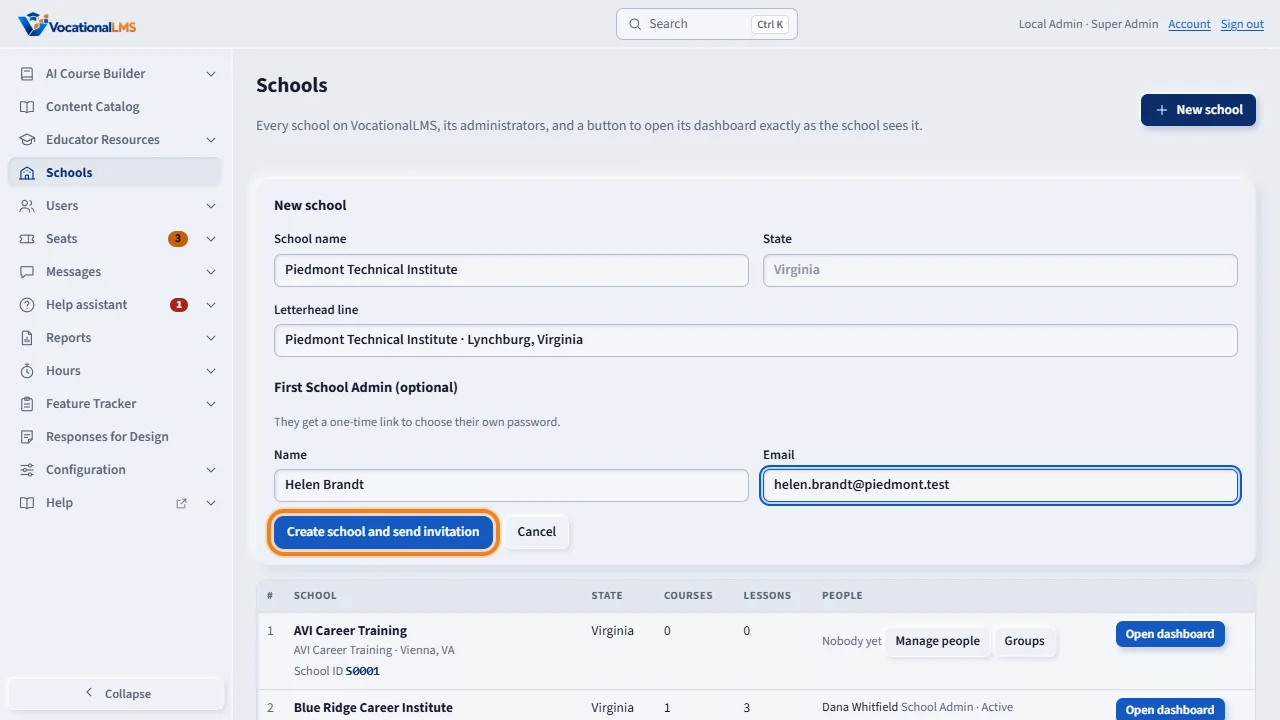
Type the school name, the state and the letterhead line. Add the first School Admin's name and email, then click Create school and send invitation. The admin gets a one-time link and chooses their own password.
On a school's row, Manage people opens its users. Open dashboard shows VocationalLMS exactly as that school's admin sees it, which is the quickest way to help a school.
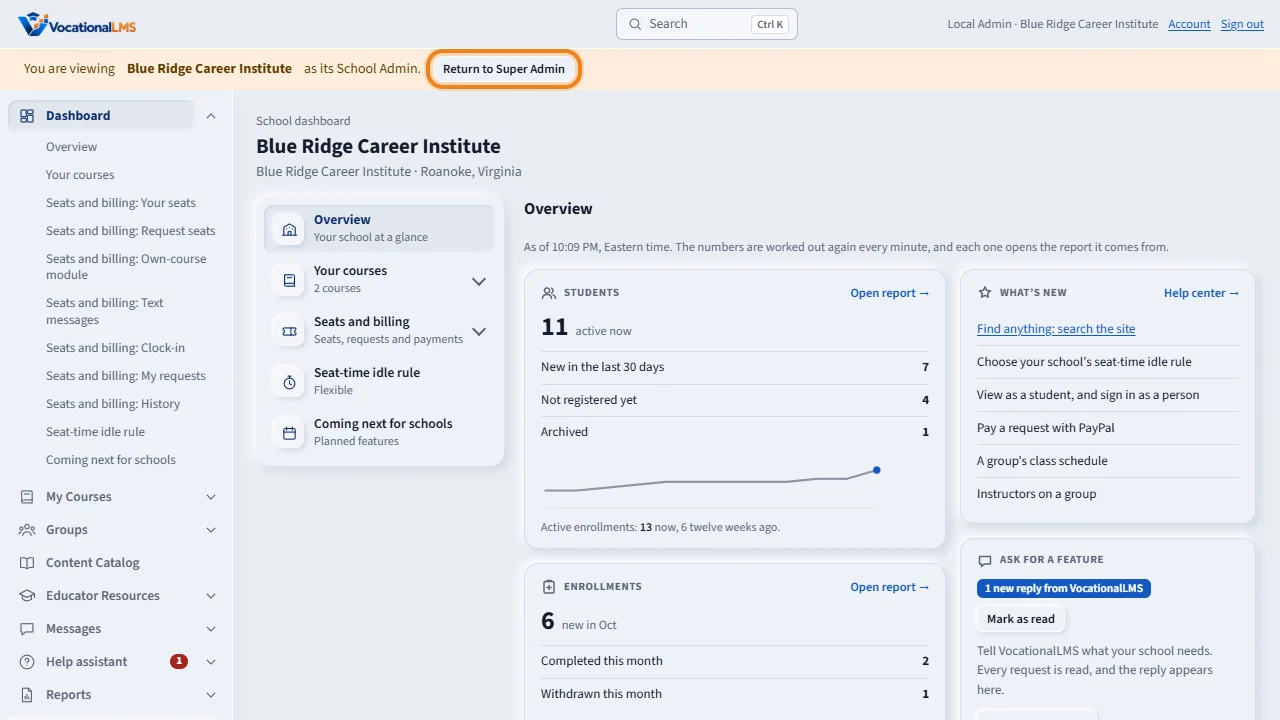
While you view a school, a bar at the top says which school you are in. Click Return to Super Admin to go back. A new school has no courses yet, so give it one from the Content Catalog.
Open this in VocationalLMSSchools
What it is for
Each school is separate: its people, students, courses and records are seen only by that school and by you. You create the school, invite its first School Admin, and can open its dashboard at any time to help.
Steps
- Click Schools, then New school.
- Type the School name, the State and the Letterhead line.
- Under First School Admin type their name and email (optional, you can add one later).
- Click Create school and send invitation. The admin gets a one-time link and chooses their own password.
- On a school's row, Manage people opens its users. Open dashboard shows VocationalLMS exactly as that school's admin sees it.
- While you view a school, an orange bar at the top says so. Click Return to Super Admin to go back.
What happens next
The new school has no courses and no seats yet. Give it a course from the Content Catalog (V-11). Seats are needed only if you turn Seats required on for it (V-13).
Common problems
| # | Problem | What to do |
|---|---|---|
| 1 | The admin did not get the email. | Until email is set up (V-16) the link is shown on screen. Copy it and send it yourself. |
| 2 | You changed something while viewing a school. | It is recorded as done by you. The bar reminds you which school you are in. |