
V-02For the VocationalLMS Super Admin
Users in every school, deletion codes and the deletion log
Find anyone, issue a one-time code so a school can delete a student, and read the audit log.
How-to video V-02 · 1:01
Read the words of this video
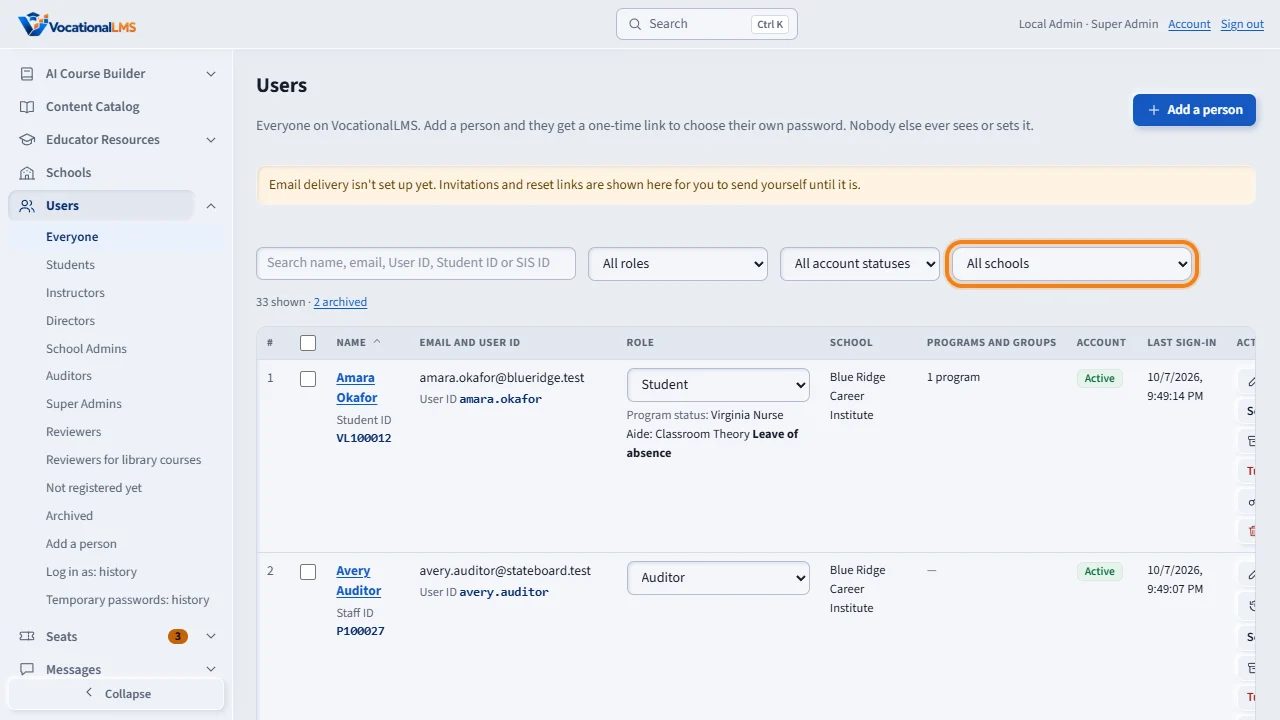
Your Users page lists the people of every school. Filter by school, role or status, or search a name or email. You can add, edit, archive and turn off anyone, the way a School Admin does for their own school.
Student records are kept for audits. A School Admin cannot delete a student alone. When a school calls, find the student and click Deletion code. Type the reason, and make the code.
Read the code to the School Admin. It has eight characters. It works once, for twenty-four hours, and only for that one student at that school. Five wrong tries cancel it. Only the newest code works.
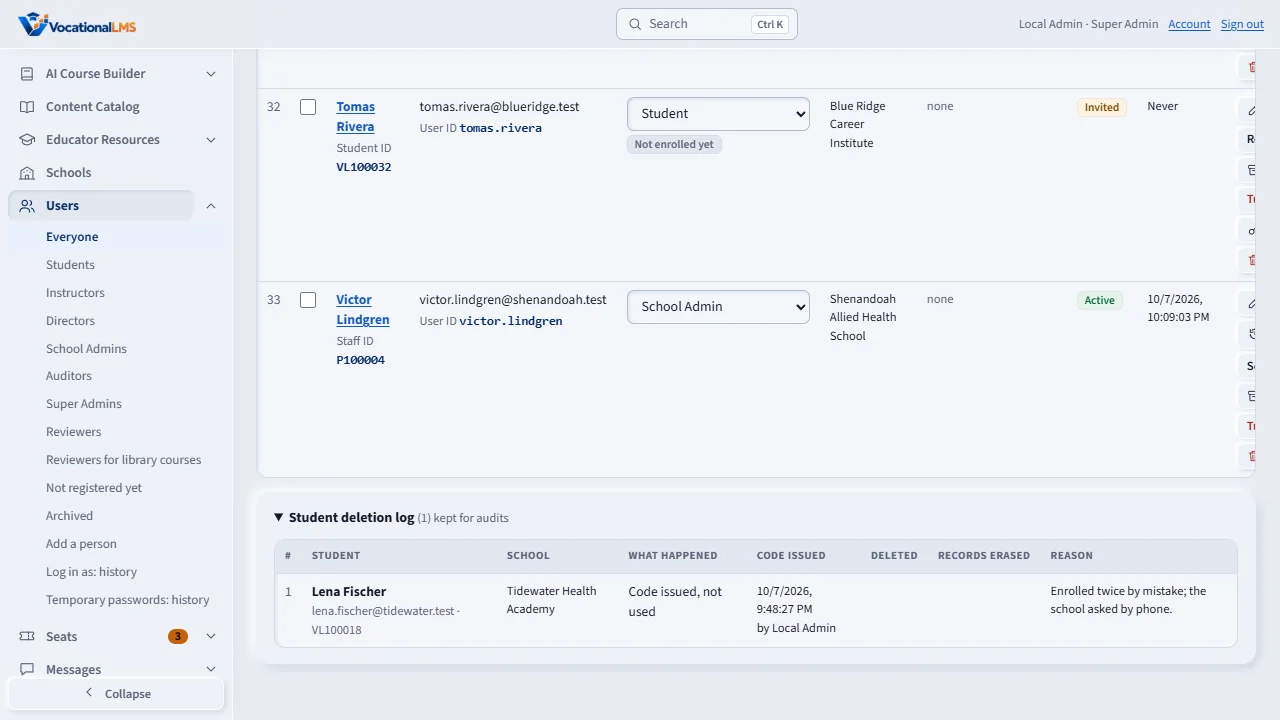
The Student deletion log, at the bottom of the page, keeps every code and every deletion: who the student was, who issued the code and why, who deleted, when, and what was erased.
Open this in VocationalLMSUsers > Deletion log
What it is for
Your Users page lists the people of every school. Only you can delete a student record, or issue the one-time authorization code that lets a School Admin delete one student.
Steps
- Click Users. Filter by school, role or status, or search a name or email.
- You can add, edit, send links, archive and turn off anyone, as a School Admin can for their own school (A-02 to A-06).
- When a school calls to delete a student: find the student and click Deletion code. Type the reason and make the code.
- Read the 8-character code to the School Admin. It works once, for 24 hours, only for that student at that school. Five wrong tries cancel it.
- To delete a student yourself, click Delete. You are shown what would be lost first.
- Open Student deletion log at the bottom of the page to see every code and deletion.
What happens next
The log keeps who the student was, who issued the code and why, who deleted, when, and what was erased. It is kept for audits and cannot be changed.
Common problems
| # | Problem | What to do |
|---|---|---|
| 1 | The school lost the code. | Make a new one; only the newest code works. |
| 2 | A staff member cannot be deleted. | Staff with messages, notes or course work are turned off, not deleted. |