
S-45For students
When your school counts time on other browser tabs
If your school allows it, your clock keeps running when you open another tab to research what you are learning.
How-to video A-107 · 1:00 (the same video as A-107)
Read the words of this video
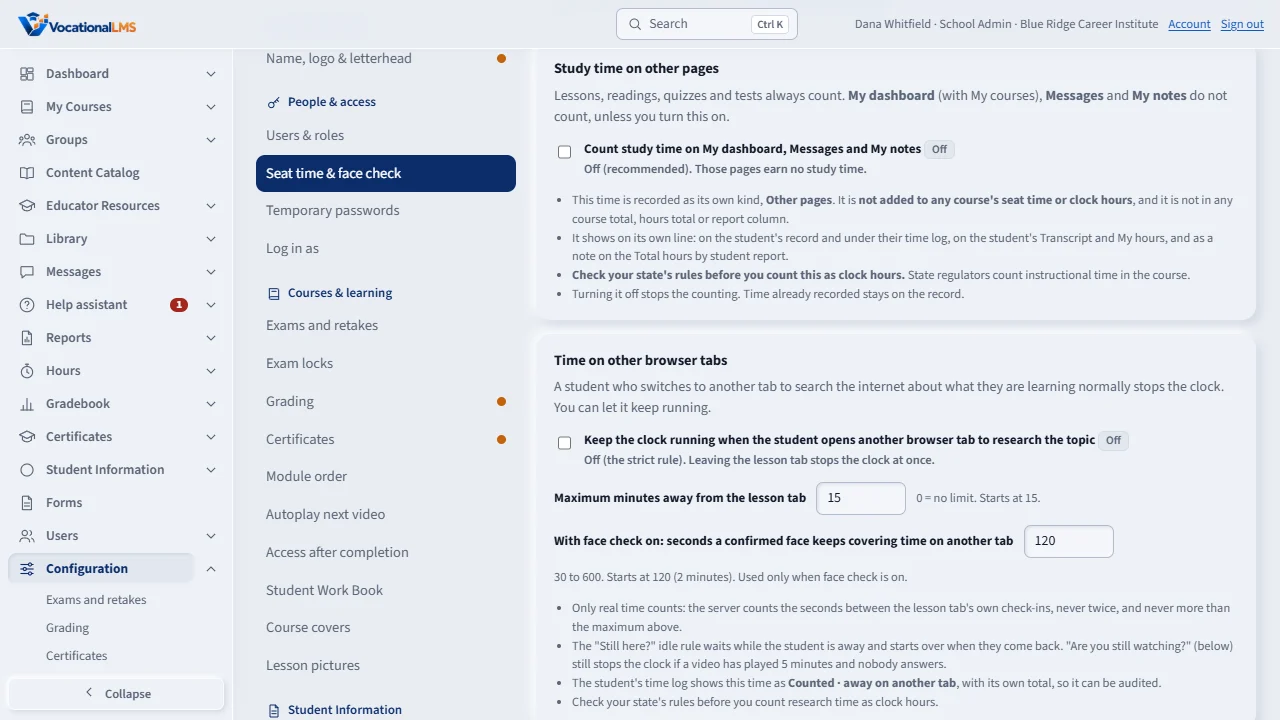
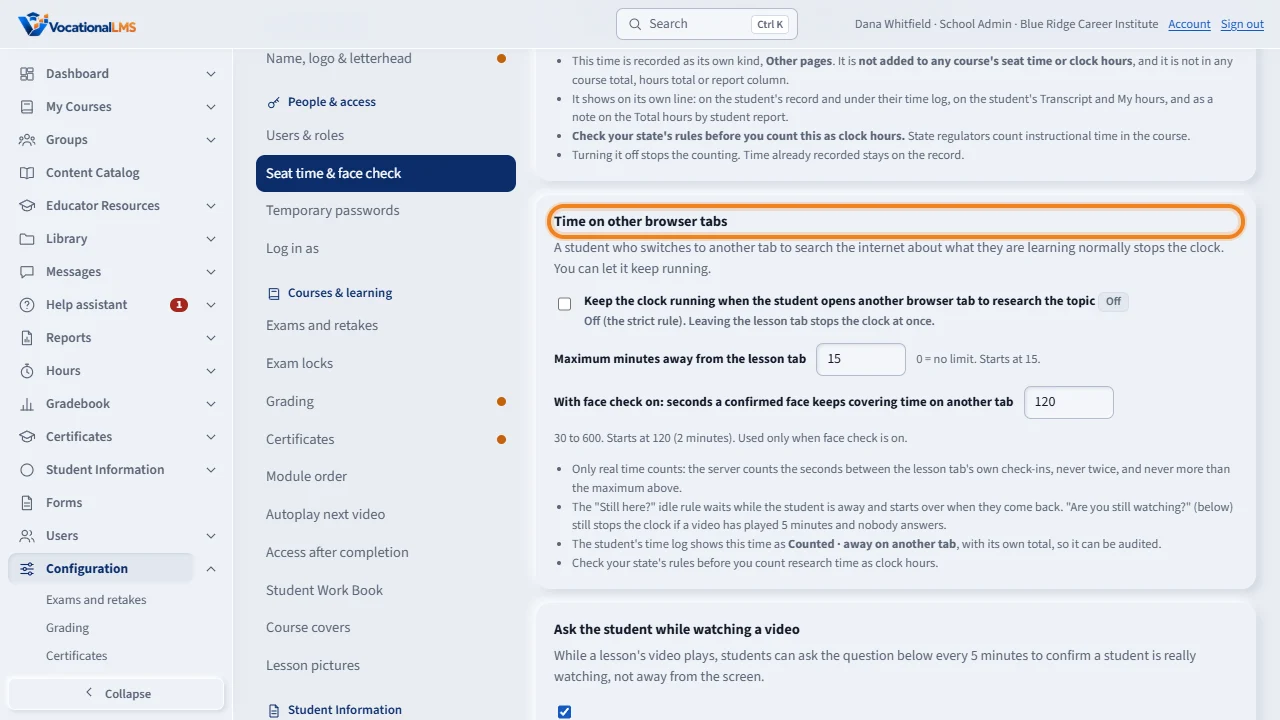
Normally the clock stops the moment a student switches to another browser tab. If your students research on the internet, you can change that. Open Configuration, then the Seat time and face check tab.
Tick Keep the clock running when the student opens another browser tab. Then set the maximum minutes away from the lesson tab. Fifteen is a good start, and zero means no limit. It saves by itself.
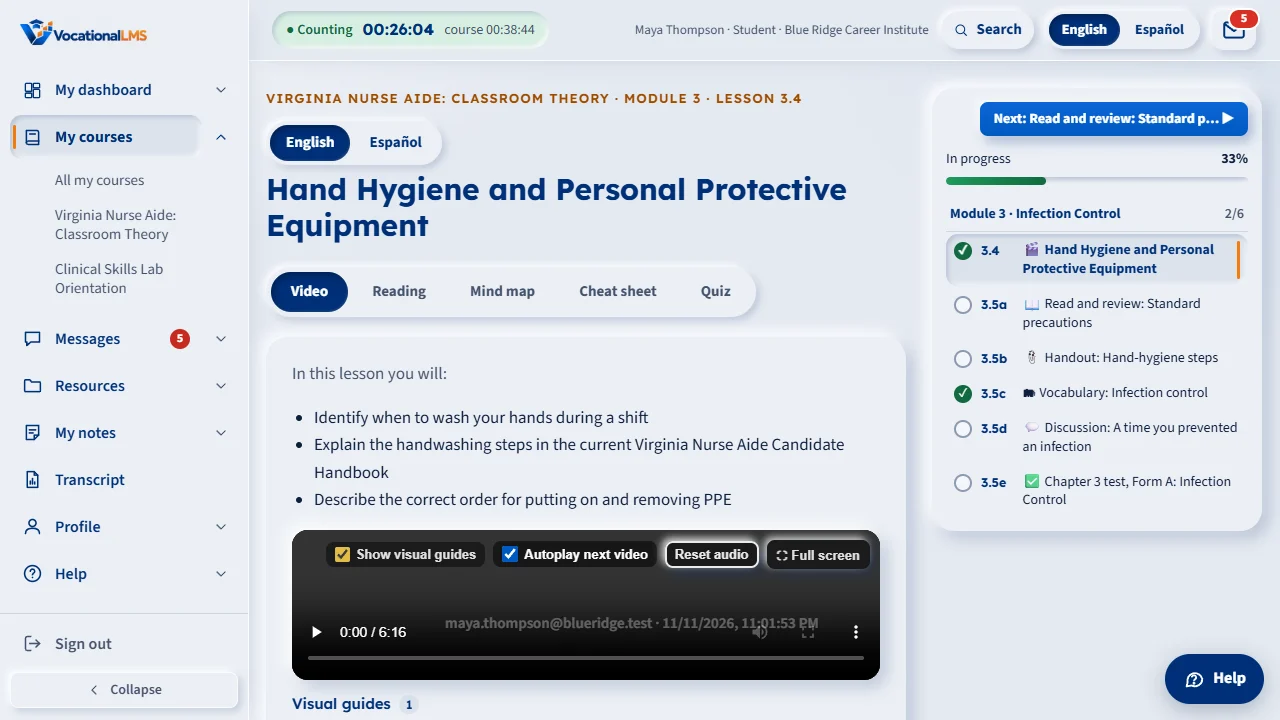
The student sees one plain line on the lesson page: your school counts time on other tabs; return to continue the lesson. If they stay away too long, the clock stops and a message asks them to click to continue.
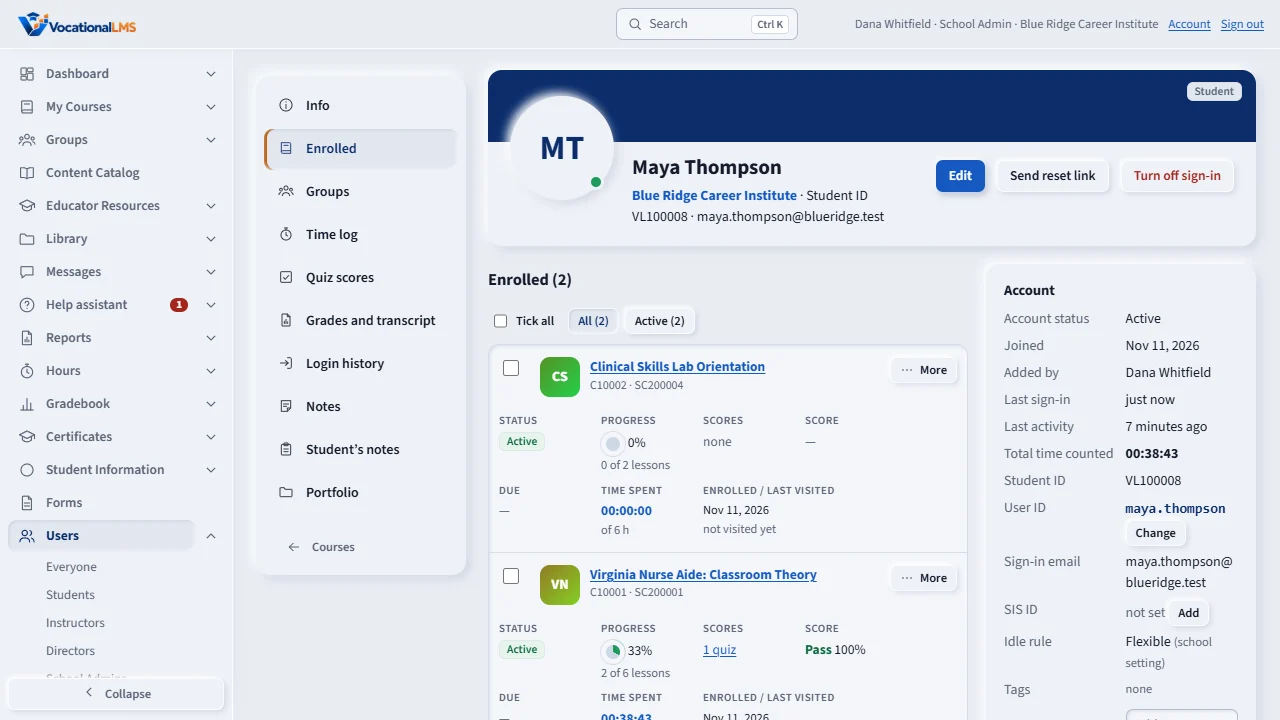
In the student's Time log, that time is marked Counted, away on another tab, with its own total. Check your state's rules before you count research time as clock hours.
Open this in VocationalLMSA lesson > the note under the top bar
What it is for
Some schools let your clock keep running when you open another browser tab to search the internet about what you are learning. If yours does, the lesson page shows the line Your school counts time on other tabs; return to continue the lesson. If your school does not, leaving the lesson tab stops the clock (S-09).
Steps
Researching on another tab
- Leave the lesson open in its own tab and open the other tab to search.
- Your clock keeps counting, for as long as your school allows (often 15 minutes at a time).
- Come back to the lesson tab and keep working. If you were away longer than your school allows, the clock stops and a message asks you to click to continue.
What happens next
Only the time you were really away counts, and your school can see it on its own line in your time log.
Common problems
| # | Problem | What to do |
|---|---|---|
| 1 | My clock stopped while I was on another tab. | Your school allows only a set number of minutes away. Come back to the lesson and click to continue. |
| 2 | The video paused when I left the tab. | A browser can pause a video in a background tab. Come back and press Play; the clock counts the time you were away, up to your school's limit. |