
S-13For students
Ask the Help assistant, or ask your instructor
A chat that answers from your own course, and sends the question to your instructor when it cannot.
How-to video S-13 · 0:56
Read the words of this video
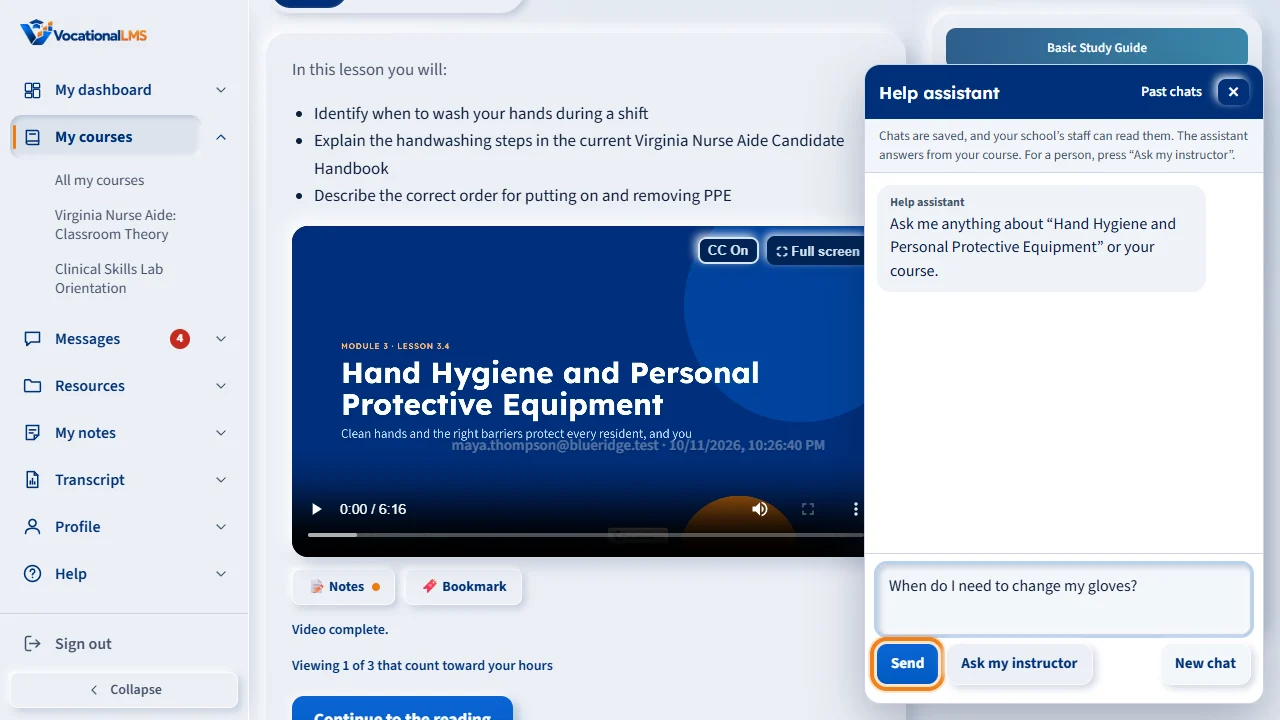
The round Help button is at the bottom right of every page. Click it, type your question, and click Send. If you open it from a lesson, the assistant knows which lesson you are on.
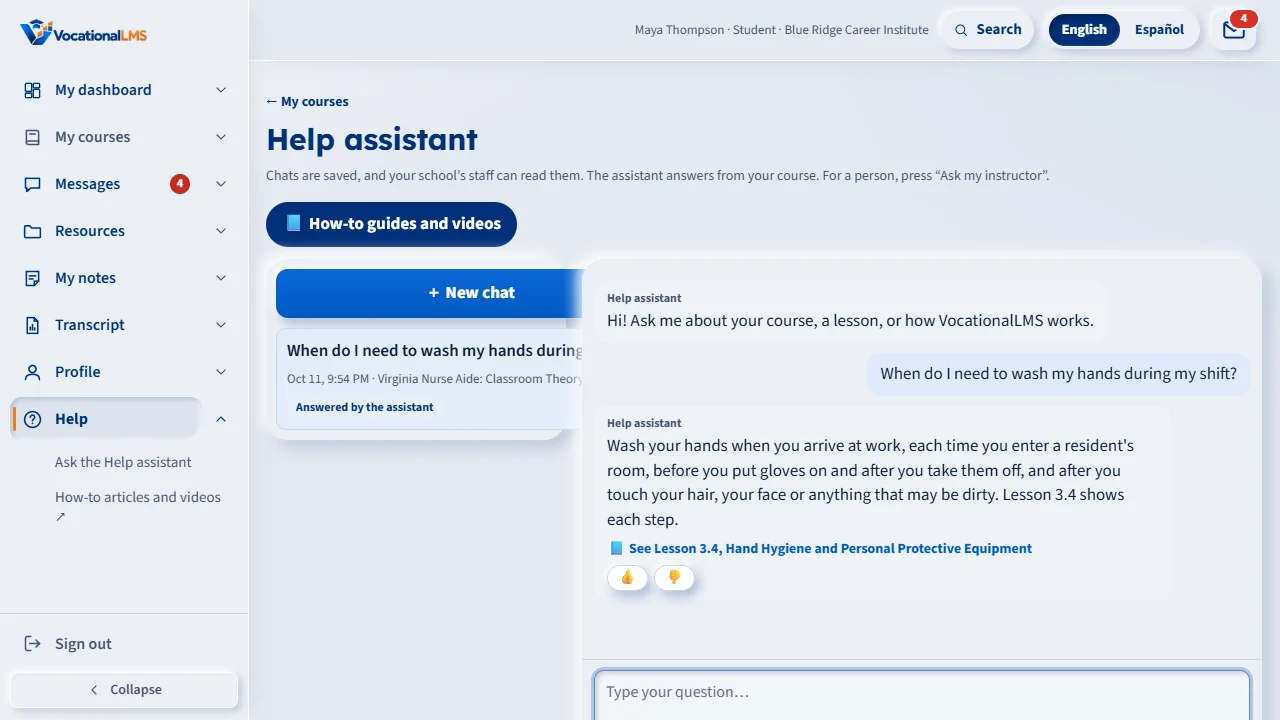
The assistant answers from your own course. Links under the answer open the lesson it came from. Click thumbs up if it helped, or thumbs down if it did not.
To ask a person, click Ask my instructor. If the assistant cannot answer from your course, it sends the question to your instructor by itself.
The chat then says Waiting for staff. Your instructor's answer arrives under the mail icon, and it also shows here in the chat.
Help, in the menu on the left, lists your past chats. New chat starts a fresh one. The assistant never gives the answers to a test you have not passed.
Open this in VocationalLMSHelp
What it is for
The Help assistant is a chat that answers questions about your course and about using VocationalLMS. It answers from your own lessons and readings. When it cannot answer, it sends your question to your instructor, and the answer comes back in Messages.
Steps
- Click the round Help button at the bottom right of any page, or Help in the menu on the left.
- Type your question and click Send.
- Read the answer. Links such as See Lesson 3.4 open the lesson it came from.
- Click 👍 if it helped or 👎 if it did not. A 👎 goes to your school's staff.
- To ask a person, click Ask my instructor. The chat says Waiting for staff.
- To see earlier chats, click Help in the menu on the left. + New chat starts a fresh one.
What happens next
Your instructor's answer arrives under the mail icon and also shows in the chat. For step-by-step guides with videos, click How-to guides and videos on the Help page.
What the assistant will not do
- Give the answers to a quiz or test you have not passed. It explains the idea and points to the lesson.
- Give personal medical or legal advice.
- Answer about your grades, hours, schedule or payments. Those go to your instructor.
- Answer more than 30 questions in an hour (your school can change this).
Chats are saved, and your school's staff can read them.
Common problems
| # | Problem | What to do |
|---|---|---|
| 1 | The Help button is hidden. | It hides while it would cover a video's controls. Scroll a little and it comes back. |
| 2 | The answer is not right. | Click 👎 and then Ask my instructor. |