
S-12For students
Fix grammar and Write it for me
Two buttons under every message box that correct your writing or draft a short message for you.
How-to video S-12 · 1:01
Read the words of this video
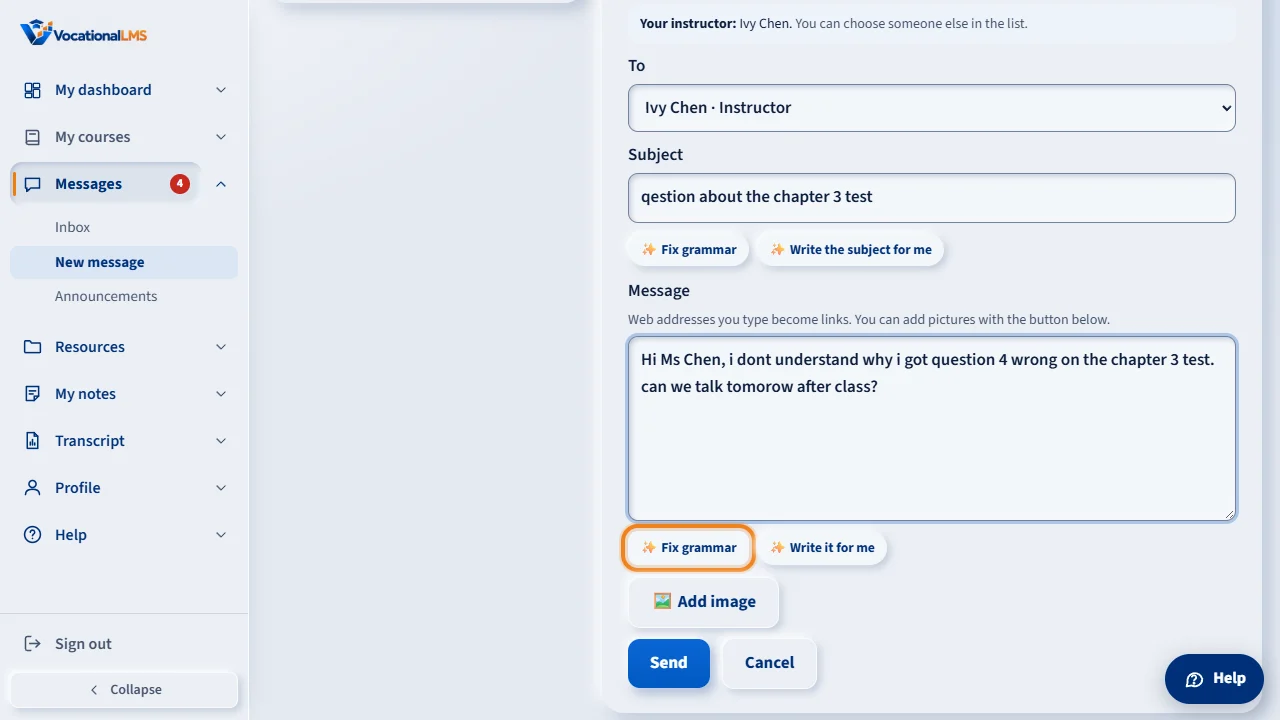
Under every message box there are two writing-help buttons: Fix grammar, and Write it for me. They work in new messages and in replies, in English and in Spanish. To correct your own writing, type your subject and message, then click Fix grammar.
The spelling, grammar and punctuation are corrected. Your meaning, names and dates stay the same. Click Undo to put your own words back.
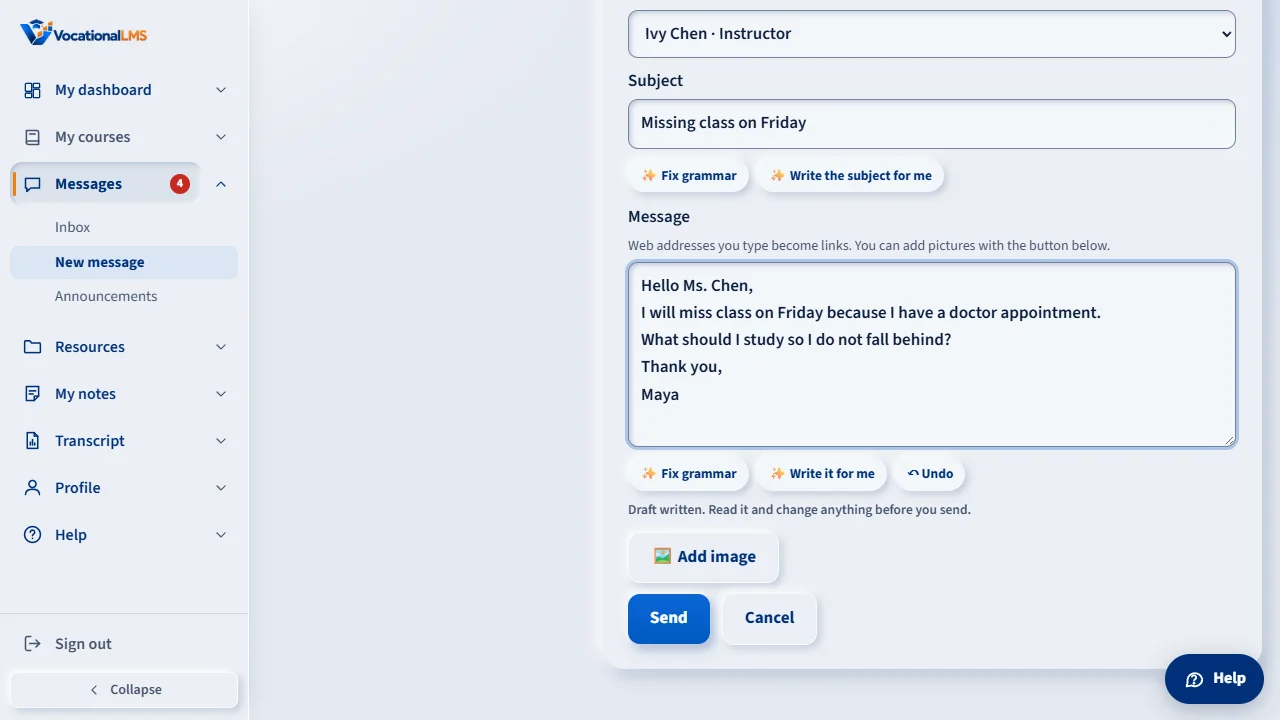
Or click Write it for me. Type the topic and a few words about what you want to say, then click Write the message.
A short draft appears, five lines at most, and the subject is filled in if it was empty. It never makes up dates or amounts. Read it and change anything you like. Nothing is sent until you click Send.
The subject line has its own buttons: Fix grammar for the subject alone, and Write the subject for me, which writes a short subject from your message.
Open this in VocationalLMSMessages > New message
What it is for
Under every message box there is writing help. Fix grammar corrects spelling, grammar and punctuation without changing what you mean. Write it for me drafts a short message from a topic. Nothing is sent until you press Send.
Steps
Fix grammar
- Write your subject and message.
- Click ✨ Fix grammar under the message box. The corrected text is put in the boxes.
- Read it. Click ↶ Undo if you want your own words back.
Write it for me
- Click ✨ Write it for me.
- Type the topic, for example I will miss class on Friday, and a few words about what you want to say.
- Click Write the message. A draft of 5 lines at most appears. Change anything, fill in any blank such as [date], then send.
The subject line
- Under the subject box, ✨ Fix grammar corrects only the subject.
- ✨ Write the subject for me writes a short subject from your message. Write the message first.
What happens next
The result is only a suggestion. You stay in charge of what is sent. It works in English and in Spanish, in new messages and in replies.
Common problems
| # | Problem | What to do |
|---|---|---|
| 1 | “Write something first.” | Fix grammar needs text in the box. |
| 2 | It stops working after many uses. | Each person can use it 30 times an hour. Wait a little. |
| 3 | “Writing help is not available right now.” | Your school has reached its monthly AI limit, or the service is down. You can still write and send as usual. |