
S-11For students
Write to your instructor, with pictures and links
Start a conversation, reply, add a photo or a screenshot, and paste a web address.
How-to video S-11 · 1:02
Read the words of this video
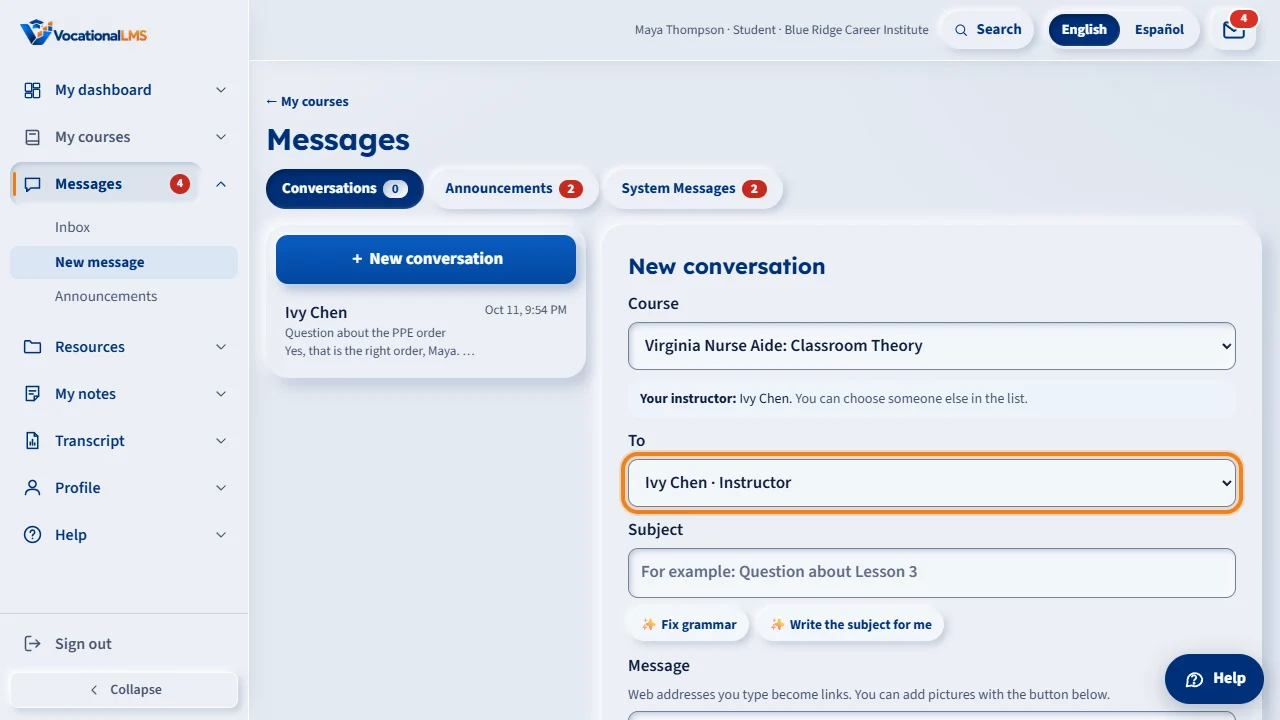
To write to your instructor, click the mail icon, then New conversation. Choose the course, and your instructor for that course is already chosen in To. You can pick another instructor or an administrator of your school, but never another student.
Type a subject and your message. To add a picture, click Add image, or paste a screenshot into the box. A small preview appears; click its X to take it out. Then click Send.
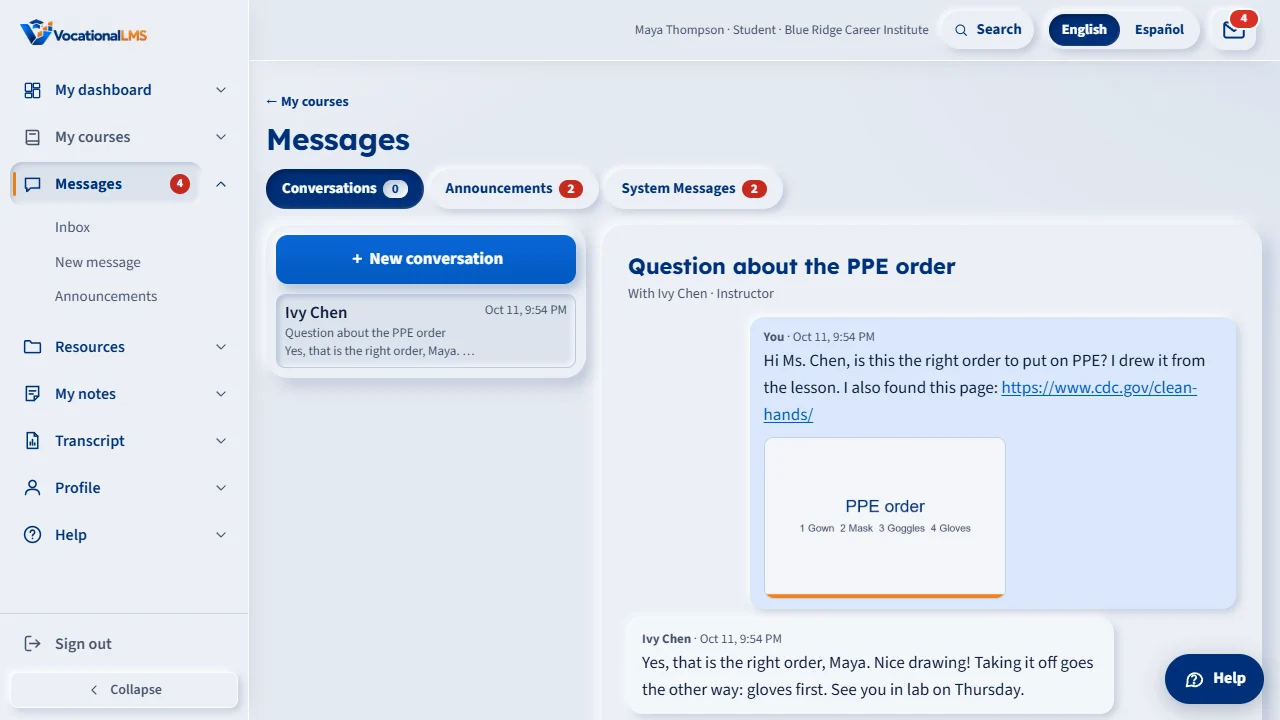
In the conversation, pictures show as small thumbnails, and a web address becomes a link that opens in a new tab. Click a picture to see it full size, and click Download to save it. A message can have up to five pictures.
To answer, type in the box at the bottom and click Send reply. Only you and your school's staff can read the conversation. Your instructor's answer appears under your mail icon.
Open this in VocationalLMSMessages > New message
What it is for
You can write privately to your instructor or to your school's administrators. Only you and your school's staff can read the conversation. You can add pictures, and web addresses become links.
Steps
- Click the mail icon, then + New conversation.
- If you take more than one course, choose the Course. Your instructor for that course is already chosen in To. You can pick another instructor or an administrator.
- Type a subject and your message.
- To add a picture, click Add image and choose it. You can also paste a screenshot or drop a picture on the message box. Click the × on a preview to take it out.
- Click Send.
- To answer later, open the conversation, type in the box at the bottom and click Send reply.
What happens next
Your instructor gets the message in their inbox and a short email notice. Their answer appears under your mail icon. Click a picture in a message to see it full size; Download saves it.
Limits for pictures
| # | Rule | Limit |
|---|---|---|
| 1 | Pictures in one message | Up to 5 |
| 2 | Size of each picture | Up to 8 MB |
| 3 | Kinds of picture | PNG, JPG, GIF and WebP |
A web address that starts with http://, https:// or www. becomes a link when you send the message.
Common problems
| # | Problem | What to do |
|---|---|---|
| 1 | You cannot find a classmate in To. | Students can write only to their school's staff, never to another student. |
| 2 | The page says no instructor is assigned. | Your message goes to your school's administrator or director instead. |
| 3 | A file is refused. | Only pictures can be attached. For a document, upload it under Resources (S-14) and tell your instructor. |