
I-14For instructors
Give a student one more take of a test
When a student has used every take, give one more, with a reason that stays on the record.
How-to video I-14 · 0:27
Read the words of this video
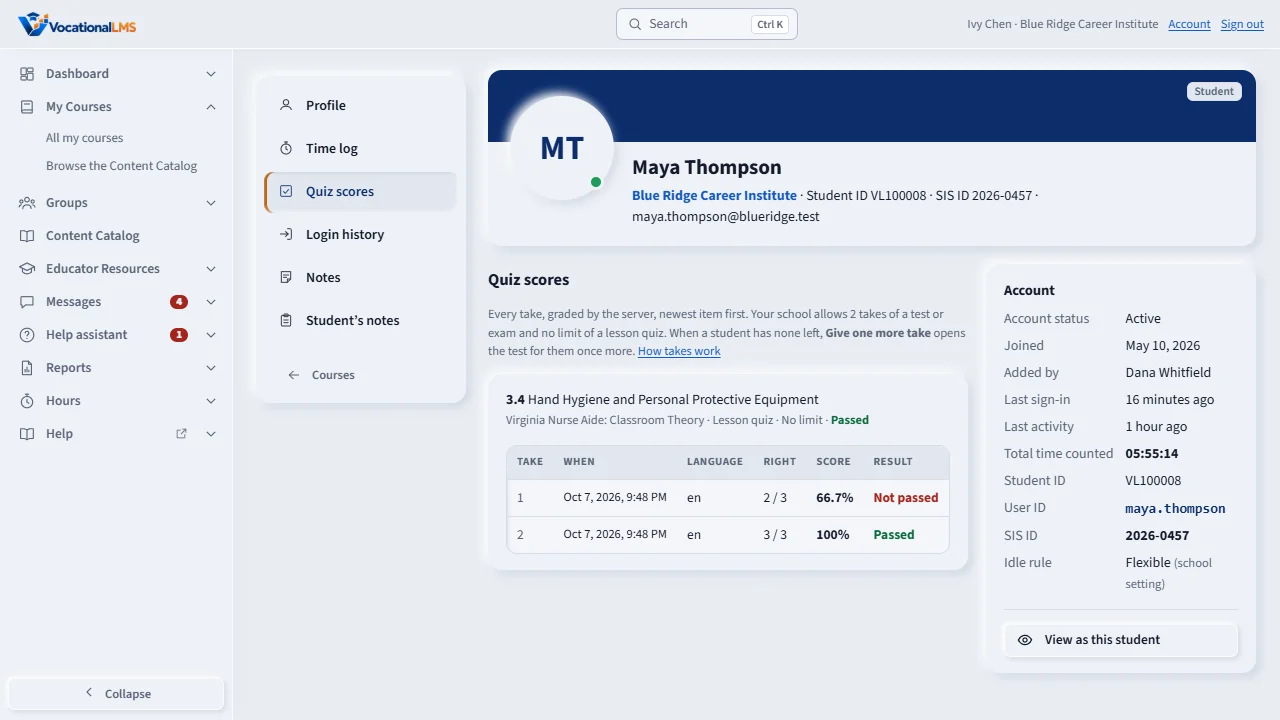
Your school limits how many times a student may take a test. When a student has used every take, open the student's profile and click Quiz scores. Find the test and click Give one more take. Type a short reason and confirm. The student can take the test once more, and your name, the date and the reason stay on the record. Tell the student, because no message is sent.
Open this in VocationalLMSUsers > a student > Quiz scores
What it is for
Your school limits how many times a student may take a test (it starts at 2). When a student has used every take and needs another, you can give one more.
Steps
- Open the student's profile and click Quiz scores.
- Find the test. It shows, for example, 2 of 2 takes used · none left.
- Click Give one more take.
- Type a short reason and click Give one more take. The student can now take it once more.
What happens next
Your name, the date and the reason stay on the record. The student is not sent a message, so tell them. Each click gives one take; you can give another later.
Common problems
| # | Problem | What to do |
|---|---|---|
| 1 | There is no Give one more take button. | The student still has a take left, or the test has no limit. |
| 2 | You cannot open the student. | An instructor can open only students in the programs they teach (I-02). |