
A-27For School Admins and Directors
Exam takes: how many times a student may take a test
Set the number of takes for tests and for lesson quizzes. Every take can bring different questions.
How-to video A-27 · 0:54
Read the words of this video
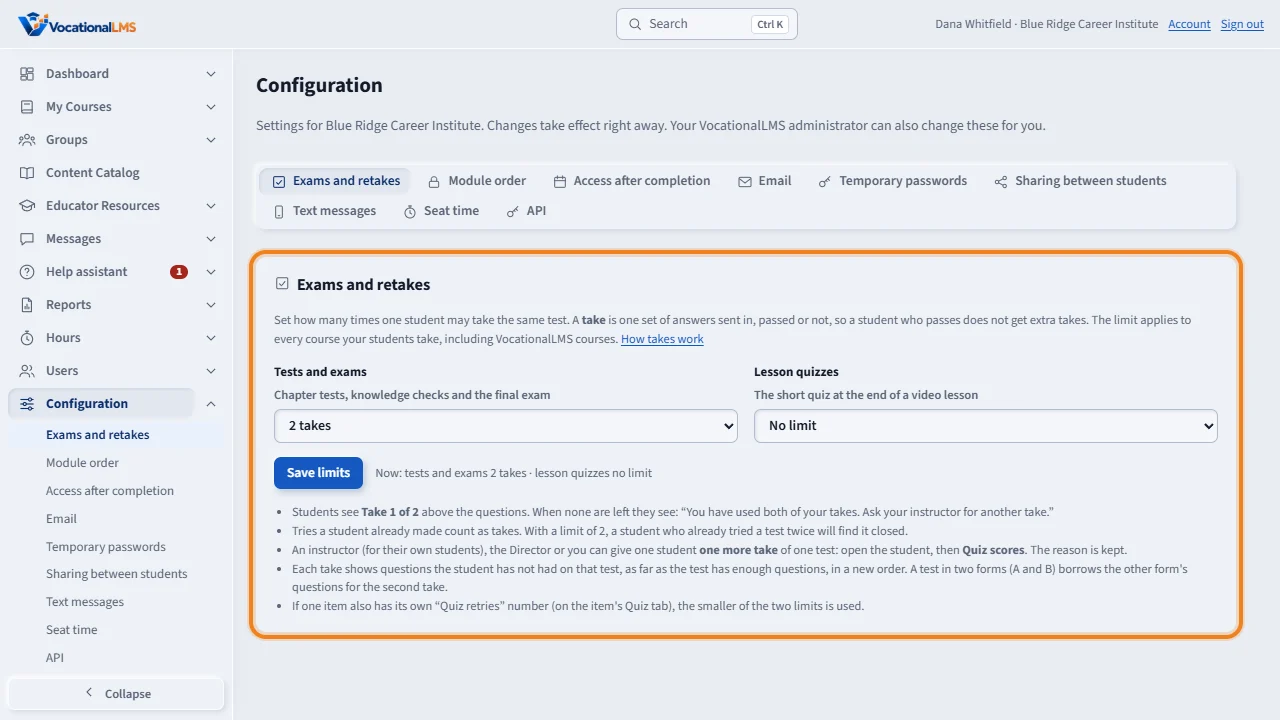
Each school decides how many times a student may take a test. Open Configuration, then Exams and retakes. Choose the number of takes for tests and exams, and for lesson quizzes, and click Save limits. Tests start at two takes. A take is one set of answers sent in, passed or not.
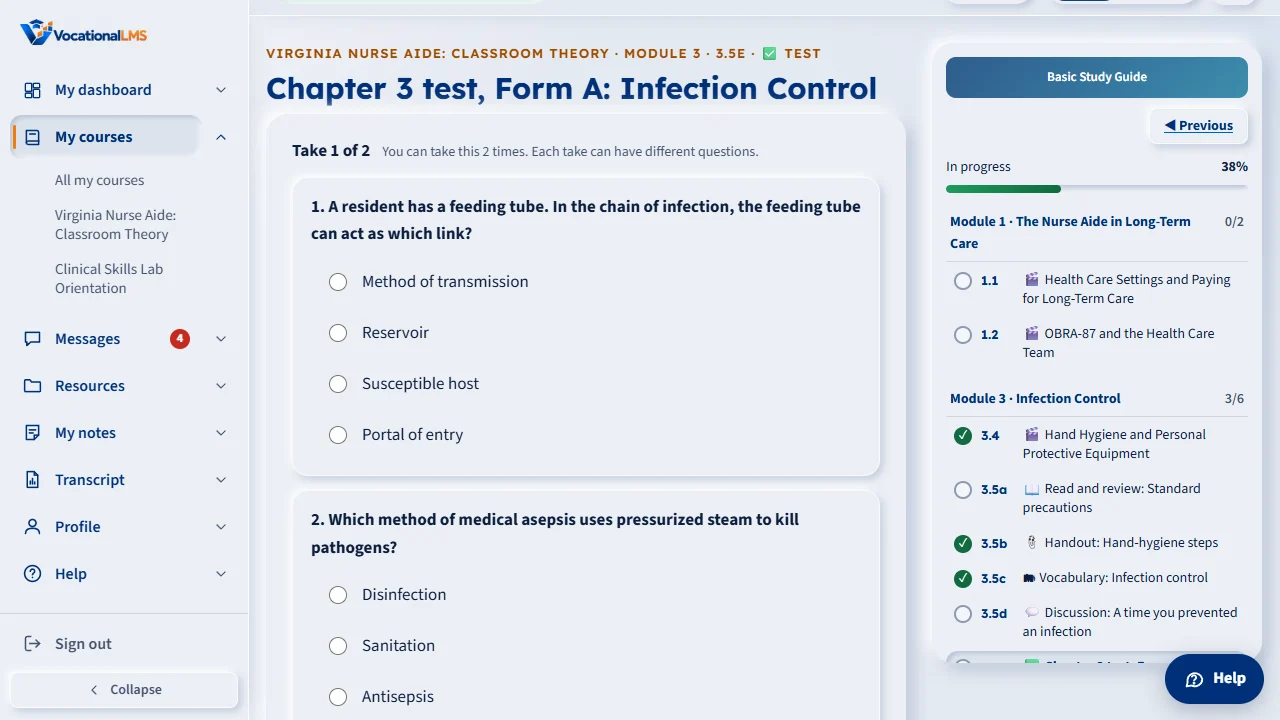
Students see which take they are on above the questions, for example Take 1 of 2. Every take can bring different questions, in a new order. When a student has used every take, the test closes and tells them to ask their instructor.
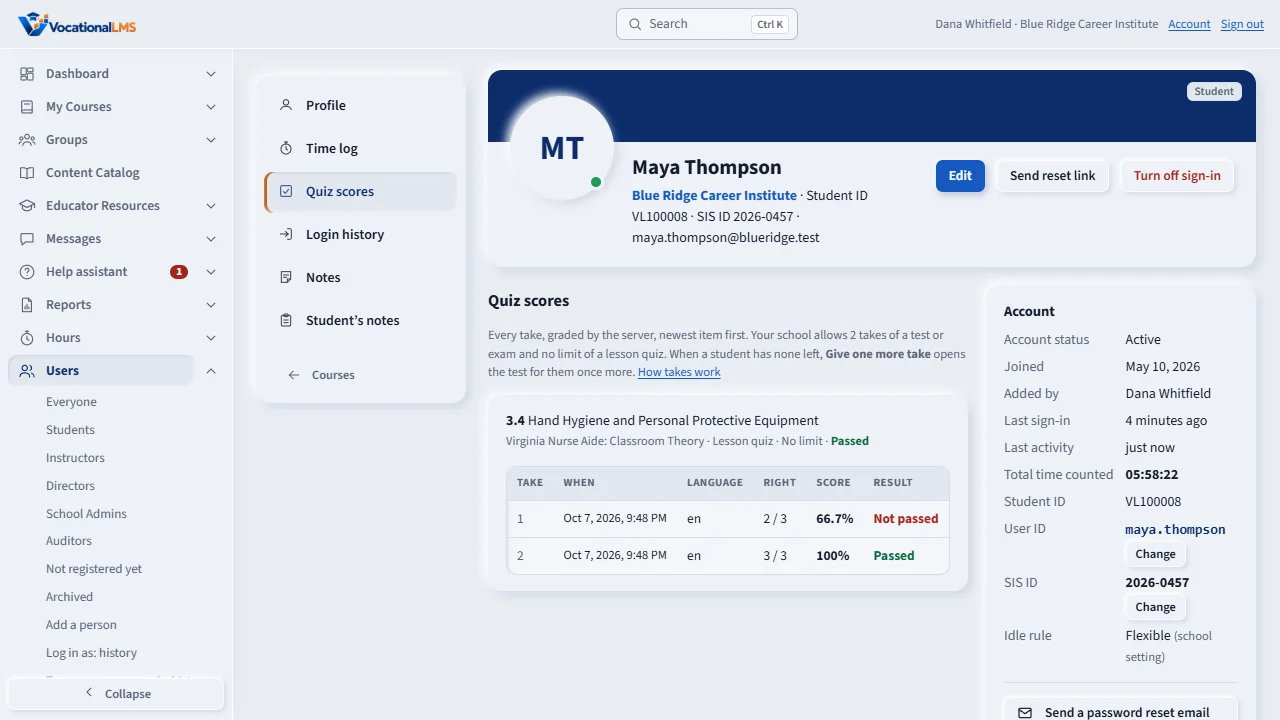
A student's Quiz scores show each take with its date and score. When a student has no takes left, Give one more take appears there. Type a short reason, and your name, the date and the reason stay on the record.
Open this in VocationalLMSConfiguration > Exams and retakes
What it is for
Each school decides how many times a student may take the same test. It starts at 2 takes for tests and exams and No limit for the short quiz at the end of a video lesson. A take is one set of answers sent in, passed or not. Each take can bring different questions, in a new order.
Steps
- Open Configuration, then the Exams and retakes tab.
- Under Tests and exams, choose how many times a student may take the same test: 1 to 10, or No limit.
- Under Lesson quizzes, choose the same for the quiz at the end of a video lesson.
- Click Save limits. The change takes effect right away for all your students, in every course.
- Students see Take 1 of 2 above the questions. When none are left they are told to ask their instructor, who can give one more take (I-14).
What happens next
Opening a test does not use a take; clicking Submit answers does. Tries a student made before the limit was set count. If a course item has its own stricter limit, the stricter one wins. A retake shows questions the student has not been given before when the test has them: its second form, and any approved retake questions.
Common problems
| # | Problem | What to do |
|---|---|---|
| 1 | A student says the test is closed. | They have used all their takes. Their instructor, a Director or you can give one more take from the student's Quiz scores (I-14). |
| 2 | A retake shows the same questions. | The item has no second form and no approved retake questions yet. For a VocationalLMS course, ask VocationalLMS; for your own course, write and approve retake questions on the course page. |
| 3 | “This take has different questions. Reload the page.” | The page was open from before. Reload and answer again; no take was used. |
| 4 | You want students to practice without a limit. | Choose No limit for that kind of test and save. |