
I-02For instructors
Your courses and your students
Open a course, see who teaches it, and see the students of the programs you teach.
How-to video I-02 · 0:52
Read the words of this video
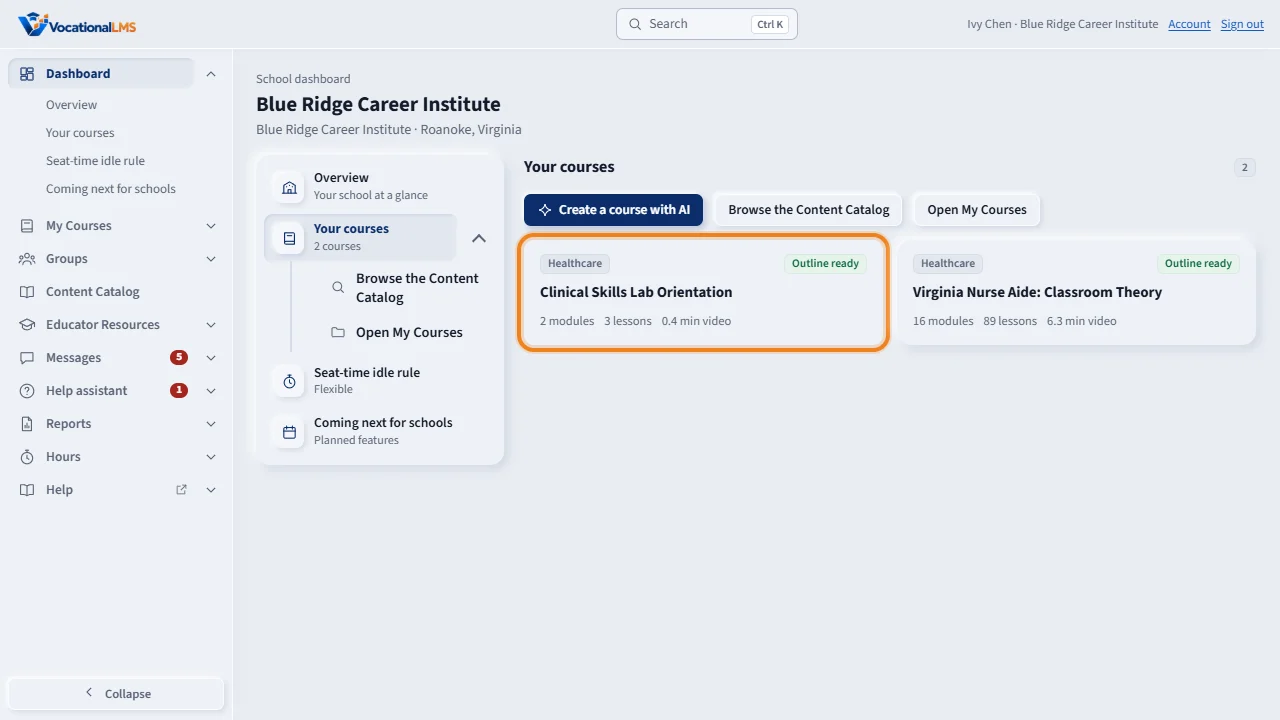
Click My Courses, or Your courses on the dashboard, and open a course.
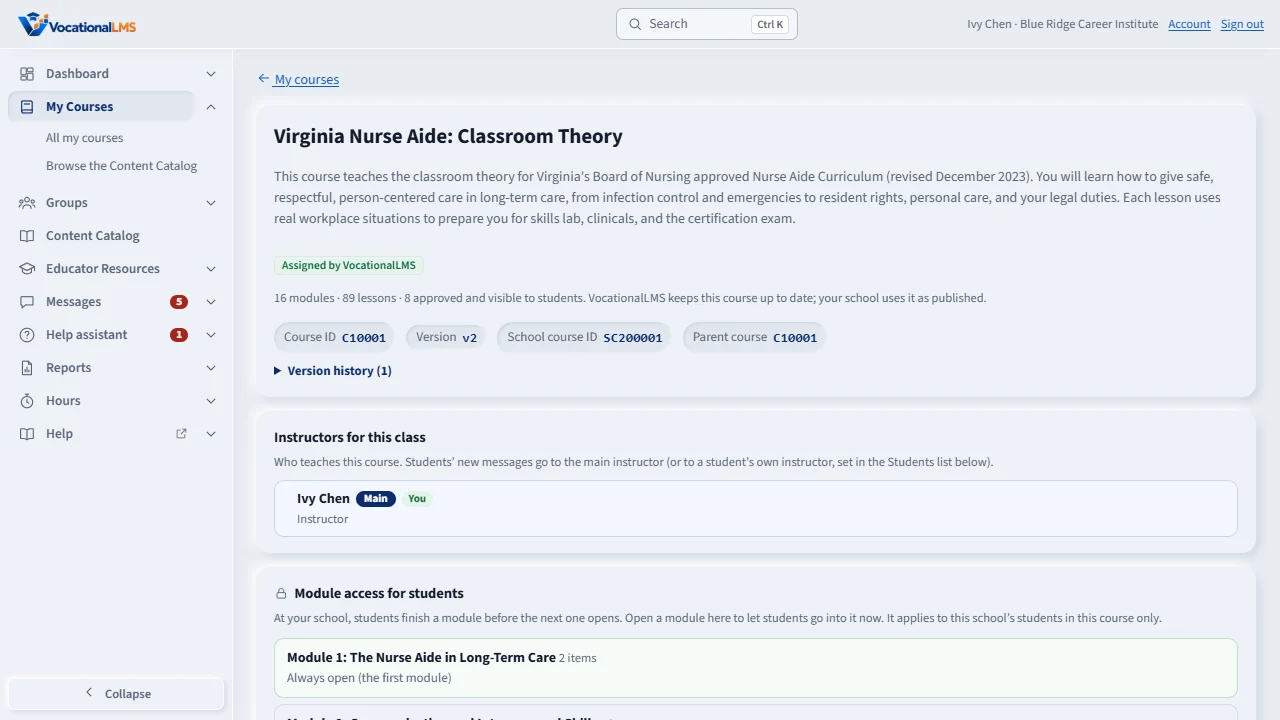
Under Instructors for this class you see who teaches the course. Main marks the main instructor, who gets the students' new messages. You marks you.
The Students list shows each student's account, enrollment, last sign-in and instructor. Yours marks your own students. Click a name to open that student's profile.
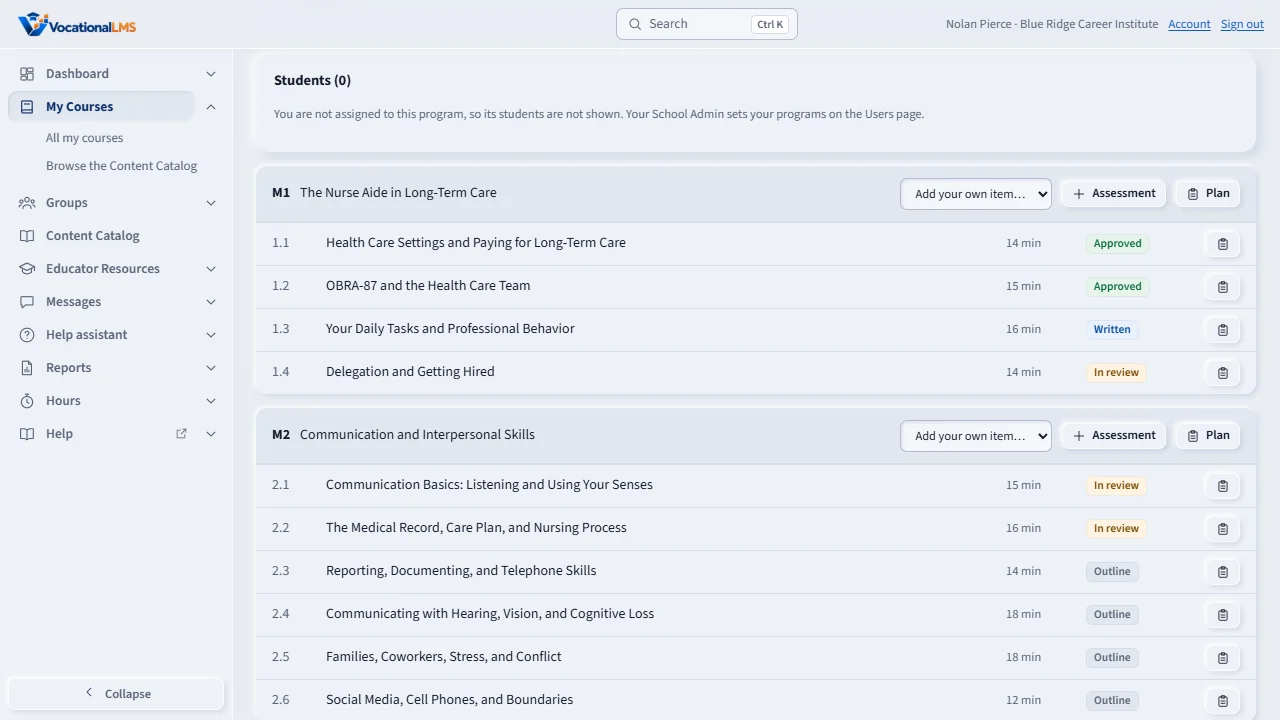
An instructor sees only the students of the programs they teach. This instructor is not assigned to the program, so the list is empty. The School Admin sets each instructor's programs on the Users page.
Lower on the page are the modules and lessons. Watch or Preview opens an item the way a student sees it. Only a School Admin can add or remove students.
Open this in VocationalLMSMy Courses
What it is for
An instructor sees only the students of the programs they teach. Your School Admin chooses your programs on the Users page. A student who was given you as their own instructor is yours too.
Steps
- Click My Courses and open a course.
- Under Instructors for this class you see who teaches it. Main marks the main instructor; You marks you.
- Under Students you see the students of this program, with their account status, enrollment, last sign-in and instructor. Yours marks your own students.
- Click a student's name to open their profile (I-03).
- Lower on the page are the modules and lessons. Watch or Preview opens an item as a student sees it (I-05).
What happens next
The same rule applies everywhere: student profiles, time logs, the people you can message, and Help assistant chats show only the students of your programs.
Common problems
| # | Problem | What to do |
|---|---|---|
| 1 | The Students list says you are not assigned to this program. | Ask your School Admin to tick this program for you on the Users page (A-03). |
| 2 | You cannot add or remove students. | Only a School Admin enrolls students. |
| 3 | You cannot change who teaches the class. | A School Admin or Director does that. |