
I-05For instructors
Preview a lesson as a student sees it
Watch the video, read the reading and try the quiz in English or Español. Your time is not counted.
How-to video I-05 · 0:47
Read the words of this video
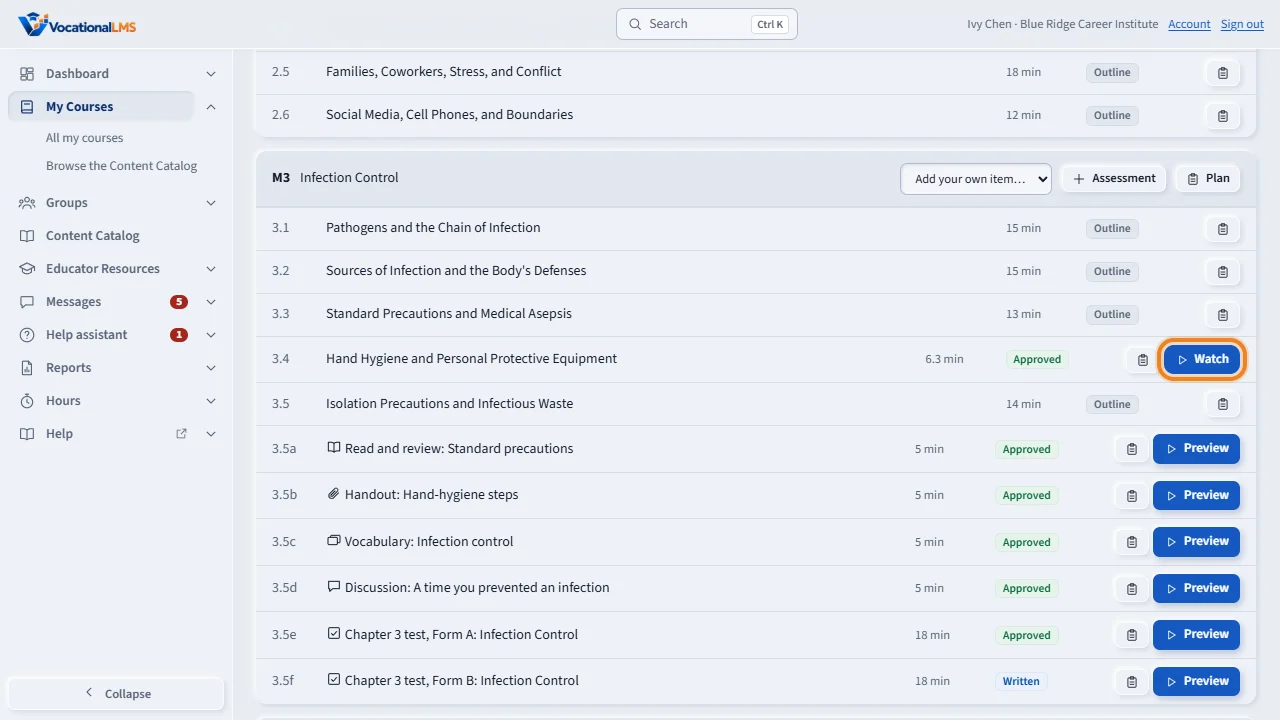
Before class, you can see a lesson exactly as your students see it. Open the course and click Watch on a video lesson, or Preview on any other item.
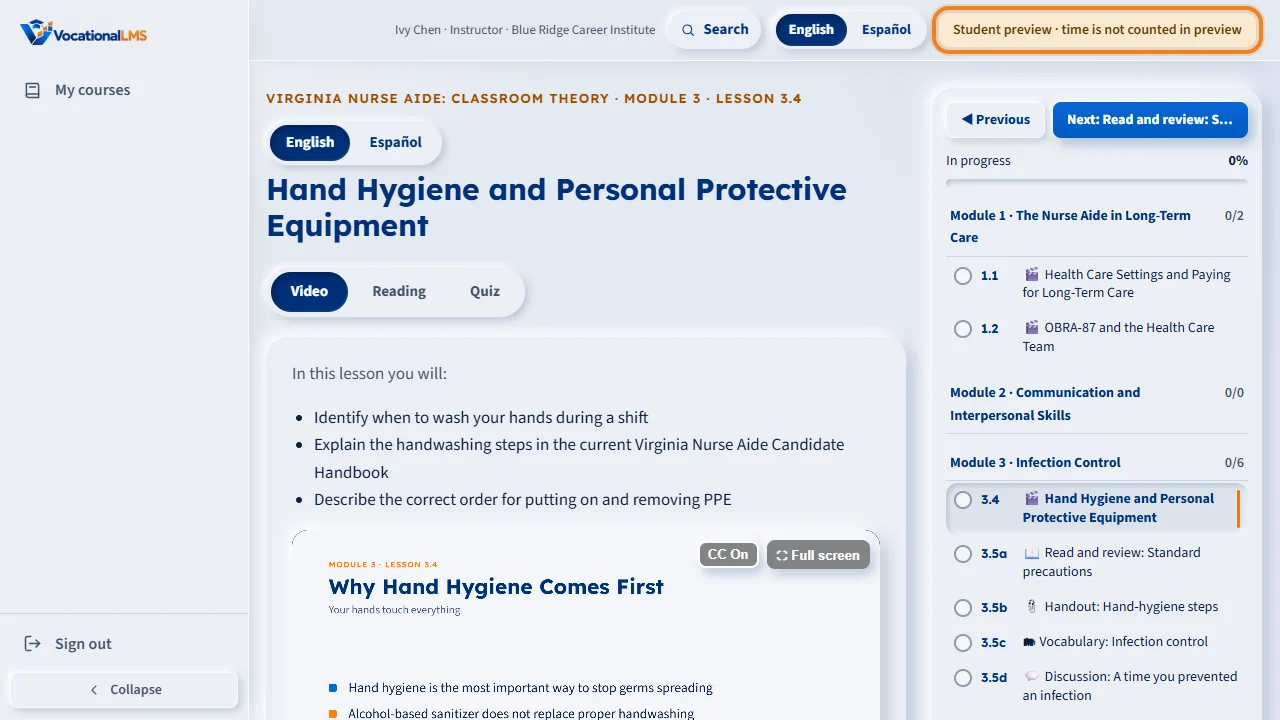
The preview opens in a new tab. The label at the top says Student preview, time is not counted in preview. The video plays in the protected player, with captions.
Click English or Español to see the lesson in that language: the video, the captions, the reading and the quiz.
Use the Video, Reading and Quiz tabs. In the quiz, pick answers and click Submit answers to see the feedback and a score. Nothing is recorded, and no student's record changes. Close the tab to go back to the Studio.
Open this in VocationalLMSCourses > a course > Preview
What it is for
Before class, see exactly what your students see. A staff preview plays the protected video with captions, shows the reading and lets you take the quiz with feedback. No time is counted and nothing is recorded.
Steps
- Open the course and click Watch (a video lesson) or Preview (any other item) on its row. Or open the lesson and click Student preview.
- The preview opens in a new tab, with Student preview · time is not counted in preview at the top.
- Click English or Español to see the lesson in that language.
- Use the Video, Reading and Quiz tabs. In the quiz, pick answers and click Submit answers to see the feedback and a score.
- Close the tab to go back to the Studio.
What happens next
Nothing you do in a preview changes a student's record or your own. Students must watch 95% of the video; in a preview you can move freely.
Common problems
| # | Problem | What to do |
|---|---|---|
| 1 | “This lesson has no video yet.” | The lesson is not produced yet. Students cannot see it either. |
| 2 | Español is gray. | That lesson has no Spanish version yet. |