
I-06For instructors
Lesson plans: notes and files only staff can see
Every lesson and every module can hold instructor notes and files. Students never see them.
How-to video I-06 · 0:53
Read the words of this video
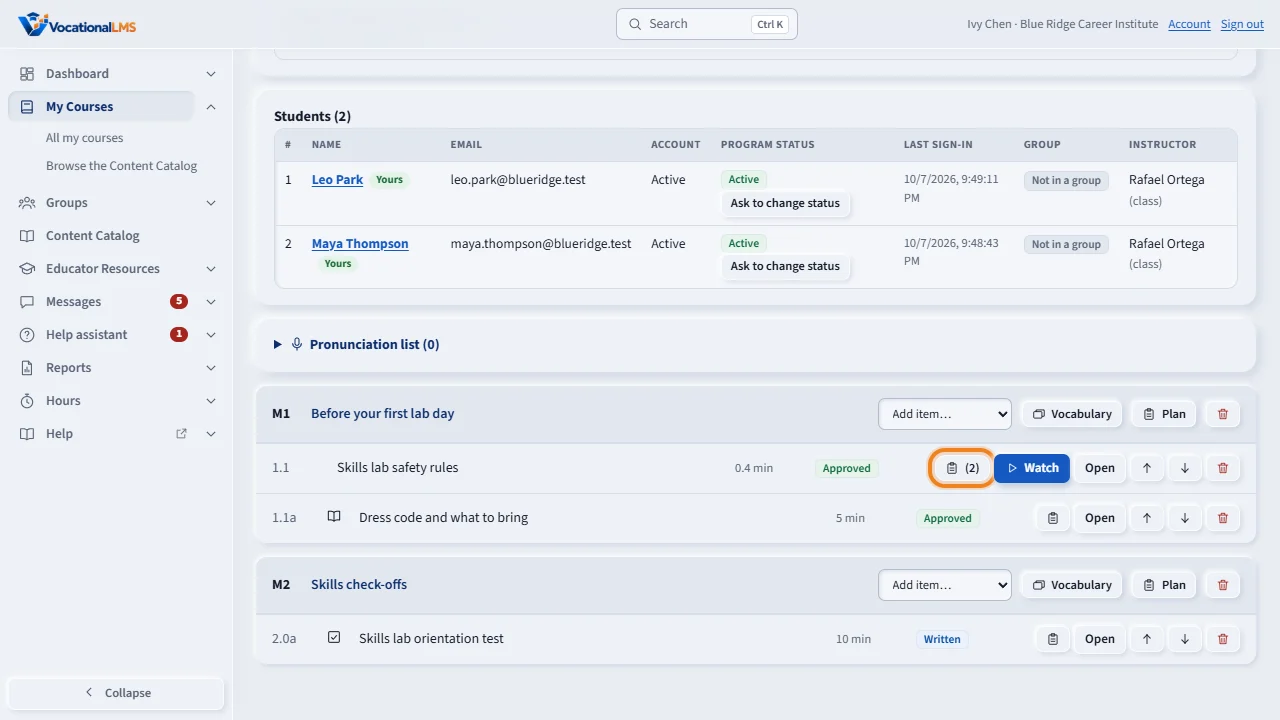
Every lesson and every module can hold a lesson plan: notes and files that only your school's staff can see. On the course page, click the clipboard button on a lesson row. The number shows how many plan items are there.
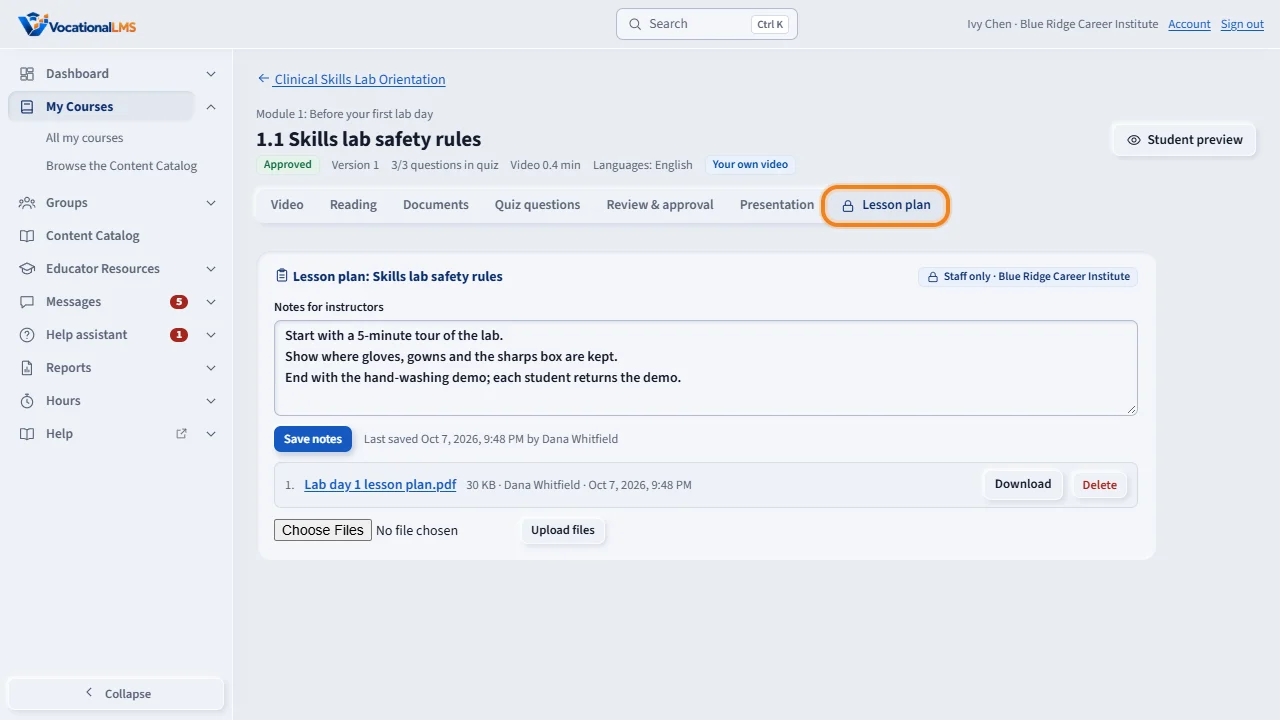
Or open the lesson and click the Lesson plan tab. Type in Notes for instructors, for example what to cover and what to bring, and click Save notes.
To add files, choose them and click Upload files: PDF, Word, PowerPoint, Excel, pictures or text, up to 50 megabytes each. Click a file name to open it.
A module has a plan too: click Plan on the module's row. Students never see lesson plans. The other staff of your school see the same plan and can add to it.
Open this in VocationalLMSMy Courses > a lesson
What it is for
A lesson plan is a private place for staff: what to cover, what to bring, the timing, plus files such as a plan in Word or a rubric. Only your school's staff and the VocationalLMS Super Admin can open it.
Steps
- Open the course. Click the clipboard button on a lesson row or Plan on a module. The number on the button shows how many plan items are there.
- Or open a lesson and click the Lesson plan tab.
- Type in Notes for instructors and click Save notes.
- To add files, choose them (PDF, Word, PowerPoint, Excel, pictures or text, up to 50 MB each) and click Upload files.
- Click a file name to open it, or Download.
What happens next
Other instructors, the Director and the School Admin of your school see the same plan and can add to it. Staff of other schools cannot.
Common problems
| # | Problem | What to do |
|---|---|---|
| 1 | You are worried students can find the plan. | They cannot. Lesson plans are never sent to student pages. |
| 2 | A file is refused. | It is over 50 MB or not an allowed kind. |