
A-63For School Admins and Directors
Archive a staff member
For an instructor, Director or School Admin who has left: they can no longer sign in, they leave the pickers, and everything they did is kept.
How-to video A-63 · 0:55
Read the words of this video
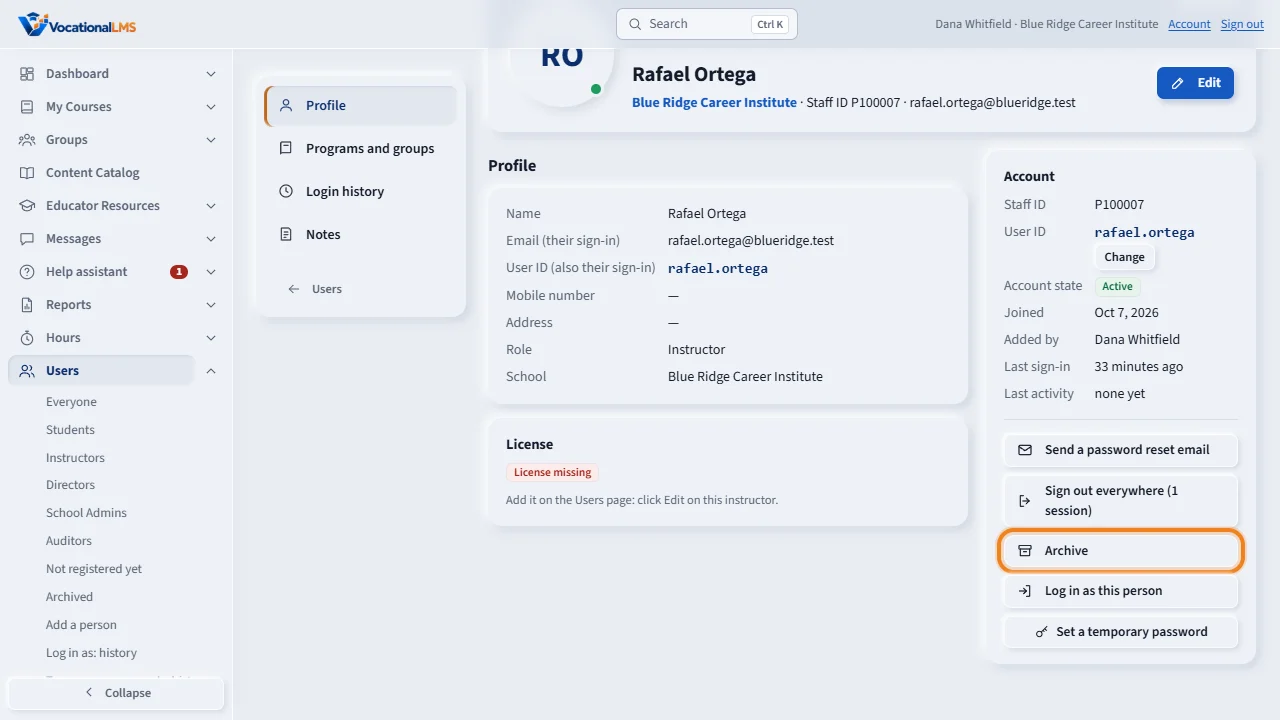
Archive is for a person who has left the school. Open Users and click the person's name. In the Account panel, click Archive, then click again to confirm.
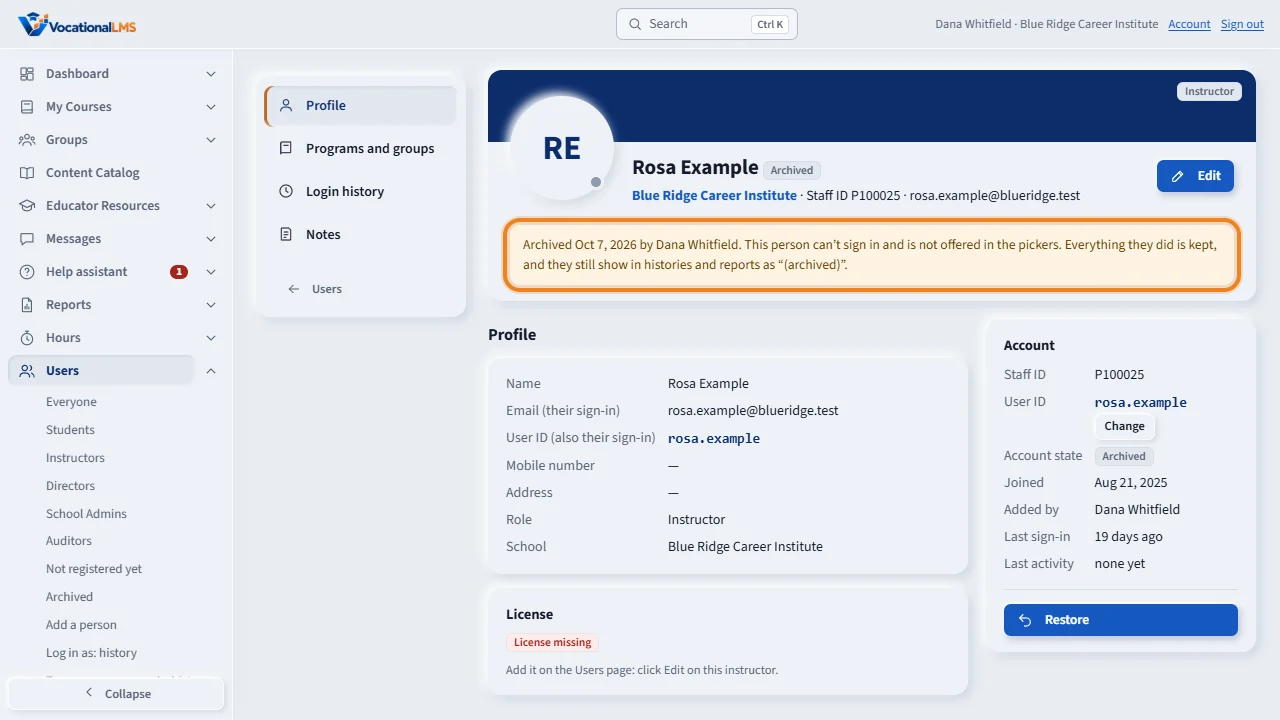
The page now says Archived, with the date and your name. The person is signed out at once and can no longer sign in. Nothing is deleted: their records, sign-in history and approvals are kept.
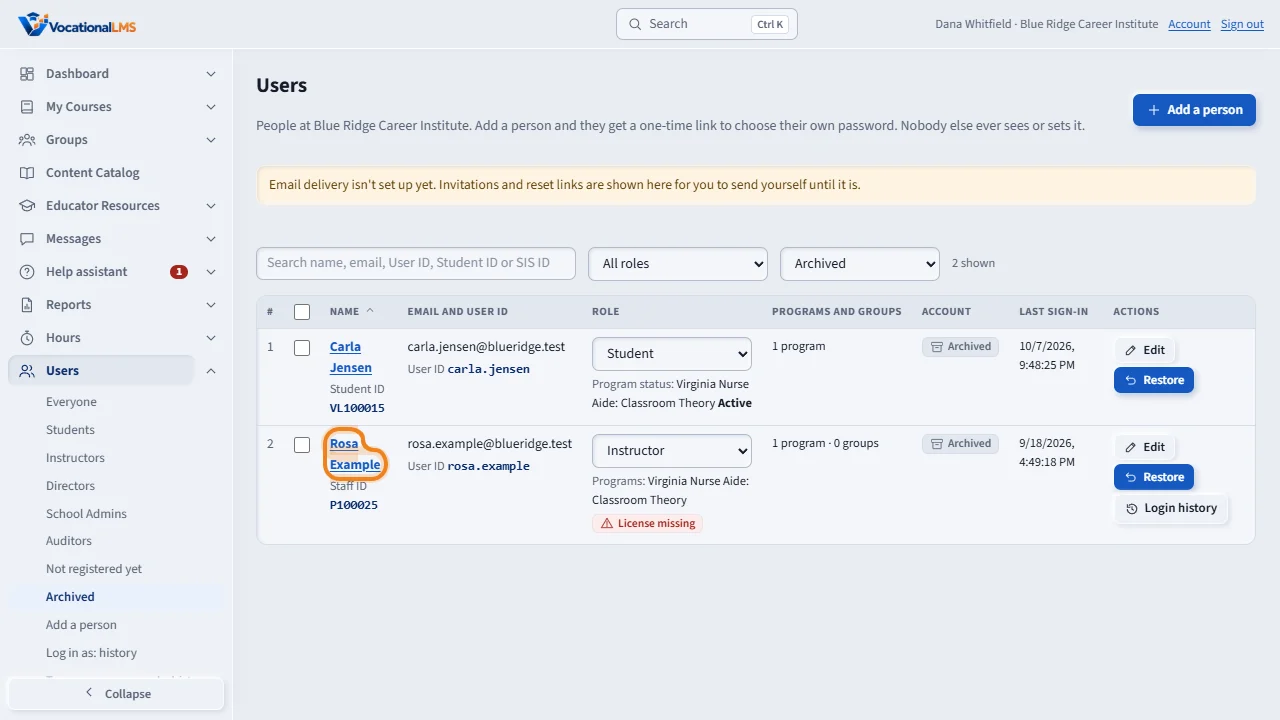
To see archived people, open Users in the menu on the left and choose Archived under it. An archived person is no longer offered when you choose an instructor, a message recipient or a report recipient.
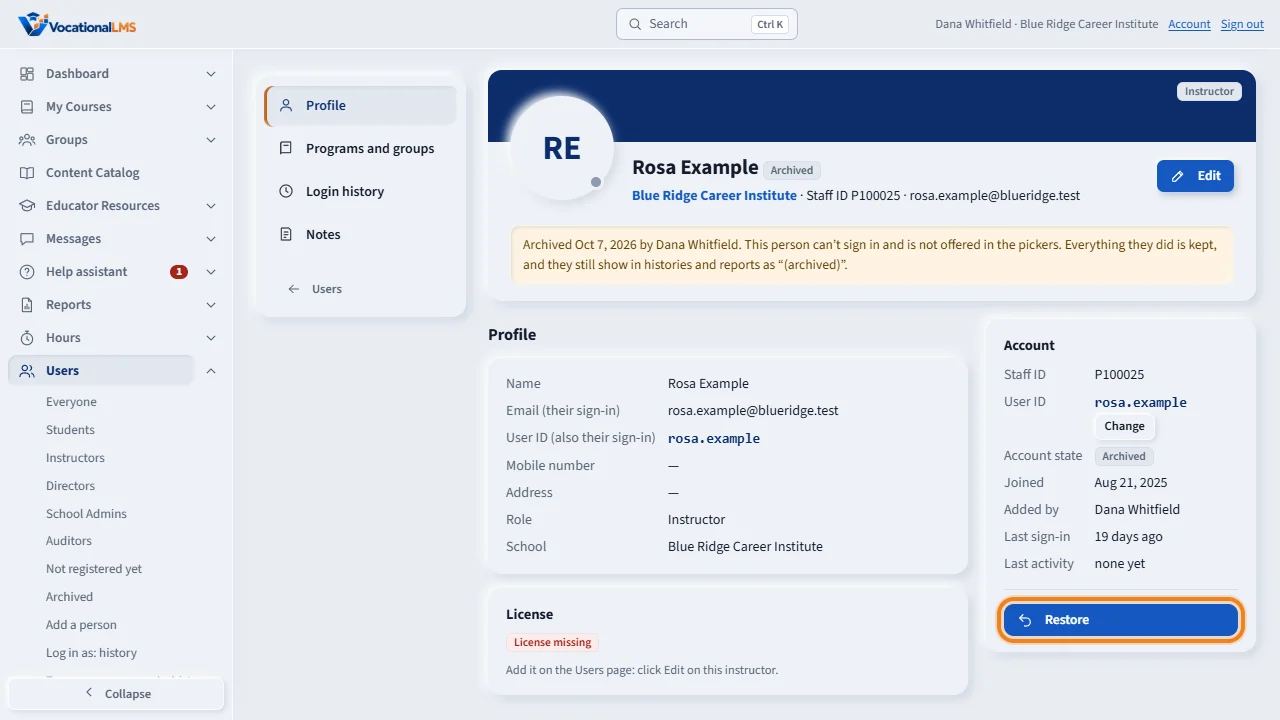
To bring a person back, open their page and click Restore. They sign in with the same password as before. You cannot archive your own account, or the only School Admin who can sign in.
Open this in VocationalLMSUsers > Archived
Who can do this: The School Admin. The VocationalLMS Super Admin can do it too.
What it is for
Archive is for a person who has left the school. An archived person cannot sign in and is no longer offered when you choose an instructor, a message recipient or a report recipient. Nothing is deleted: their records, sign-in history, group history and approvals stay, and they still show in histories and reports as archived. You can restore them at any time.
Steps
- Open Users and click the person's name to open their page.
- In the Account panel click Archive, then click again to confirm.
- The page now says Archived, with the date and your name. The person is signed out at once.
- To see archived people, open Users in the menu on the left and choose Archived under it.
- To bring a person back, open their page and click Restore. They sign in with the same password as before.
What happens next
You can also archive from the Users list (the Archive button on the row), or tick several people and click Archive in the bar.
Common problems
| # | Problem | What to do |
|---|---|---|
| 1 | “… is the only School Admin of this school who can sign in, so they can't be archived.” | Add another School Admin first and wait until they have chosen their password. |
| 2 | “You can't archive your own account.” | Ask another School Admin. |
| 3 | An archived instructor is still listed on a group. | The group keeps its history. The person is shown as no longer teaching and is not offered for new groups. |
| 4 | “Restore this person first.” | An archived person cannot get an invitation or a reset link until you restore them. |