
A-06For School Admins and Directors
Archive a student who has left, and restore one
Archiving keeps every record, blocks sign-in and takes the student off the everyday list.
How-to video A-06 · 0:47
Read the words of this video
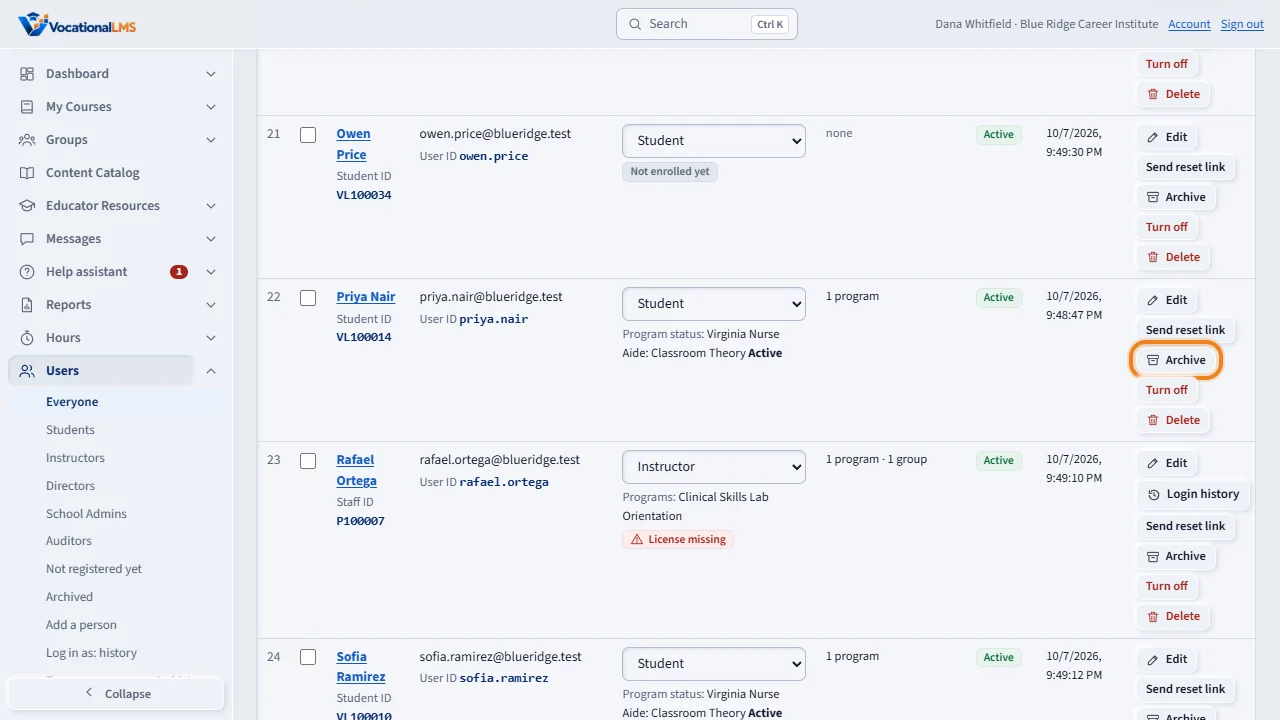
Archive is for a student who has left or finished. On the Users page, click Archive on the student's row, then click again to confirm.
The student is signed out, can no longer sign in, and leaves the everyday list. Every record is kept: hours, tests, messages and transcript. To see archived students, click the archived link beside the filters.
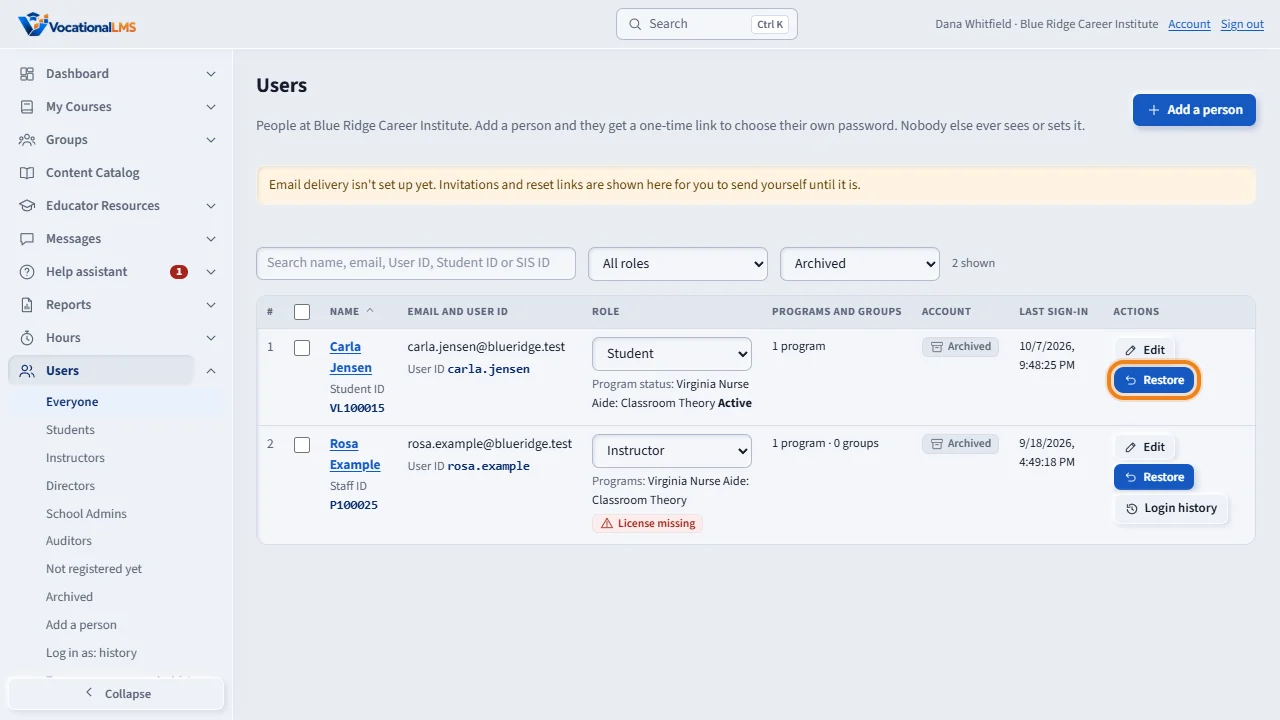
The list now shows the archived students. Click Restore to bring a student back. They sign in with the same password as before.
An archived student stays on the course list, marked Archived. Archiving does not free a seat, and restoring the student needs no new seat.
Open this in VocationalLMSUsers > Archived
What it is for
Archive is for a student who has left or finished. The student can no longer sign in and leaves the everyday Users list, but every record is kept: hours, tests, messages and transcript.
Steps
- Click Users and find the student.
- Click Archive on their row, then click again to confirm.
- To see archived students, click N archived beside the filters, or choose Archived in the status filter.
- To bring a student back, click Restore.
What happens next
An archived student stays on their course lists, marked Archived. A restored student signs in with the same password as before. Archiving does not free a seat, and restoring needs no new seat.
Common problems
| # | Problem | What to do |
|---|---|---|
| 1 | You wanted to free the seat. | Archiving never frees a seat. In the first 10 days, give the seat to another student instead (A-21). |
| 2 | You wanted the record gone for good. | That is deleting, and it needs an authorization code (A-07). |