
A-32For School Admins and Directors
Tests and grades reports, and the file for your student information system
Results of every take, a gradebook by test, missing tests, how hard each test is, and a file of best scores to load into your SIS.
How-to video A-32 · 0:50
Read the words of this video
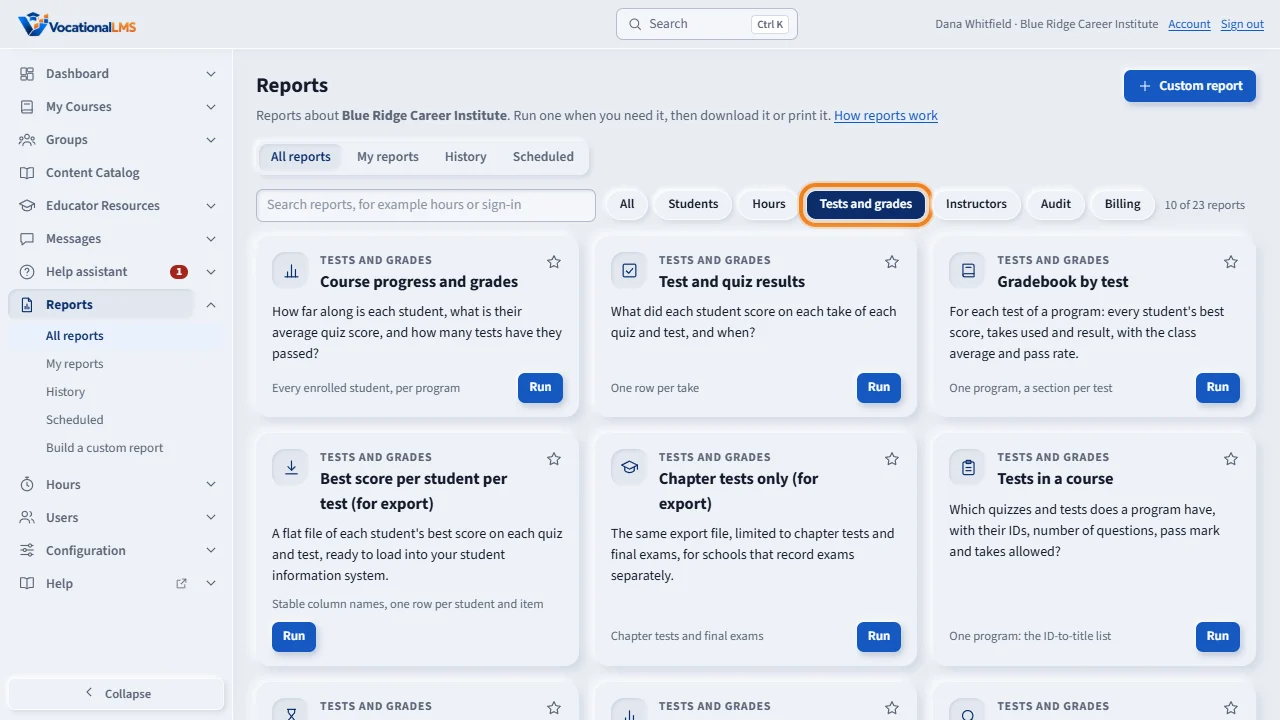
The topic Tests and grades has the reports about quizzes and tests. A take is one time a student submitted a quiz or test. The scores are the scores on the student's record.
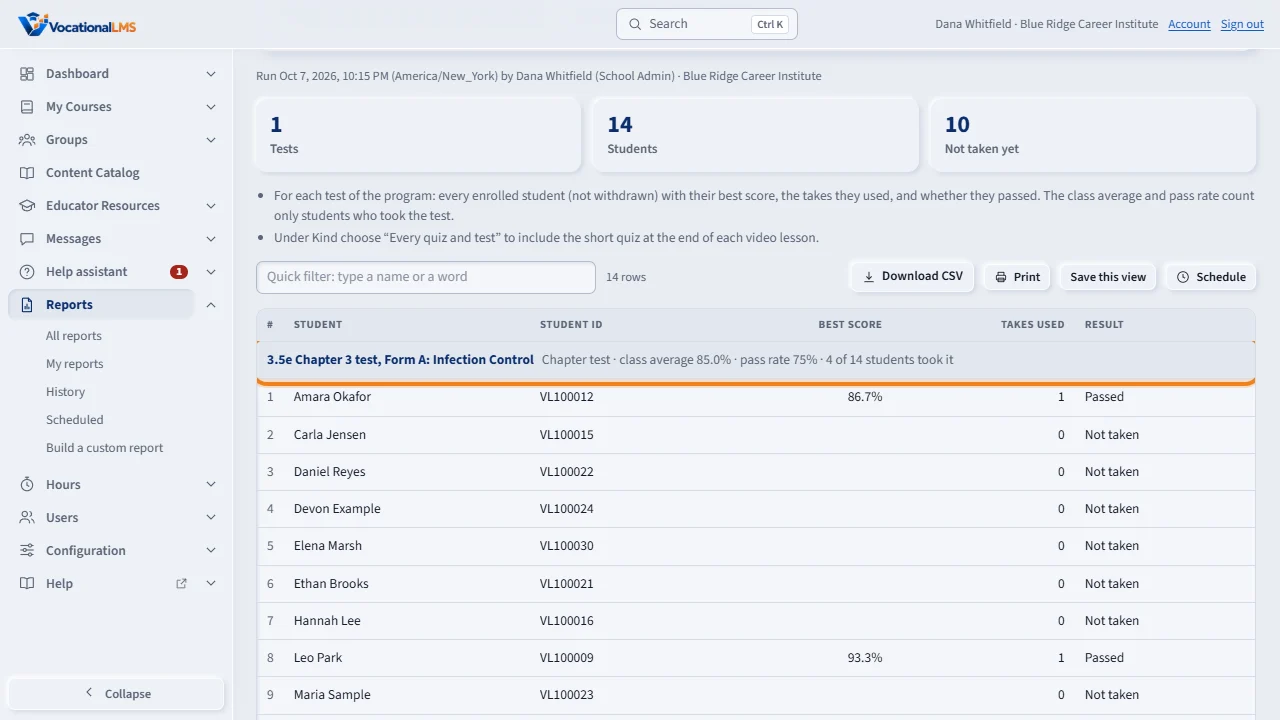
Gradebook by test works on one program. Each test is a section, with every student's best score, the takes they used, and whether they passed. The line on each section gives the class average and the pass rate.
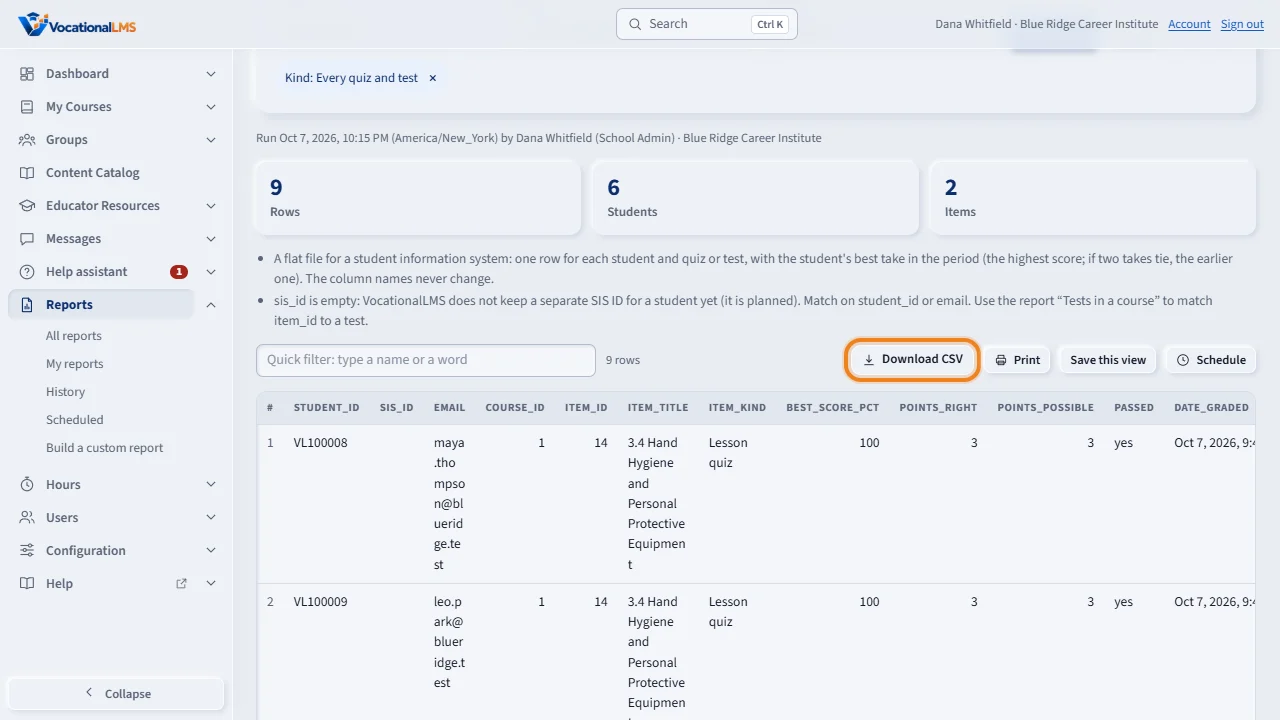
To load scores into your student information system, run Best score per student per test, and click Download C S V. The column names never change. The report Tests in a course lists each test with its item I D, so you can match our tests to yours.
What it is for
The topic Tests and grades on the Reports page has the reports about quizzes and tests. A take is one time a student submitted a quiz or test. Scores are the scores on the student's record; nothing is graded again. Kinds: a Lesson quiz is the short quiz at the end of a video lesson; a Knowledge check, a Chapter test and a Final exam are tests on their own.
Steps
- Test and quiz results: one row for each take, with the take number, the score, right of total, passed or not, and the date. Filter by program, kind, student and dates.
- Gradebook by test: choose one program. Each test is a section with every student's best score, takes used and result, and the class average and pass rate.
- Missing tests: choose one program. It lists active students and the tests they reached but have not taken, or have taken and not passed.
- Test activity: for each test, how many students took it, the average, highest and lowest score, the pass rate and the average takes to pass. A low pass rate can mean a test is too hard.
- Answers by student: choose a program and a student. It lists each question of each take, the answer chosen and the right answer. Question analysis: choose a program and a test; it shows how often each question was answered right and the wrong answer chosen most often.
- Best score per student per test (for export): click Run report, then Download CSV. The file has one row for each student and test. Chapter tests only (for export) is the same file with chapter tests and final exams only.
- Tests in a course: the list of a program's quizzes and tests with their Item ID. Use it to match our tests to the tests in your student information system.
What happens next
The export file always has these columns, in this order: student_id (the Student ID), sis_id (empty for now), email, course_id, item_id, item_title, item_kind, best_score_pct, points_right, points_possible, passed (yes or no) and date_graded (in your school's time zone). The best take is the one with the highest score in the dates you chose; if two takes tie, the earlier one. VocationalLMS does not keep a separate SIS ID for a student yet, so sis_id is empty: match on student_id or email. Answers by student and Question analysis show right answers, so keep them among staff.
Common problems
| # | Problem | What to do |
|---|---|---|
| 1 | Answers by student shows no rows for an old take. | The questions of a take are saved only since exam takes were introduced. An older take has its score in Test and quiz results, but its questions were not saved. |
| 2 | A test is not in Missing tests. | Only tests the student has reached are listed: tests at or before the furthest item the student has opened. A completed or withdrawn student is not listed. |
| 3 | The gradebook has no lesson quizzes. | Under Kind choose Every quiz and test. |
| 4 | “Choose a program first.” | Gradebook, Missing tests, Test activity, Tests in a course, Answers by student and Question analysis each work on one program. |