
A-24For School Admins and Directors
The Help assistant at your school
See every student chat in your school, answer waiting questions and manage approved answers.
How-to video A-24 · 1:05
Read the words of this video
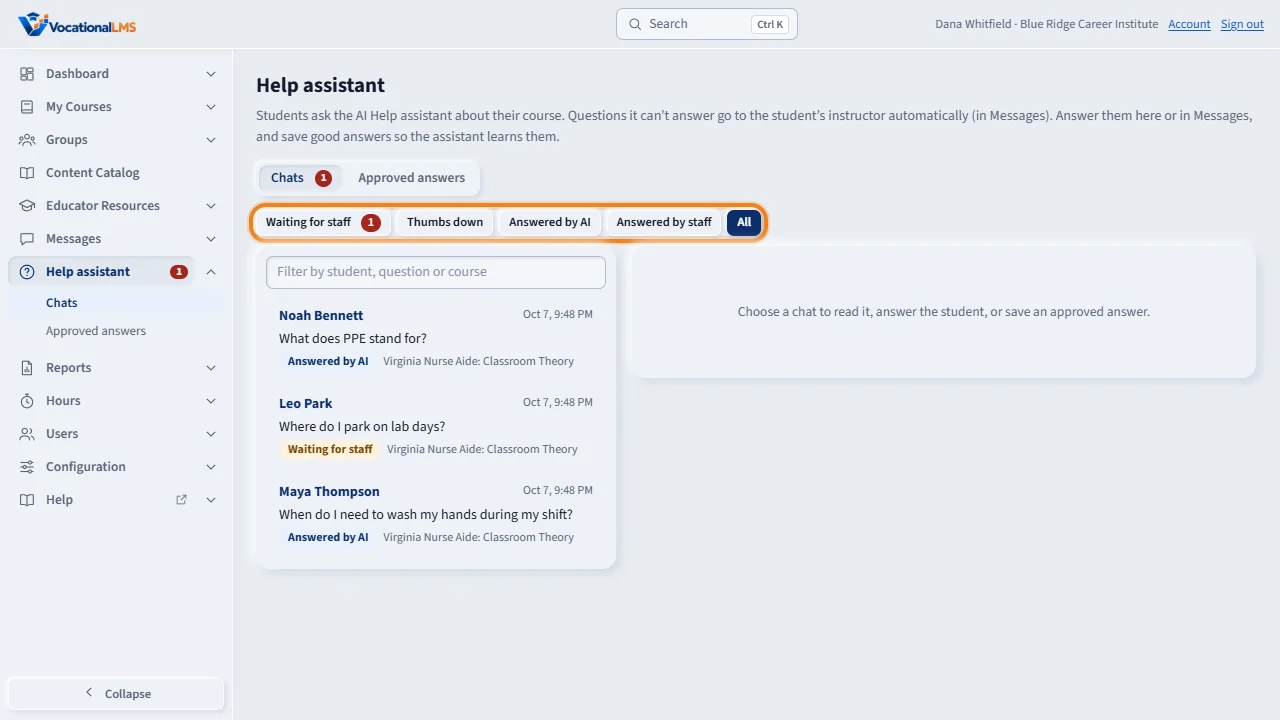
As a School Admin or Director, you see every Help assistant chat in your school. Instructors see only their own classes. Click Help assistant in the menu on the left. Use the filters: Waiting for staff, Thumbs down, Answered by A I, Answered by staff, or All.
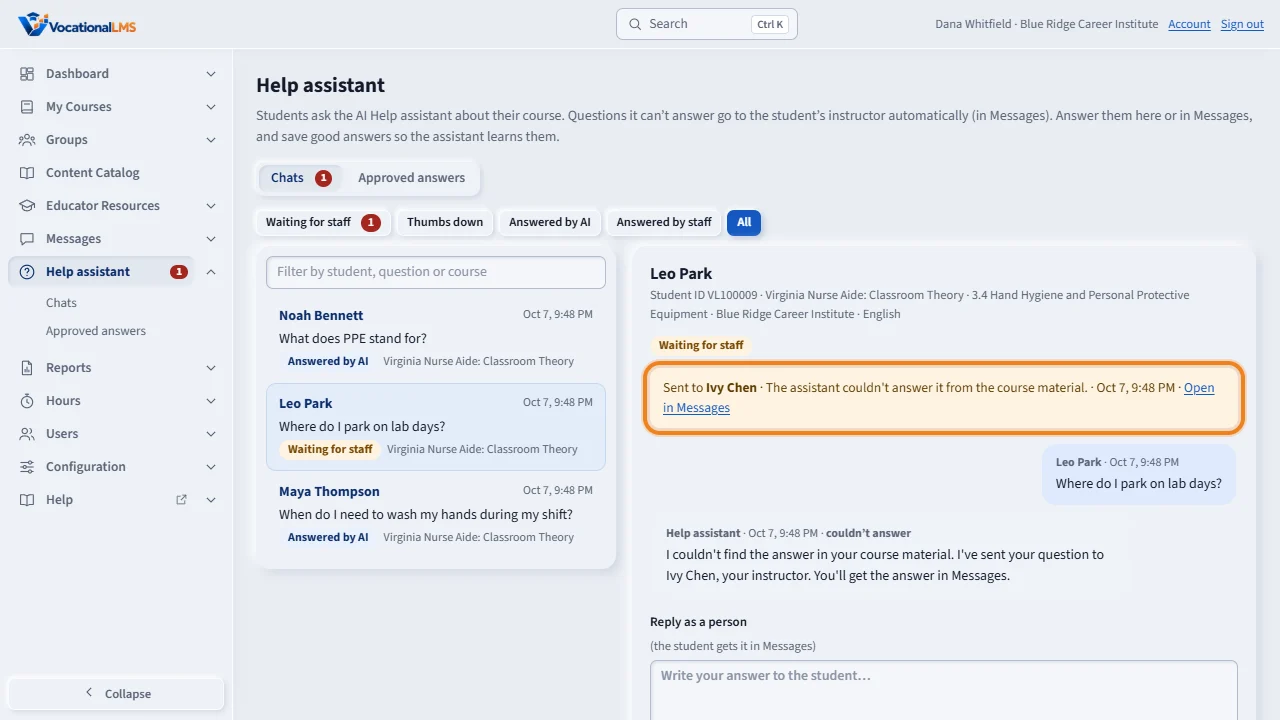
Open a chat to read it. You see the student, the lesson and the whole chat. The line above it says who the question was sent to and why. A question goes first to the student's own instructor, then to the class's main instructor, then to you.
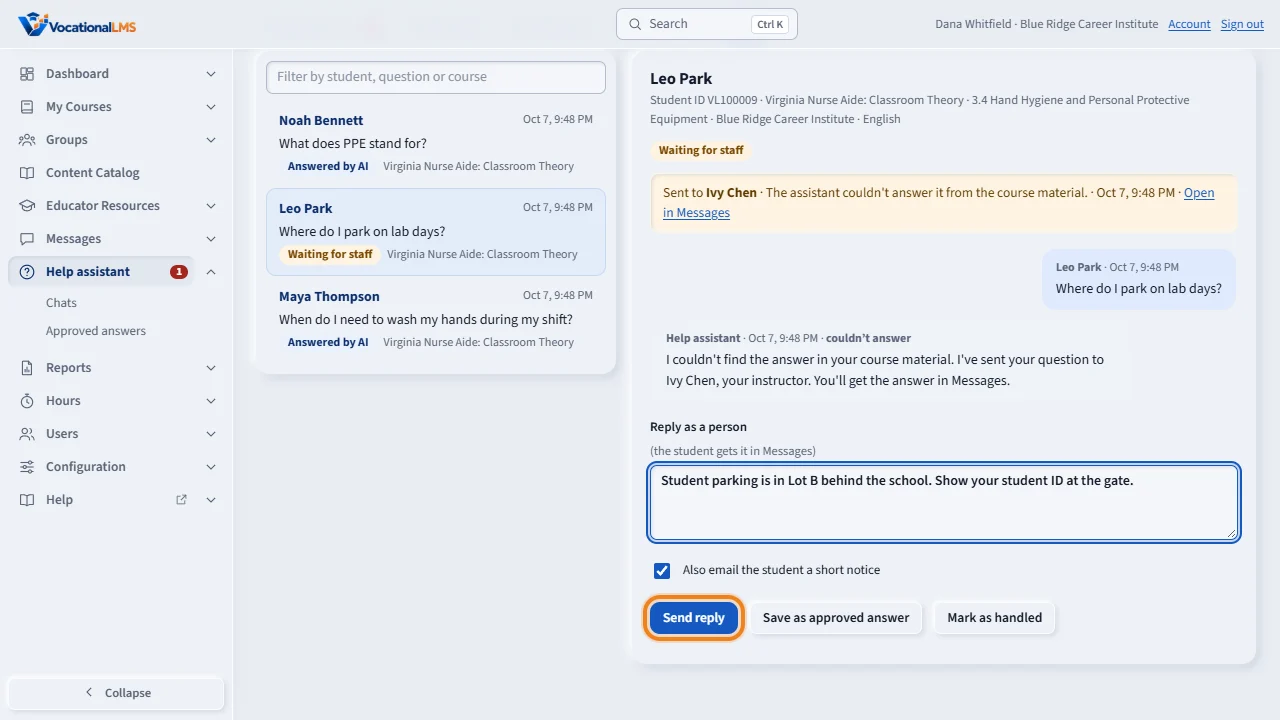
To answer, type in Reply as a person and click Send reply. The student gets your answer in Messages. If no answer is needed, click Mark as handled to take the chat out of the queue.
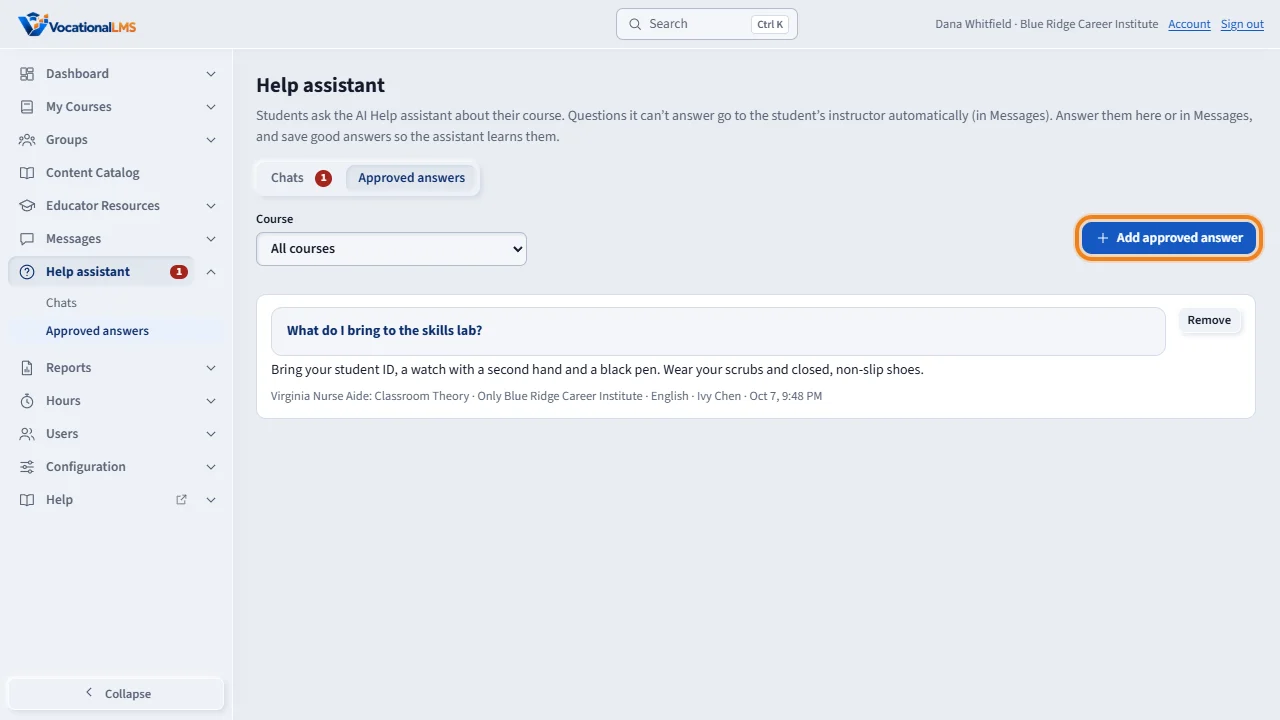
Open Approved answers to add or remove the answers the assistant uses for your school. They are used only for your own students. To keep questions from landing on you, set an instructor for each class.
Open this in VocationalLMSHelp assistant > Chats
What it is for
School Admins and Directors see every Help assistant chat in their school (instructors see only their own classes). You answer waiting questions and manage the approved answers exactly as an instructor does.
Steps
- Click Help assistant. The red number is questions waiting for a person.
- Use the filters: Waiting for staff, Thumbs down, Answered by AI, Answered by staff, All.
- Open a chat, type in Reply as a person and click Send reply, or Mark as handled.
- Open Approved answers to add or remove the answers the assistant uses for your school.
What happens next
A question goes first to the student's own instructor, then the class's main instructor, then the School Admin, then the Director. So set class instructors (A-10) to keep questions from landing on you.
Common problems
| # | Problem | What to do |
|---|---|---|
| 1 | Students say the assistant stopped answering. | Your school reached its monthly AI limit; questions then go straight to the instructor. Ask VocationalLMS to raise it. |
| 2 | The assistant answers about another school's rules. | It cannot: answers saved by your staff are used only for your students. |