
A-21For School Admins and Directors
Give a seat to another student in the first 10 days
For 10 days a seat can move to a different student. After that it is locked.
How-to video A-21 · 0:52
Read the words of this video
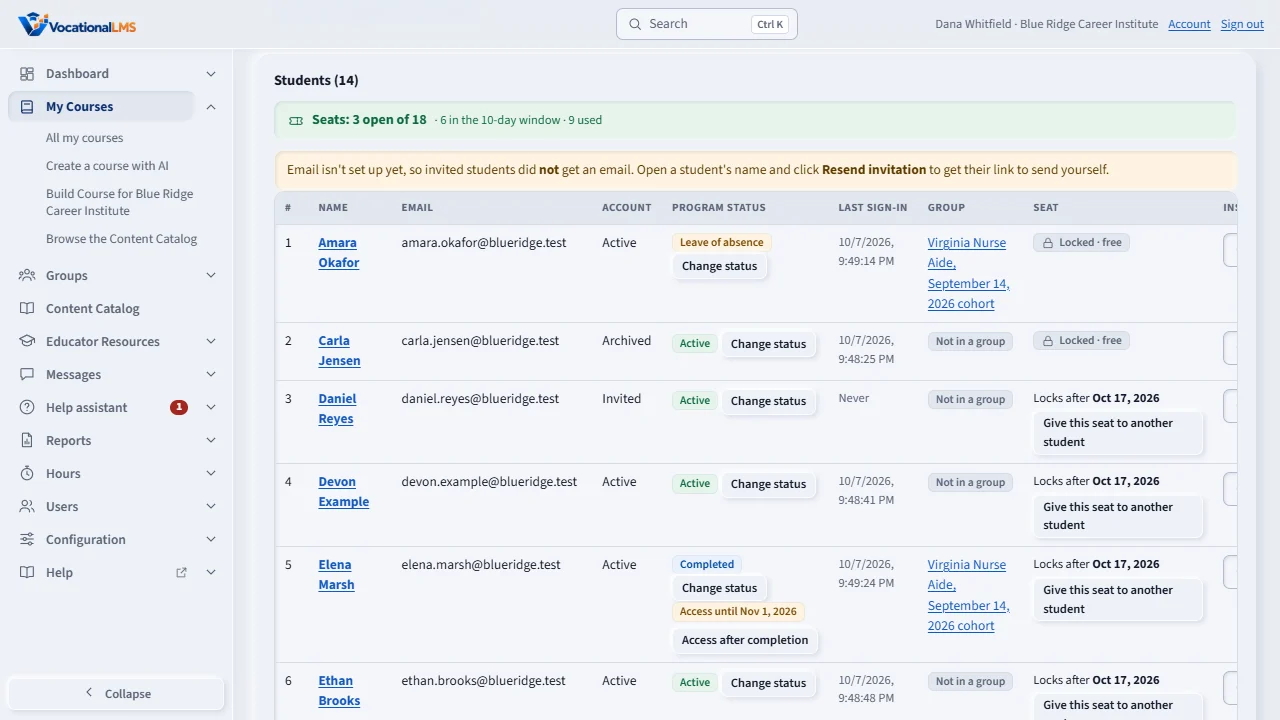
When your school uses seats, the line above the Students list shows how many are open, and each student has a seat. For ten days after a student is put in a seat, you can give that seat to a different student.
In the Seat column, a new student shows Locks after and a date. Click Give this seat to another student.
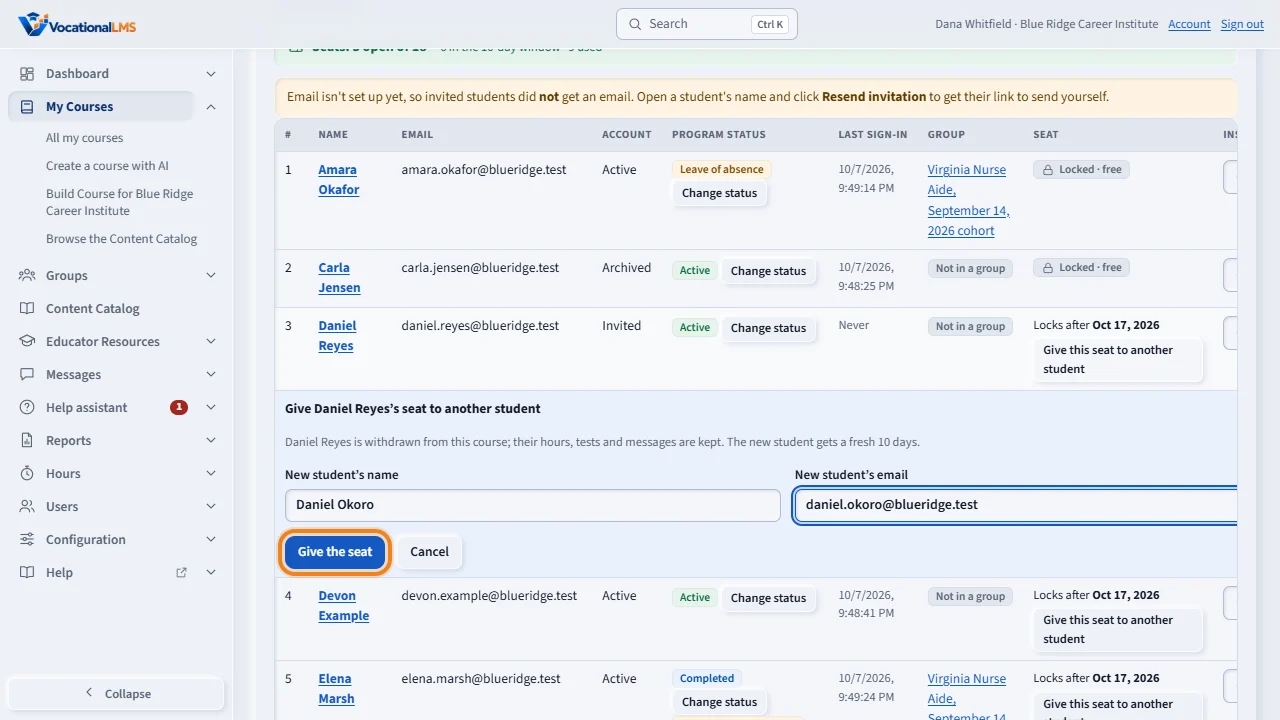
Type the new student's name and email, click Give the seat, and click again to confirm. The first student leaves the course, and their hours, tests and messages are kept. The new student gets a fresh ten days.
Seats and billing lists the students still in their ten days, with the last day each seat can be given to someone else. After that the seat is locked. Archiving a student does not free a seat.
Open this in VocationalLMSMy Courses > a course > Students
What it is for
For 10 days after a student is put in a seat, you can give that seat to a different student, for example when someone enrolls and never starts. After day 10 the seat is locked to that student for good.
Steps
- Open the course. In the Seat column a new student shows Locks after and a date.
- Click Give this seat to another student.
- Type the new student's name and email.
- Click Give the seat, then click again to confirm.
What happens next
The first student is withdrawn from that program; their hours, tests and messages are kept. The new student gets a fresh 10 days. Every change is written to the seat history. After the date shown, the seat says Locked.
Common problems
| # | Problem | What to do |
|---|---|---|
| 1 | The button is gone. | The 10 days are over. The seat is locked. |
| 2 | You archived the student to free the seat. | Archiving never frees a seat. Deleting frees it only inside the 10 days. |
| 3 | You need a seat back for a refund. | Refunds are not automatic. Ask VocationalLMS. |