
A-19For School Admins and Directors
See every conversation in your school, and download a course's messages
All in school lets you cover for an instructor. The Excel download keeps a record for your files.
How-to video A-19 · 0:56
Read the words of this video
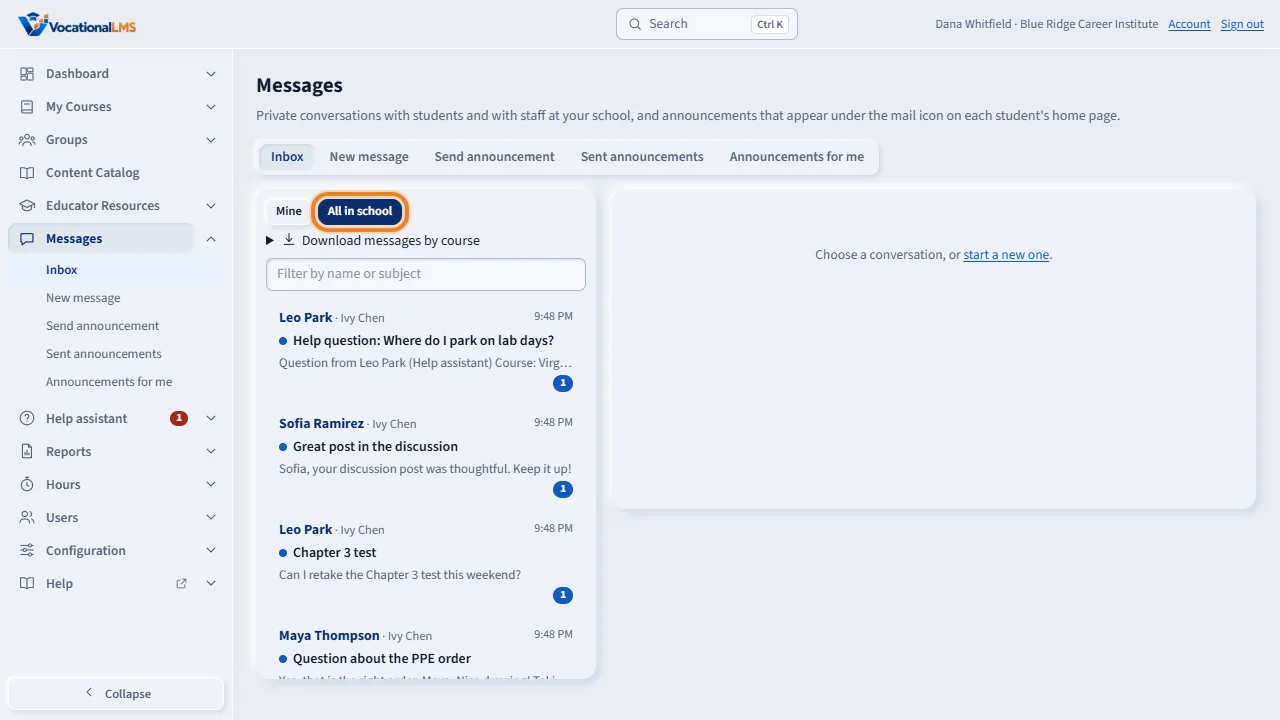
School Admins and Directors can read every conversation between students and staff in their school. Click Messages, then All in school. This lets you cover for an instructor who is away.
Open any conversation with a student, and reply if you need to. Conversations between two staff members are private to those two, so they are not in this list.
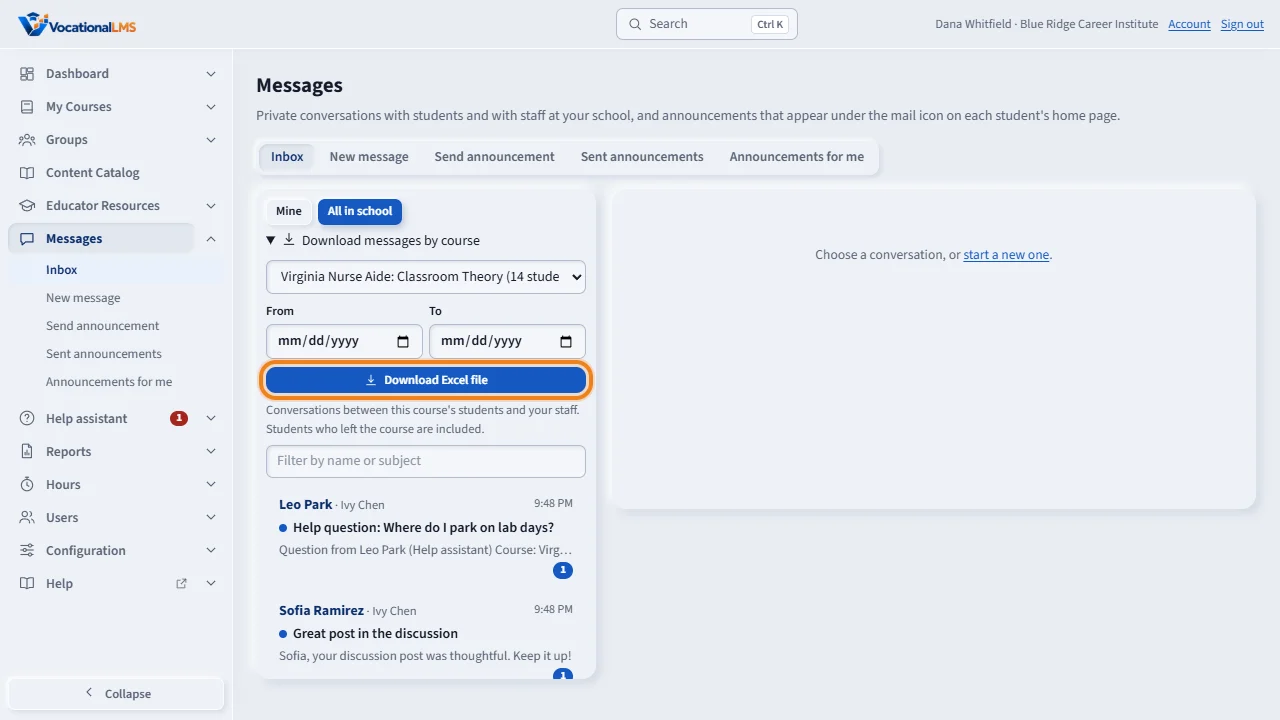
To keep a record, open Download messages by course. Choose the course. Fill in From and To to limit the dates, or leave them empty for everything. Then click Download Excel file.
The Excel file has one row for each message, with the date and time, the subject, the student and Student ID, the staff member, and the text. Students who left the course are included. Only a School Admin can download it.
Open this in VocationalLMSMessages > Inbox > Download
What it is for
School Admins and Directors can read every conversation between students and staff in their school, for example to cover for an instructor who is away. A School Admin can also download a course's student messages as an Excel file.
Steps
All in school
- Click Messages. At the top of the list click All in school.
- Open any conversation with a student and reply if needed. Mine goes back to your own.
Download a course's messages
- Open Download messages by course at the top of the list.
- Choose the course. Fill in From and To to limit the dates, or leave them empty for everything.
- Click Download Excel file.
What happens next
The workbook has three sheets: Messages (one row per message: date, time in US Eastern, subject, student with Student ID and email, staff member and role, who sent it, the text, and the names of any pictures), Conversations, and About this file.
Common problems
| # | Problem | What to do |
|---|---|---|
| 1 | A staff-to-staff conversation is not there. | Those are private to the two people. They are not under All in school and not in the file. |
| 2 | Announcements are missing from the file. | The file has student and staff conversations only. |
| 3 | An instructor asks for the file. | Only a School Admin (or VocationalLMS) can download it. |