
A-14For School Admins and Directors
Add a presentation and a lesson plan
A PDF or PowerPoint students see under the video, and staff-only notes and files.
How-to video A-14 · 0:48
Read the words of this video
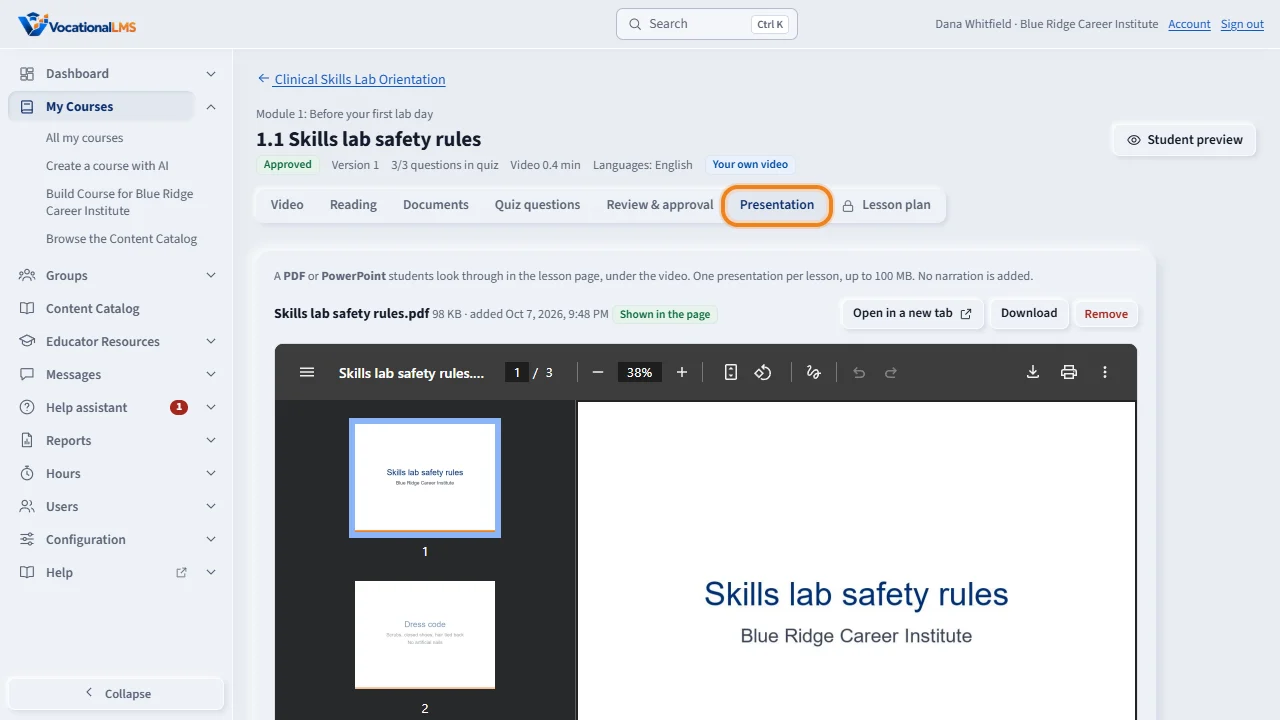
Each lesson can carry a presentation that students look through under the video. Open the lesson and click the Presentation tab.
Choose a PDF or a PowerPoint, up to one hundred megabytes, and click Upload presentation. A PDF always shows inside the page. For the best result, save a PowerPoint as a PDF first. Open in a new tab shows it as students see it.
The Lesson plan tab is only for staff. Type notes for instructors and click Save notes. Choose files, up to fifty megabytes each, and click Upload files.
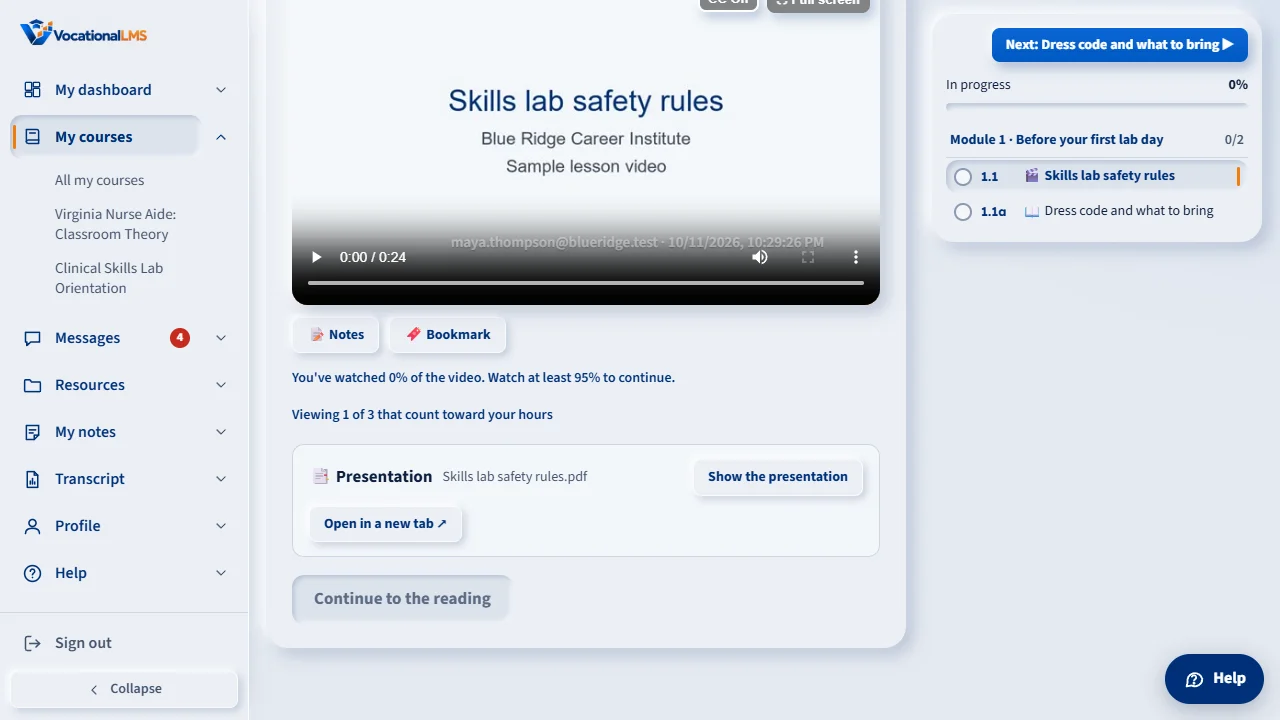
This is what the student sees: the video, and the presentation under it. Students never see lesson plans.
Open this in VocationalLMSMy Courses > a lesson
What it is for
Each lesson can carry a presentation (a PDF or PowerPoint that students look through) and a lesson plan (notes and files that only your staff can see).
Steps
Presentation
- Open the lesson and click the Presentation tab.
- Choose a PDF or PowerPoint (up to 100 MB) and click Upload presentation.
- Open in a new tab shows it as students see it. Remove takes it away (click twice).
Lesson plan
- Click the Lesson plan tab.
- Type Notes for instructors and click Save notes.
- Choose files (up to 50 MB each) and click Upload files.
What happens next
Students see the presentation under the video and can open it in a new tab. A PDF always shows inside the page; save a PowerPoint as a PDF for the best result. Students never see lesson plans.
Common problems
| # | Problem | What to do |
|---|---|---|
| 1 | The PowerPoint shows only a download link. | The server could not turn it into a PDF. In PowerPoint use File > Save as > PDF and upload the PDF. |
| 2 | A lesson has only a presentation and no video. | That is allowed. It can be sent for review as it is. |