
A-13For School Admins and Directors
Upload a lesson video, or use a YouTube link
Upload your own video with captions, add a Spanish video, or paste a YouTube link instead.
How-to video A-13 · 1:05
Read the words of this video
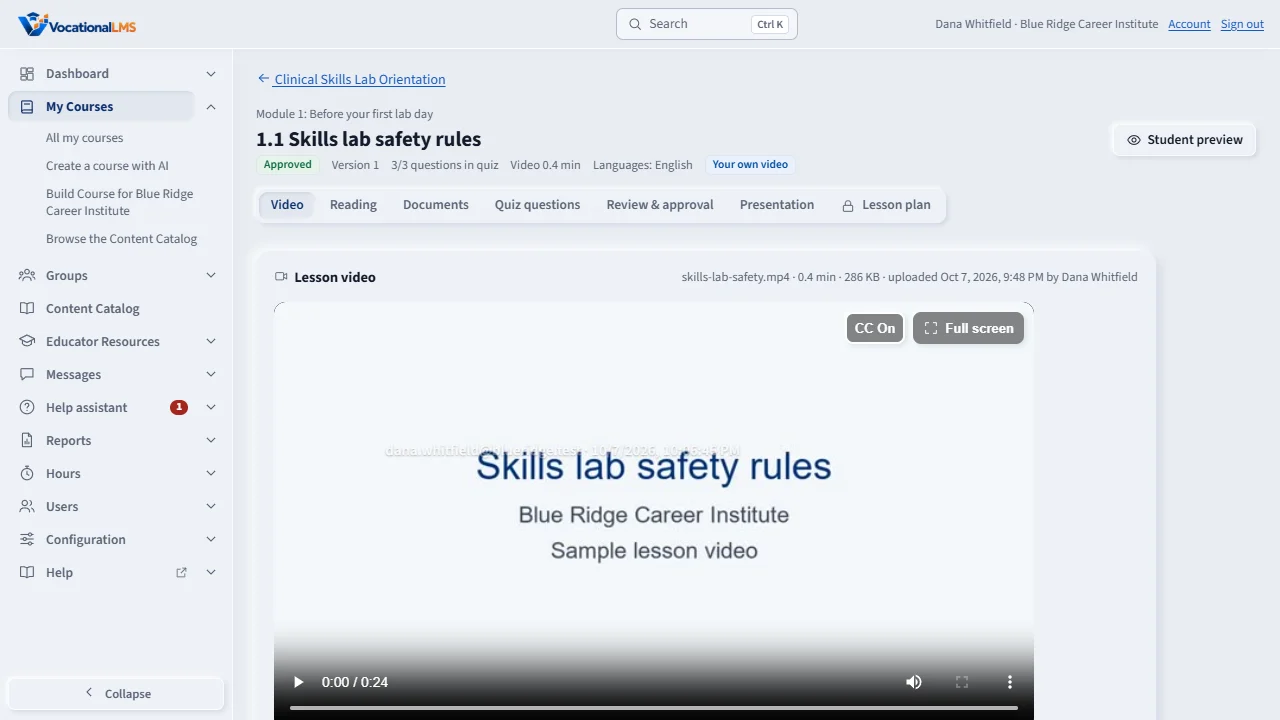
A video lesson in your own course plays your own video. Open the lesson. On the Video tab you see the video in the protected player.
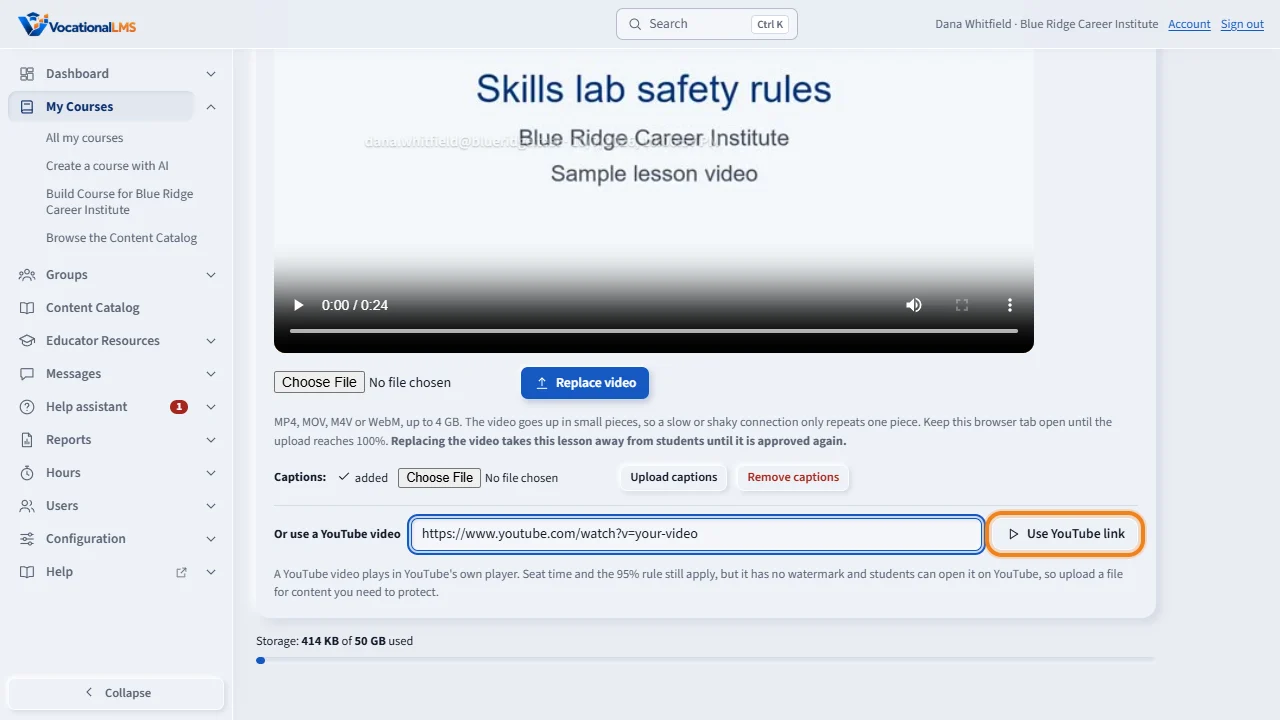
To upload, choose a video file: MP4, MOV, M4V or WebM, up to four gigabytes. Click Upload video, or Replace video, and keep the tab open until the bar reaches one hundred percent. The video is then converted, which takes a few minutes.
Under the video, choose a captions file, VTT or SRT, and click Upload captions. An uploaded video cannot be downloaded by students, and it shows their email as a watermark.
Or paste a YouTube address and click Use YouTube link. The video must be public or unlisted, and allow embedding. It plays inside the lesson, and students must still watch ninety-five percent. A YouTube video has no watermark, so upload a file for anything you need to protect.
Open this in VocationalLMSMy Courses > a lesson > Video
What it is for
A video lesson in your own course plays your own video. You can upload a file (protected playback, with a watermark) or use a YouTube video.
Steps
Upload a file
- Open the video lesson. You are on the Video tab.
- Choose your video: MP4, MOV, M4V or WebM, up to 4 GB, and click Upload video. Keep the tab open until the bar reaches 100%.
- The video is then converted (a few minutes). You can leave the page. When it is done the lesson says Video ready.
- Under the video, choose a .vtt or .srt captions file and click Upload captions.
Or use YouTube
- Paste the address in Or use a YouTube video and click Use YouTube link. The video must be Public or Unlisted and allow embedding.
What happens next
Students must watch 95% of the video either way, and seat time counts while it plays. An uploaded video cannot be downloaded and shows the student's email as a watermark. A YouTube video has no watermark and can be opened on YouTube, so upload a file for anything you need to protect.
Good to know
- If the upload stops, choose the same file again and it continues where it stopped.
- Replace video keeps the old video under History: earlier videos and sends the lesson back for review.
- If the course languages are English and Spanish, a second box takes the Spanish video.
- Only upload material your school made or has the right to use.
Common problems
| # | Problem | What to do |
|---|---|---|
| 1 | The file is refused. | It is not really a video, it is over 4 GB, or it is longer than 6 hours. |
| 2 | The YouTube link is refused. | The video is private, removed, or does not allow embedding. |