
V-52For the VocationalLMS Super Admin
Build a Basic Study Guide (flashcards) for a course
AI writes 4 flashcards for every chapter from 18VAC90-26 and the course's own lessons, with Higgsfield art per card; a turnable-page reader and a downloadable PDF for students.
How-to video V-52 · 0:54
Read the words of this video
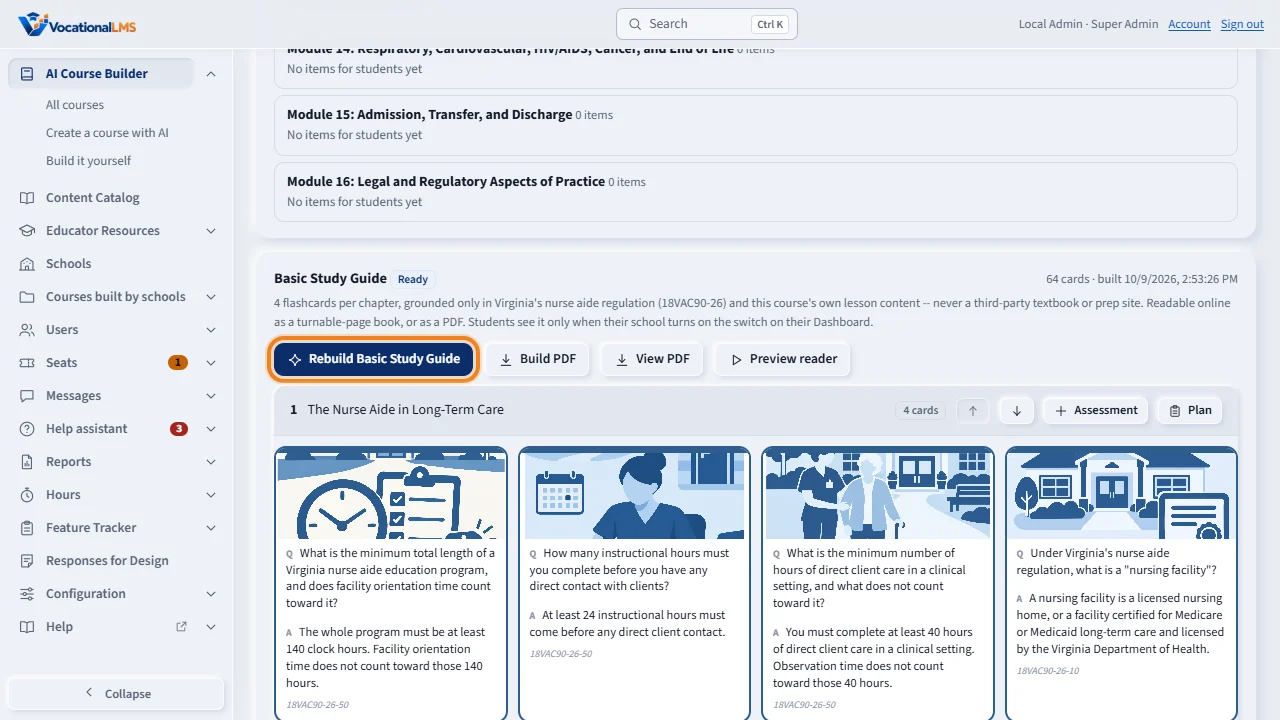
Basic Study Guide writes four flashcards for every chapter, from Virginia's nurse aide regulation and this course's own lessons only. On the course page, click Build Basic Study Guide.
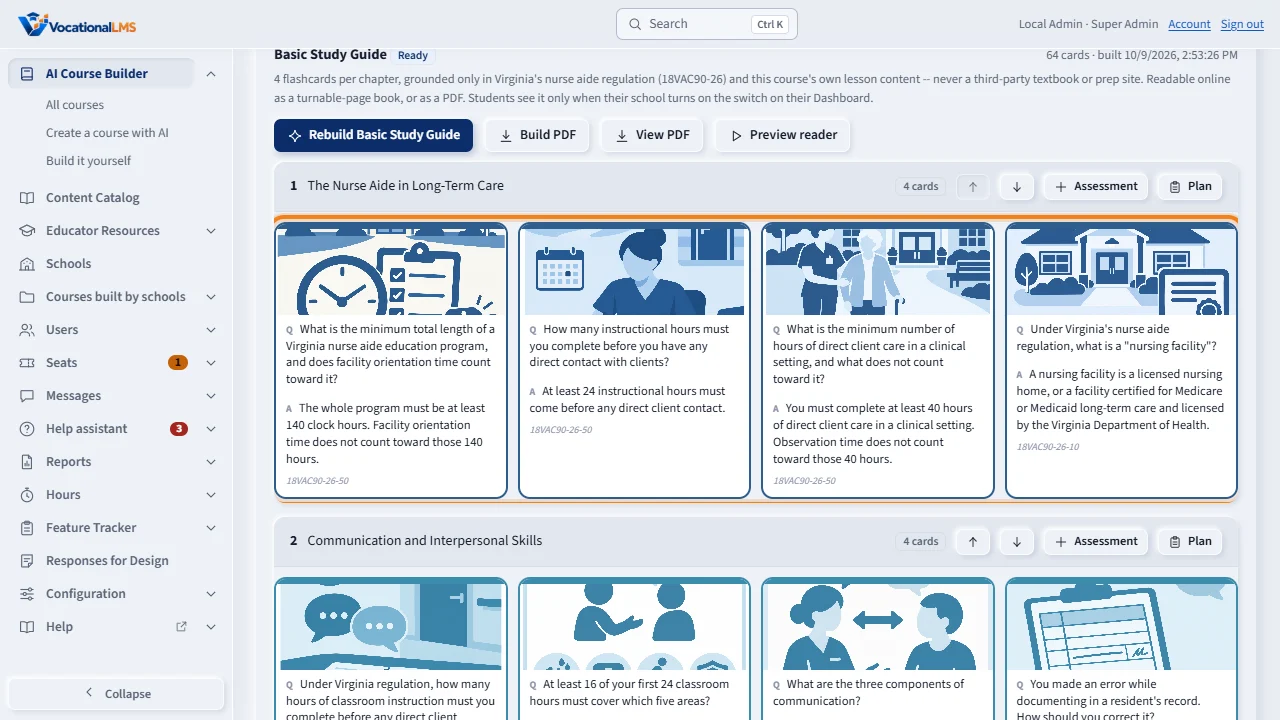
Each card shows its question, its answer, and exactly which source it came from. Art comes from Higgsfield, attached by VocationalLMS, and is never generated by a live call from the server.
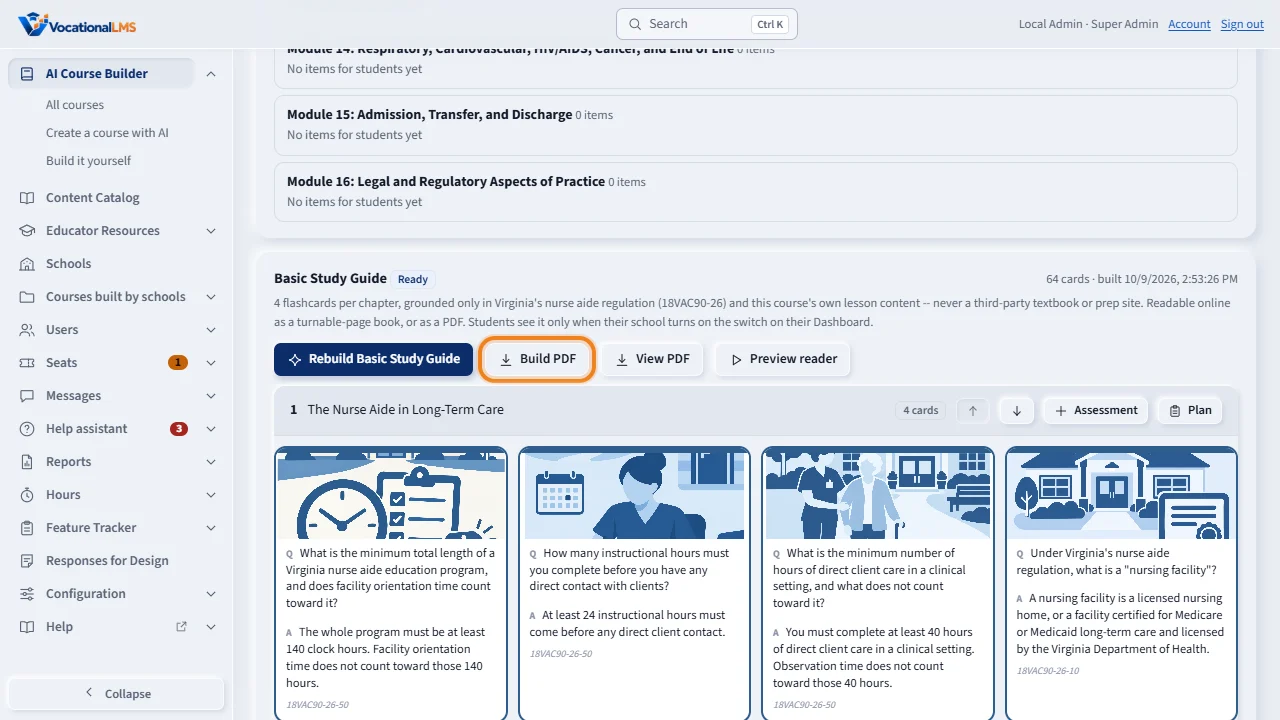
Build PDF renders the cover and every chapter into one downloadable file. Preview reader opens the turnable-page book exactly as a student would see it.
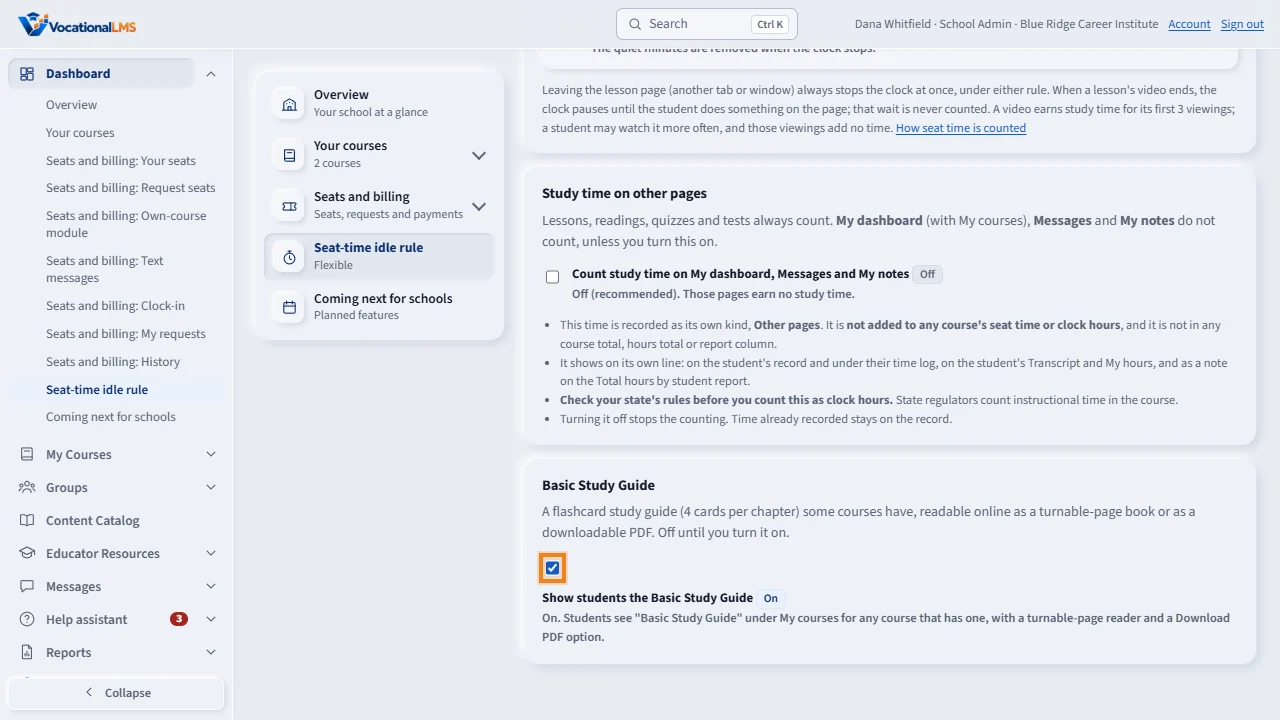
A school sees nothing until its School Admin turns on this switch, on the Dashboard's Seat-time idle rule page. Off by default for every school.
Open this in VocationalLMSAI Course Builder > a course > Basic Study Guide
Who can do this: The VocationalLMS Super Admin starts the build and attaches the art; a School Admin only turns the switch on or off for their own school (see the switch on their Dashboard > Seat-time idle rule page).
What it is for
Basic Study Guide is a self-study flashcard deck for one master course: 4 cards for every chapter (a question or term on the front, the answer on the back), each with its own illustration. Every card's fact comes only from Virginia's nurse aide regulation (18VAC90-26) and this course's own already-approved lessons -- never a third-party textbook or prep site. Students read it online, turning pages like a real book, or download it as a PDF. A school sees it only after its School Admin (or you, acting for it) turns on the Basic Study Guide switch on the school's Dashboard; it is off for every school until then.
Steps
Build the flashcards
- Open the course and find the Basic Study Guide panel below the main buttons.
- Click Build Basic Study Guide. AI writes 4 cards for every chapter that has written lessons; this can take a few minutes for a 16-chapter course.
- When it finishes the panel shows every card: its question, its answer, and which source (a regulation section, or "this chapter's own lesson content") it came from.
Add the art
- Art comes from Higgsfield, generated and reviewed by VocationalLMS, not by a live call from the server. Each card shows its image prompt until art is attached.
- Once art is generated it is attached through the storage pool, the same way lesson videos are; each card then shows its picture and keeps the prompt and model for the record.
Build the PDF and check it
- Click Build PDF to render the cover and every chapter's cards into one downloadable file; View PDF opens it.
- Preview reader opens the turnable-page book exactly as a student would see it, in a new tab.
Turn it on for a school
- A school's own Dashboard has a Basic Study Guide switch (Seat-time idle rule page). Turn it on, or act as the school and turn it on for them, and their students see it under My courses.
What happens next
Rebuilding replaces the cards (the chapter titles and regulation grounding stay the same); building again does not touch art you already attached unless you reattach it. The deck is never gated or charged for a VocationalLMS course (school_id 0); if this is ever pointed at a school's own course, the same AI-building budget gate as every other AI job applies.
Common problems
| # | Problem | What to do |
|---|---|---|
| 1 | Build Basic Study Guide is gray. | Another AI job is running on this course, or the course has no outline yet. |
| 2 | A chapter has no cards. | That module has no written lessons yet (an empty placeholder chapter); write its lessons first, then rebuild. |
| 3 | Students still don't see it. | Check the school's Basic Study Guide switch on their Dashboard: it is off by default for every school. |