
V-05For the VocationalLMS Super Admin
Edit a slide, ask the AI to change it, and set pronunciations
Change slide text and narration by hand or with a preset, and teach the narrator hard words.
How-to video V-05 · 0:58
Read the words of this video
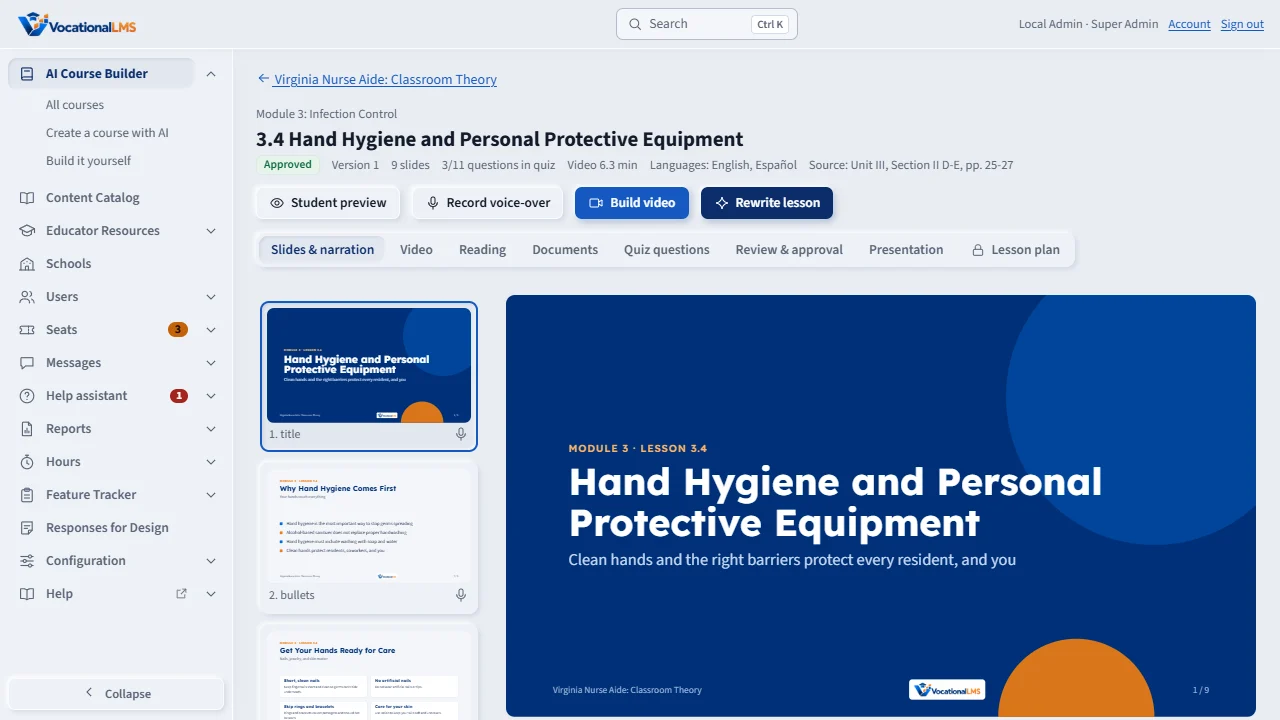
Open a lesson. On Slides and narration, you see each slide exactly as students will. Use Previous and Next to move through them.
Change the layout, the title, the bullets or the narration by hand, then click Save slide.
To have the AI change a slide, click a preset: more detail, simpler, more professional, bullet points, make it a scenario, or make it steps. Or type what you want changed and click Apply. The AI checks the lesson's own source pages, and a copy is saved first.
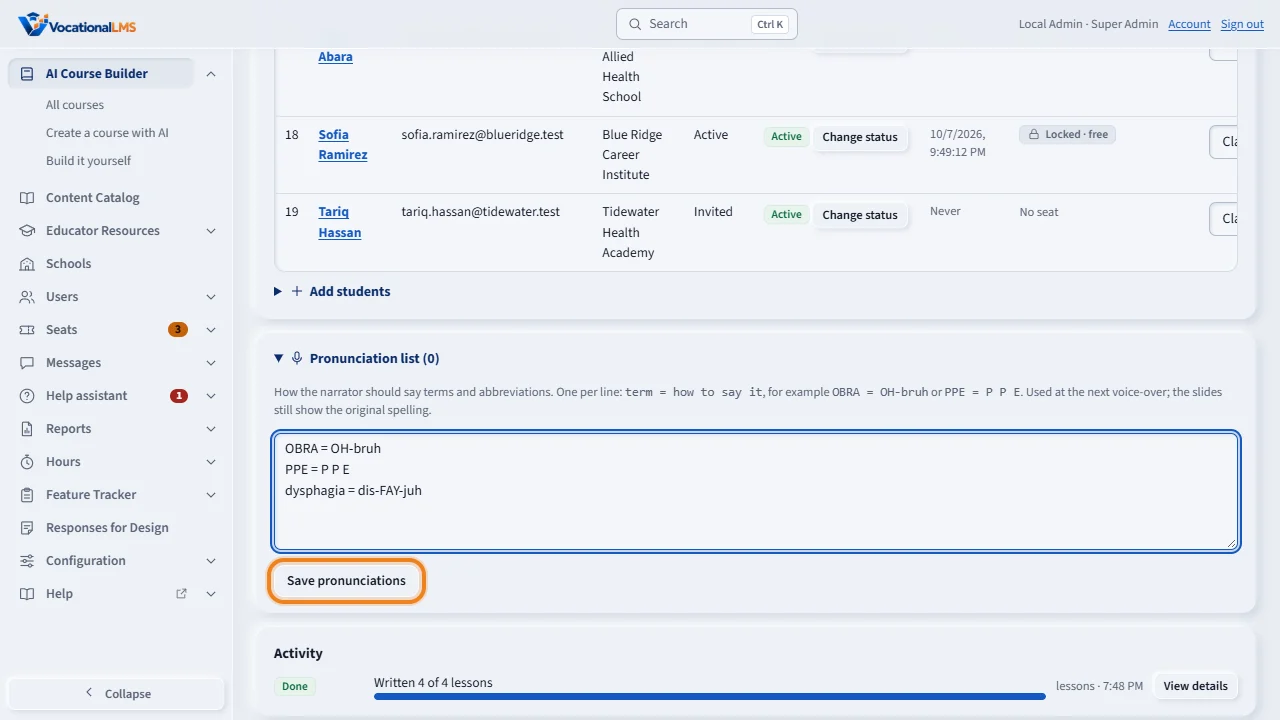
On the course page, the Pronunciation list tells the narrator how to say hard terms. Type one term on each line, an equals sign, and how to say it. The slides keep the normal spelling. It is used the next time a voice-over is recorded.
Open this in VocationalLMSAI Course Builder > a course > Pronunciations
What it is for
Every slide can be edited by hand or changed by the AI from a short instruction. A course's pronunciation list tells the narrator how to say terms such as OBRA; the slides keep the normal spelling.
Steps
- Open a lesson. On Slides & narration click a slide to see it as students will.
- Change the layout, title, bullets, cards or narration and click Save slide.
- To have the AI change it, click a preset: More detail, Simpler, More professional, Bullet points, Make it a scenario, Make it steps. Or type what to change and click Apply.
- On the course page open Pronunciation list. Type one term per line as
term = how to say it, for exampleOBRA = OH-bruh, and save.
What happens next
An AI change checks the lesson's own source pages. A copy of the lesson is saved before every AI change. After an edit, record the voice-over and build the video again; only changed slides are recorded. An approved lesson goes back for review.
Common problems
| # | Problem | What to do |
|---|---|---|
| 1 | The narrator still says a word wrong. | Add it to the pronunciation list and record the voice-over again. |
| 2 | The AI change went too far. | Open Review & approval and restore the earlier version (V-07). |