
S-49For students
The Cheat sheet tab: one page to keep, download or print
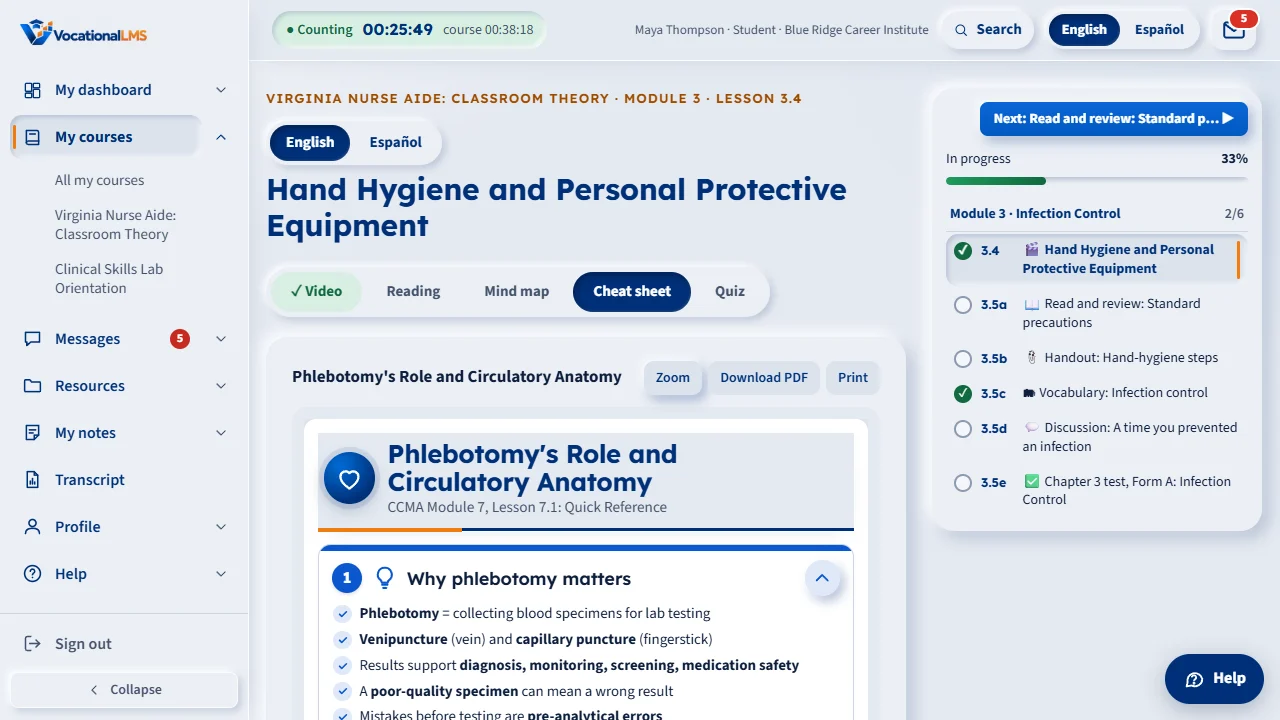
Some lessons have a Cheat sheet tab next to Mind map: a one-page quick reference with the key points, the steps in order and the safety rules. Zoom it, download it as a PDF or print it.
How-to video S-49 · 0:25
Read the words of this video
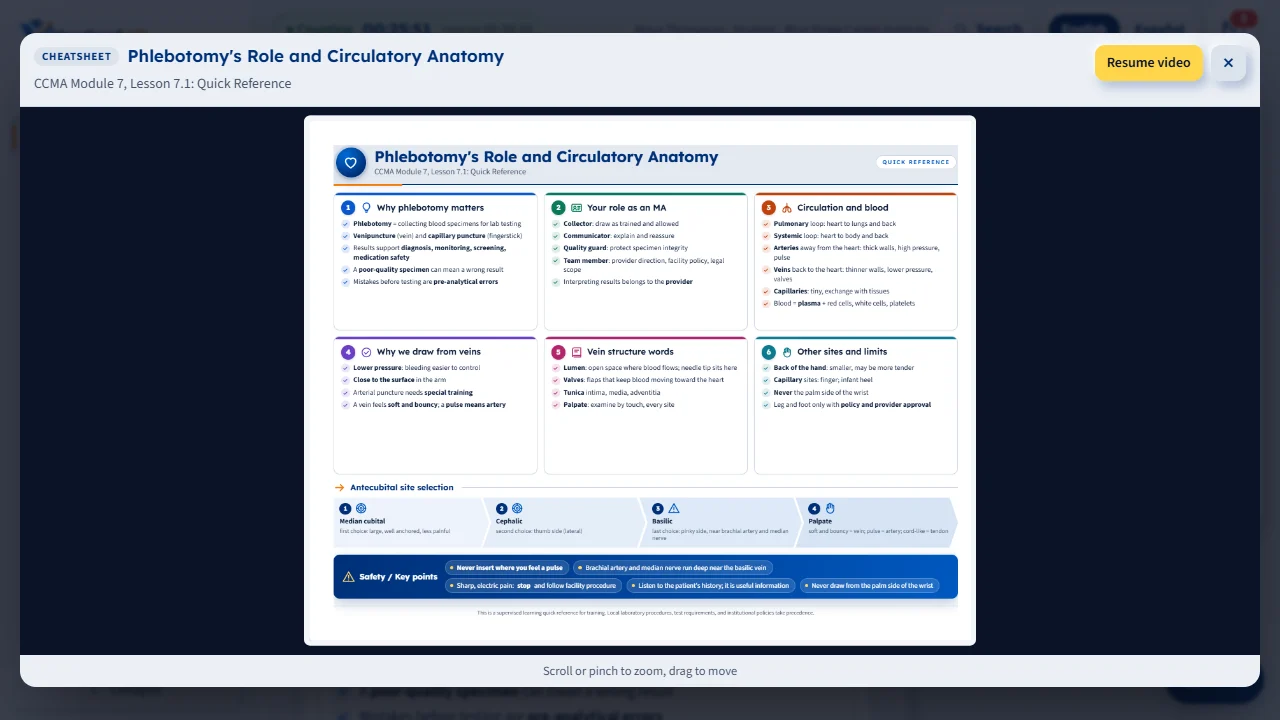
A cheat sheet is one landscape page built from the lesson: numbered panels of check-marked points, the steps in order, and a Safety bar. Open the Cheat sheet step.
Click Zoom to see it full size, Download PDF to save one letter-size page, or Print to open it ready to print.
Open this in VocationalLMSA lesson > Cheat sheet
What it is for
A cheat sheet is one landscape page: a title bar, four to six numbered panels of check-marked points, a strip with the steps of the lesson's procedure in order, a Safety / Key points bar and a small note at the bottom. It is built from the lesson's own content and drawn on your screen, so it is always sharp at any size. The tab is there only when the lesson has one; a lesson with two procedures may have two.
Steps
Use it
- Open the lesson and click Cheat sheet in the row of steps (after Mind map, or after Reading when there is no mind map).
- On a phone the panels stack: tap a panel's heading to open or close it. Click Zoom to see it full size; press Esc or × to come back.
- Click Download PDF to save it as one letter-size landscape page, or Print to open it in a new tab ready to print.
What happens next
Click Continue to the quiz when you are done. Time on the cheat sheet counts as reading time; the sheet is a study aid and is never required to finish the lesson.
Common problems
| # | Problem | What to do |
|---|---|---|
| 1 | There is no Cheat sheet tab. | That lesson has no cheat sheet yet. |
| 2 | The PDF takes a moment the first time. | The server draws it the first time it is asked for; after that it opens at once. |