
S-48For students
The Mind map tab: the lesson as a map, and its mind map video
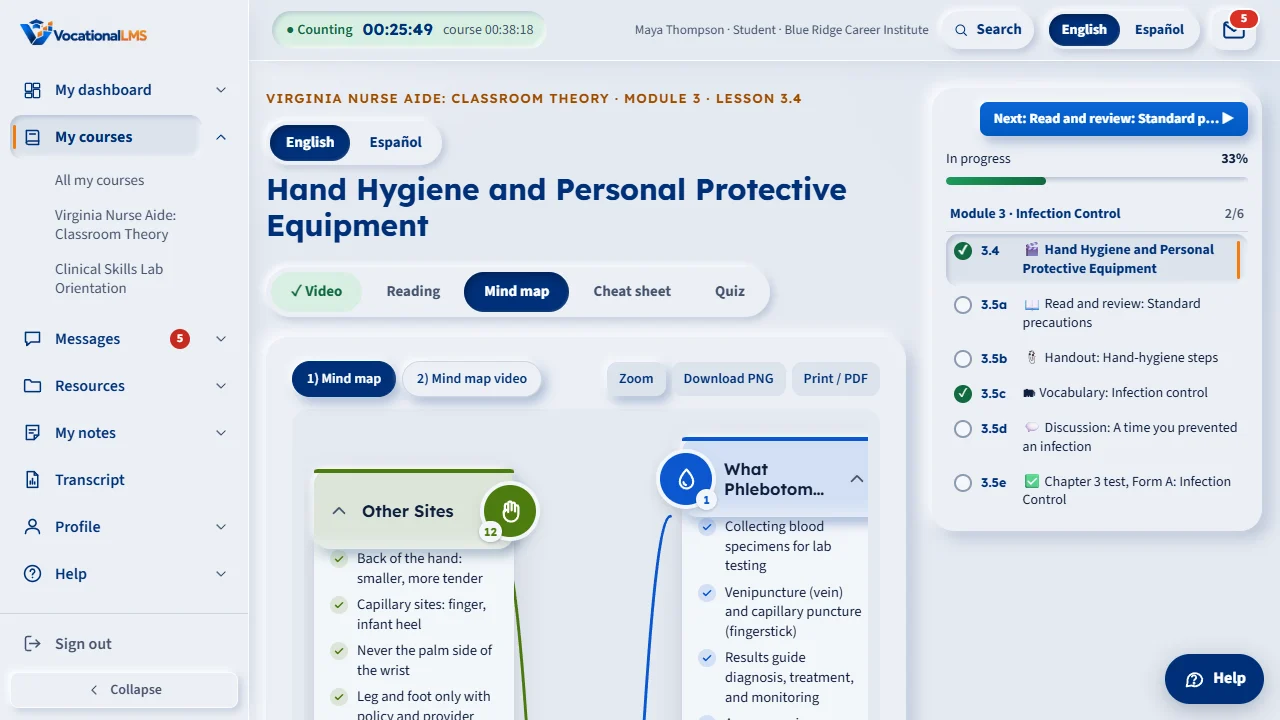
Some lessons have a Mind map tab next to Reading: the whole lesson as one radial map with branches and key tips, and a short narrated video of it. Open branches, zoom, download or print it.
How-to video S-48 · 0:34
Read the words of this video
A mind map shows the lesson at a glance: the topic in the middle, branches around it, each with an icon, a title and a few check-marked points. Open the Mind map step of the lesson.
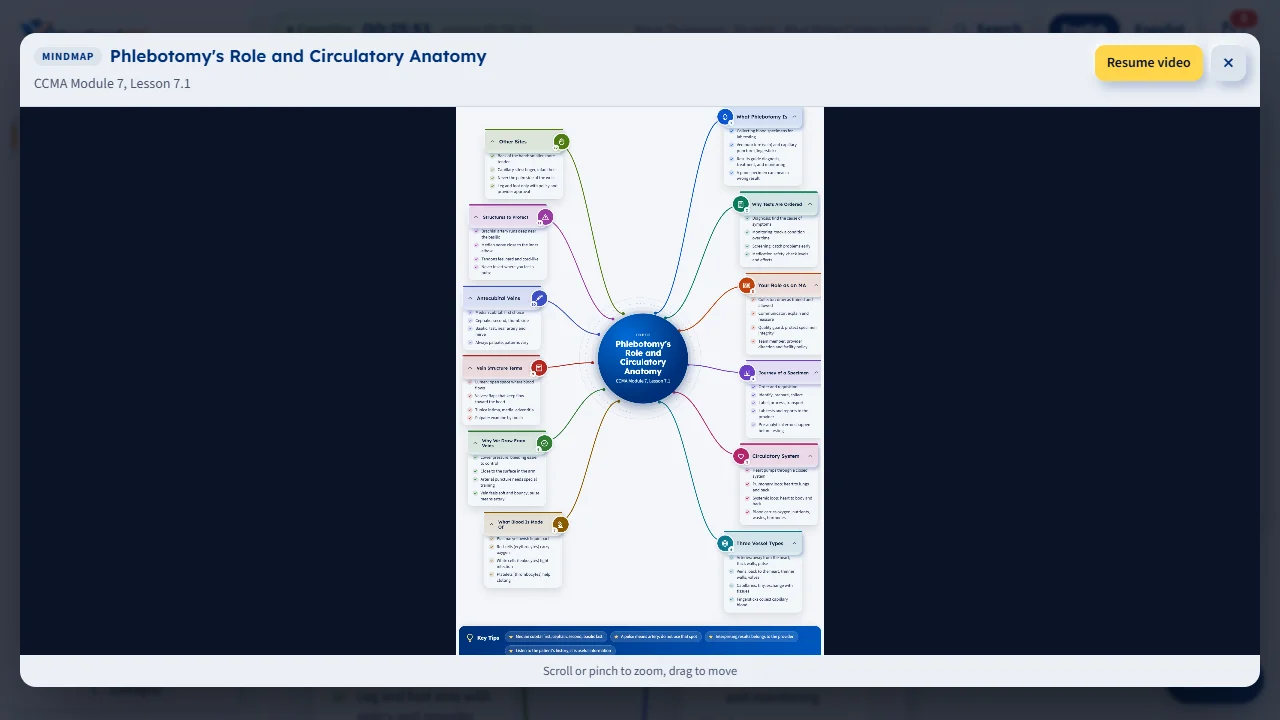
Click Zoom to see it full size. Download PNG saves it as a picture, and Print or PDF opens a one-page PDF.
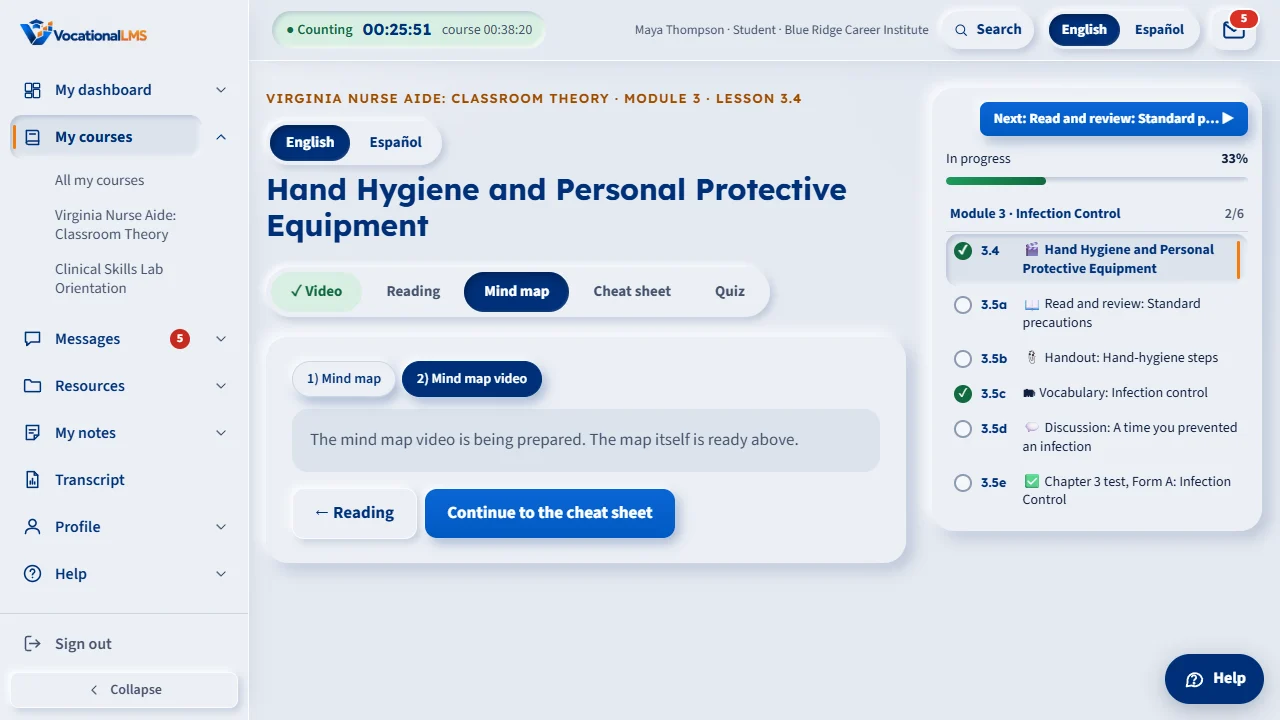
Click Mind map video to watch each branch draw in while the narrator reads its points.
Open this in VocationalLMSA lesson > Mind map
What it is for
A mind map shows the lesson at a glance: the topic in the middle, 8 to 12 branches around it, each with an icon, a title and a few check-marked points, and a Key Tips bar at the bottom. 2) Mind map video is the same map as a short video: each branch draws in while the narrator reads its points. The tab is there only when the lesson has a mind map; some lessons have two.
Steps
Use the mind map
- Open the lesson and click Mind map in the row of steps (after Reading), or click Continue to the mind map at the end of the reading.
- On a wide screen every branch is open. On a phone the branches stack: tap a branch to open or close its points.
- Click Zoom to open the map full size: scroll or pinch to zoom, drag to move; press Esc or × to come back.
- Click Download PNG to save the map as a picture, or Print / PDF to open it as a one-page PDF you can print or save.
Watch the video
- Click 2) Mind map video. Play it like any video; captions are on the CC button of the player.
- If it says the video is being prepared, the map itself is ready and the video comes later.
What happens next
Click Continue to the quiz when you are done. Time on the mind map counts as reading time; the mind map is a study aid and is never required to finish the lesson.
Common problems
| # | Problem | What to do |
|---|---|---|
| 1 | There is no Mind map tab. | That lesson has no mind map yet. Only lessons with one show the tab. Video lessons that were imported with reading text get theirs from that text. |
| 2 | The PNG or PDF takes a moment. | The server draws it the first time it is asked for; after that it opens at once. |