
S-26For students
My hours
See your online hours, your hours on campus and in live online classes, the total and the hours your program requires.
How-to video S-26 · 0:47
Read the words of this video
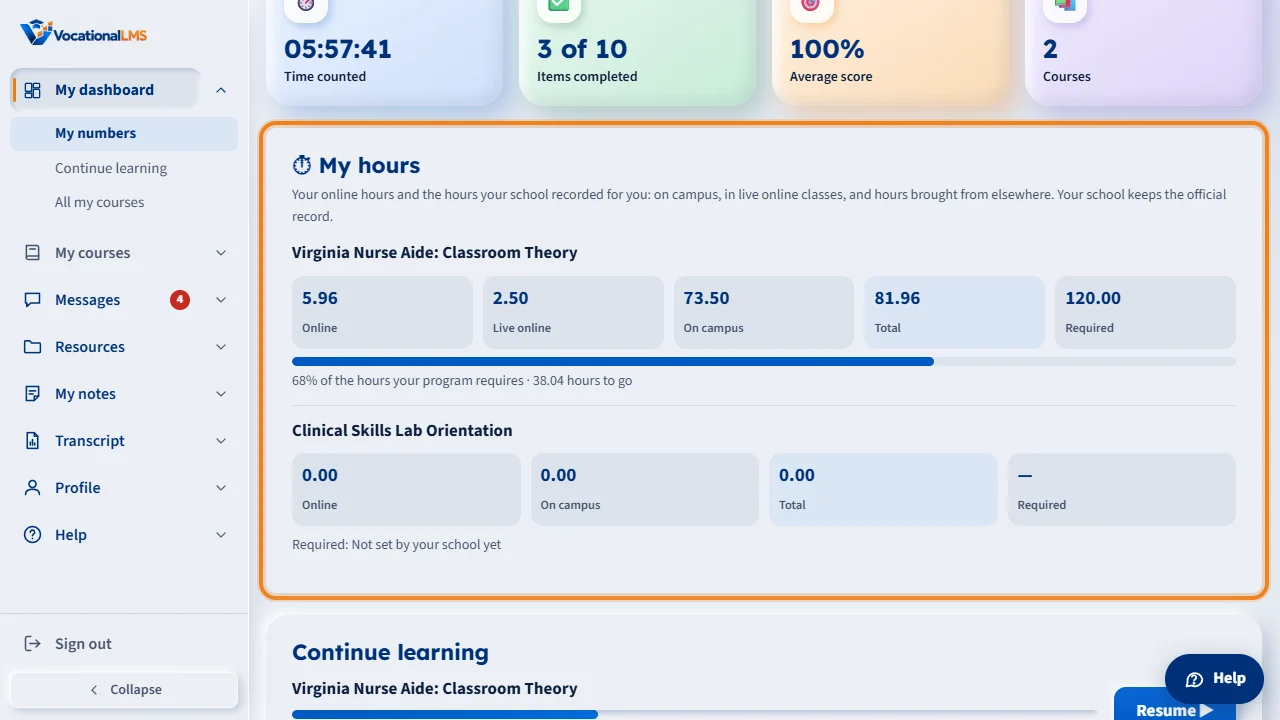
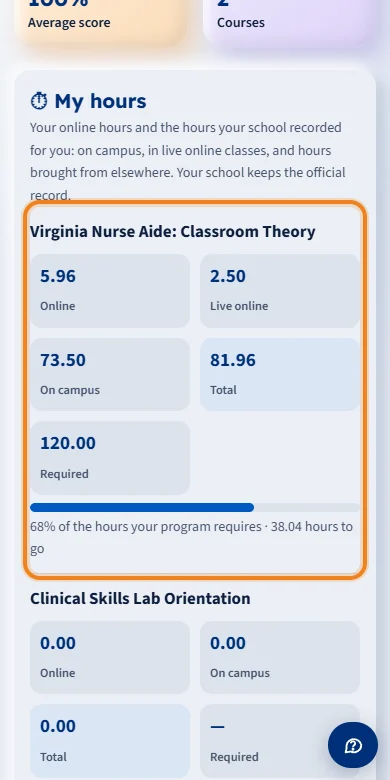
Sign in and click My dashboard. The My hours box is under the tiles at the top. For each of your programs you see your online hours, your hours on campus, the total, and the hours your program requires.
The bar shows how far you are, with the hours still to go. Live online shows if you had live classes by video call. On campus is your theory, practical, lab and clinical hours at school. Only your school can change them.
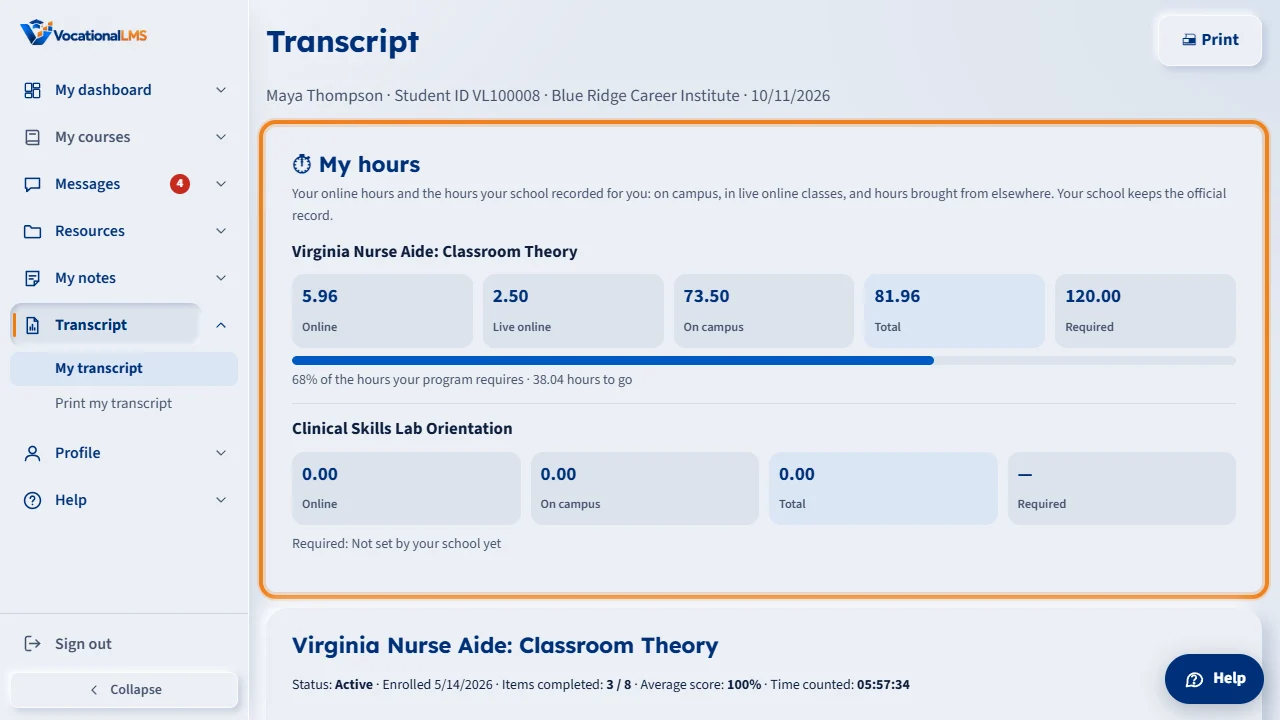
The same box is at the top of your Transcript. Online hours grow as you study. Hours on campus appear after your school enters them, or after you clock out with the app. If a number looks wrong, tell your instructor or the school office.
Open this in VocationalLMSMy dashboard > My hours
What it is for
My hours shows, for each of your programs, your online hours (counted while you study your lessons), your hours on campus (recorded by your school or by the clock-in app), the total, and the hours your program requires. You can read it; only your school can change the hours on campus.
Steps
- Sign in and click My dashboard. The My hours box is under the tiles at the top.
- For each program you see Online, On campus, Total and Required, with a bar and the hours still to go.
- Live online shows if you had live classes by Zoom or another video call. On campus is your theory, practical, lab and clinical hours at school.
- Prior online shows if your school brought over hours you earned in another online system. Transfer shows only if your school accepted hours from another school.
- If some of your hours were makeup hours, a line under the bar says how many. They are already inside the numbers above.
- The same box is at the top of your Transcript.
What happens next
Online hours grow as you study. Hours on campus appear after your school enters or imports them, or after you clock out with the app. Your school keeps the official record.
Common problems
| # | Problem | What to do |
|---|---|---|
| 1 | Required says “Not set by your school yet”. | Your school has not typed the hours your program requires. Ask the school office. |
| 2 | My hours on campus look wrong. | Tell your instructor or the school office. They can correct an entry, with a reason. |
| 3 | I do not see My hours. | You are not enrolled in a program yet. |