
S-07For students
Discussions: post your answer, then read your classmates
Write your own answer to the question first. Then the class posts open up.
How-to video S-07 · 0:53
Read the words of this video
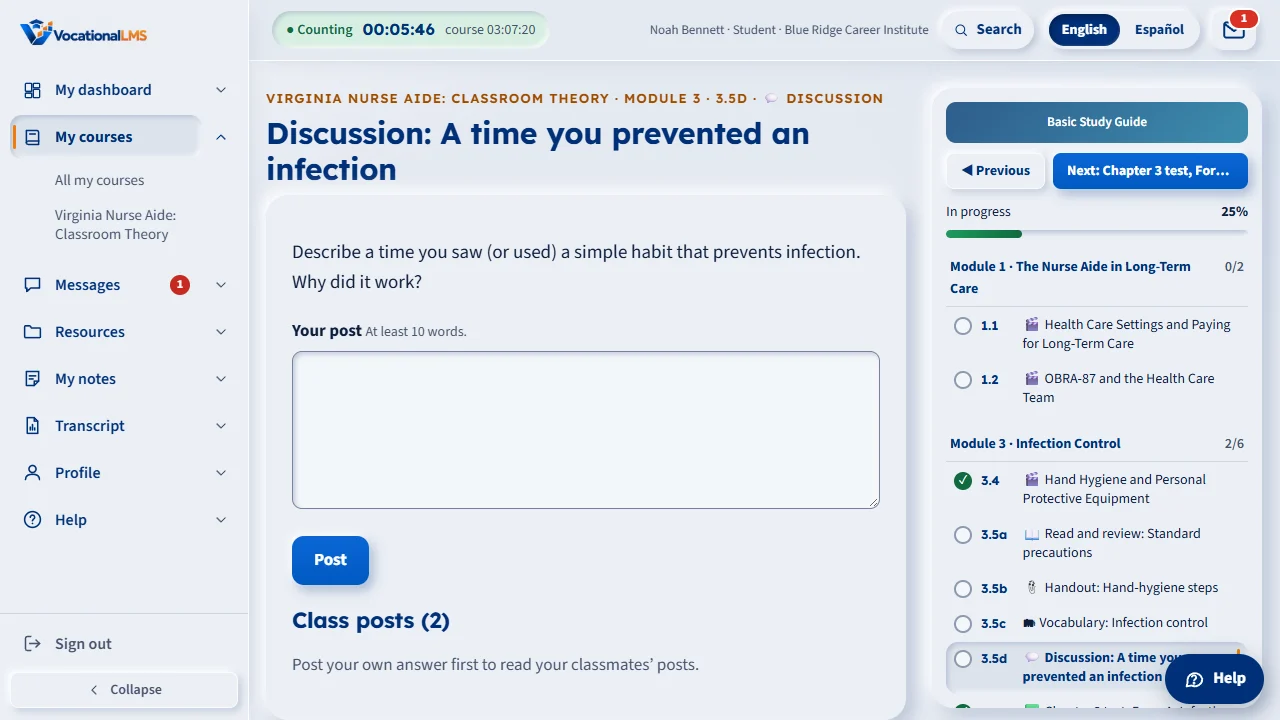
A discussion item asks one question. You write your own answer first, so the answer is really yours. Until you post, you cannot read what your classmates wrote. The page says: post your own answer first to read your classmates' posts.
Type your answer in the box under Your post. If a minimum number of words is shown, such as at least ten words, write at least that many, or the post is refused. Write in full sentences, the way you would speak in class. Then click Post.
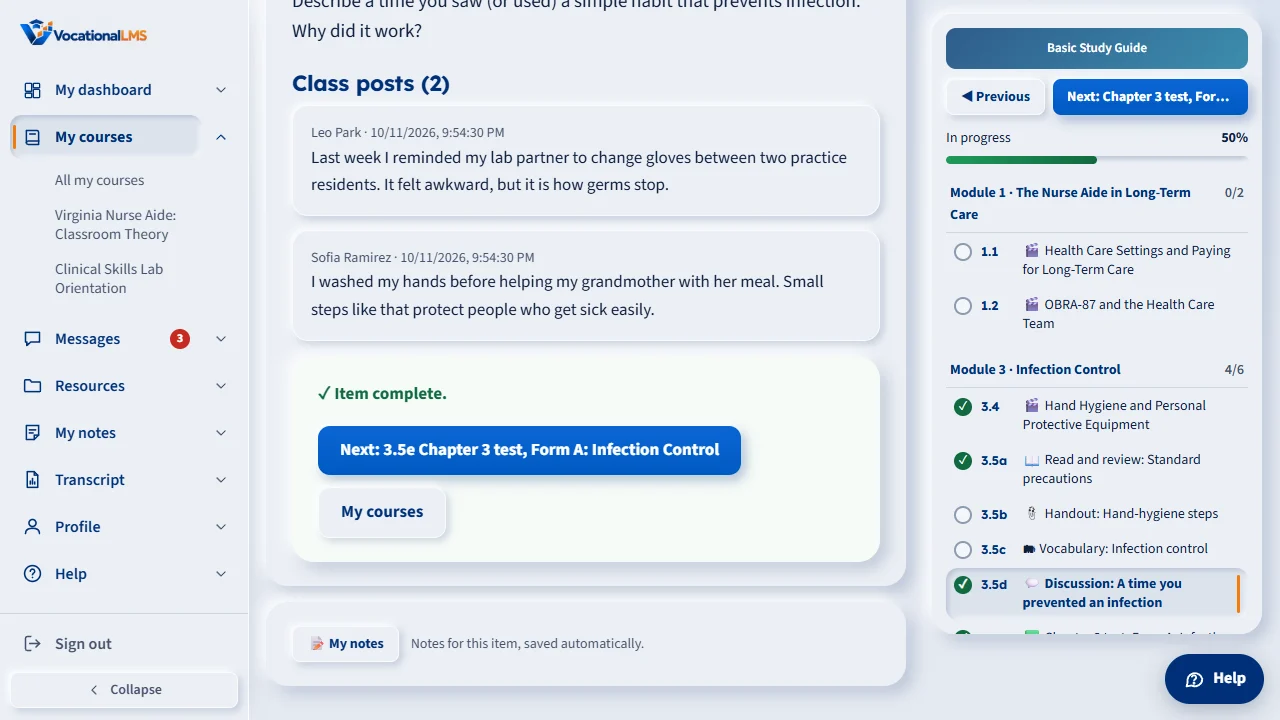
After you post, the item is complete, and Class posts shows the answers of your classmates, with their names and the time, and any reply from your instructor. Only people at your own school see these posts. Staff can hide a post that does not belong.
Open this in VocationalLMSMy courses > a chapter item
What it is for
A discussion asks one question. You write your own answer first, so it is really yours; then you can read what classmates at your school wrote, and your instructor's replies.
Steps
- Open the discussion item (💬) from My courses.
- Read the question at the top.
- Type your answer in the box. If it says At least 10 words, write at least that many.
- Click Post.
What happens next
The item is complete as soon as you post. Class posts then shows the answers of your classmates and any reply from your instructor. Only people at your own school see them.
Common problems
| # | Problem | What to do |
|---|---|---|
| 1 | “Post your own answer first to read your classmates’ posts.” | That is how it works: post yours, and the others appear. |
| 2 | Your post is refused. | It is shorter than the minimum number of words. Add a sentence. |
| 3 | Your post is gone. | Staff can hide a post. Ask your instructor (S-11). |