
S-06For students
Readings, documents and flashcards
The other items in a chapter, and what you do to complete each one.
How-to video S-06 · 1:01
Read the words of this video
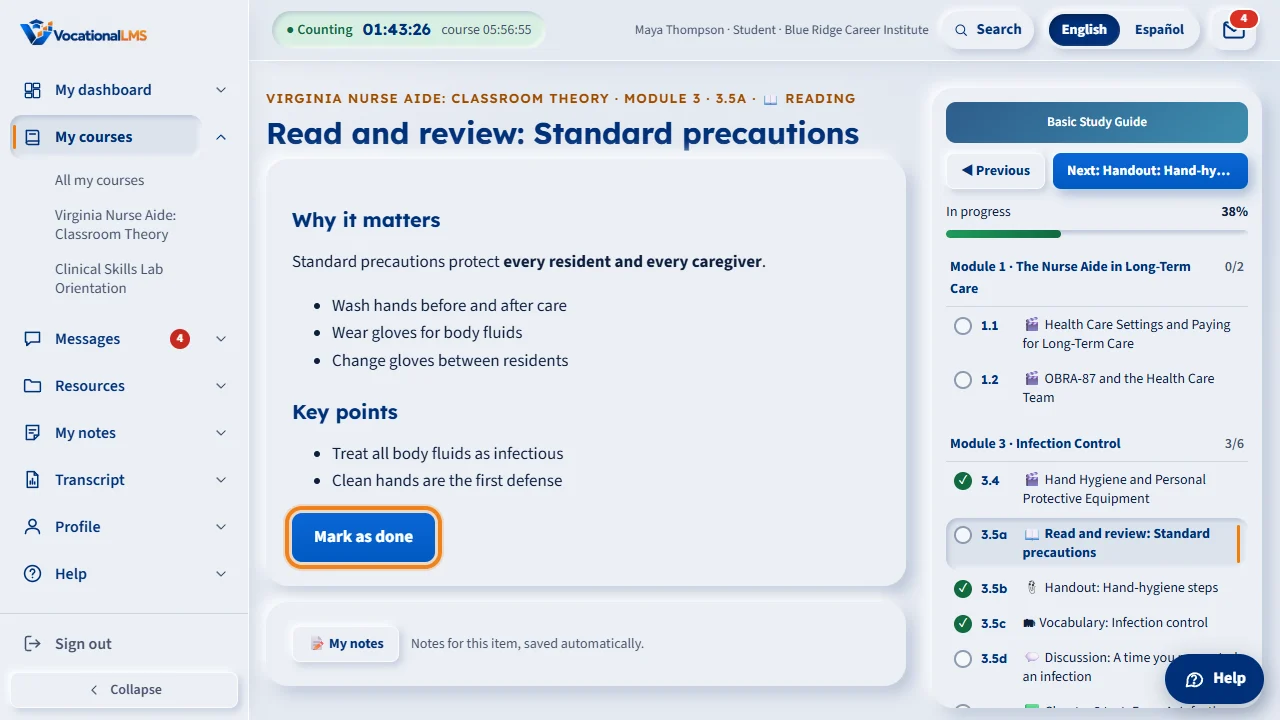
Besides video lessons, a chapter can have readings, documents and flashcards. A reading is a page to read. When you finish, click Mark as done. You need to spend a little time on the page first, about half a minute.
A document item lists one or more files. Click Open to read a file right on the page. If there is a Download button, you can save a copy. If it says View only, your school lets you read it here but not download it. Opening the document completes the item.
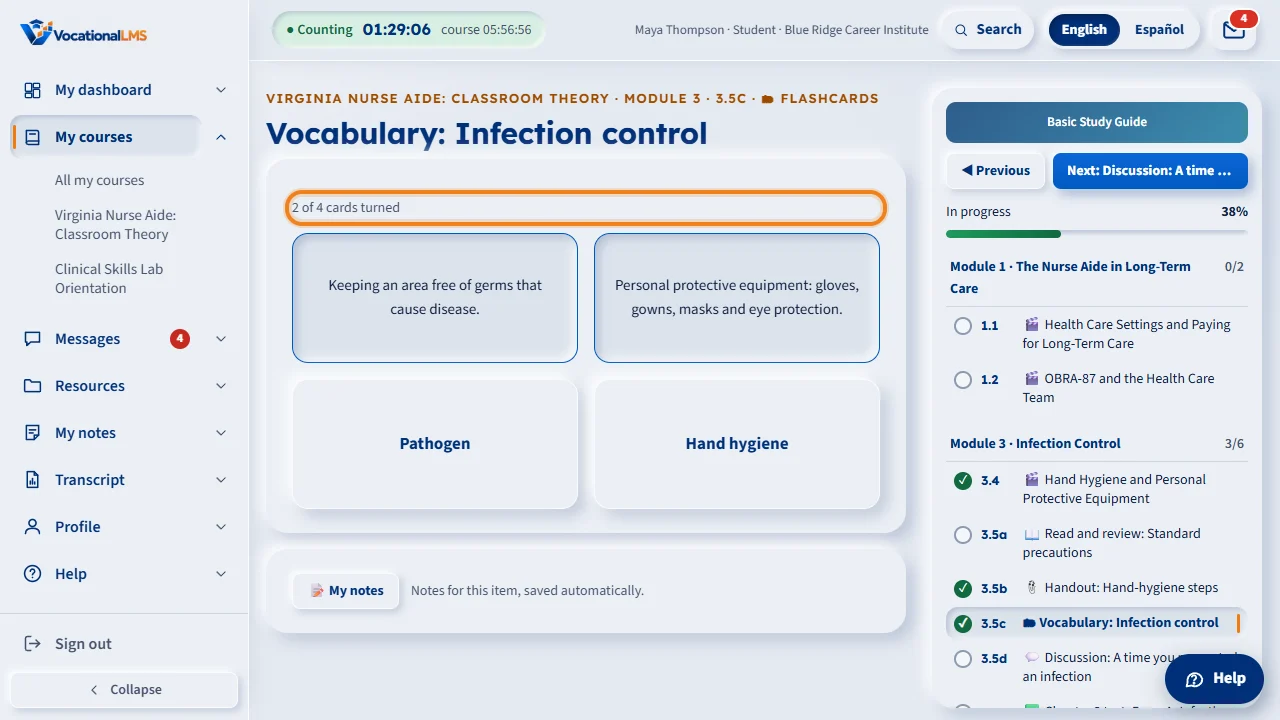
Flashcards show the key terms of the chapter. Click a card to turn it and see what the term means. The line above the cards counts how many you have turned. The item is complete when you have turned every card.
Each finished item gets a check mark in the course panel on the right, and the time you spend on it is added to your hours. You can find every course document again later on your Resources page.
Open this in VocationalLMSMy courses > a chapter item
What it is for
Besides video lessons, a chapter can have readings, documents and flashcards. Each one counts toward your progress and your hours.
Steps
A reading 📖
- Open the reading and read the page. Open any documents listed under it.
- When you are done, click Mark as done. You need to spend a little time on the page first (about half a minute).
A document 📎
- Click Open to read the document on the page.
- If your school allows it, click Download to save a copy. Otherwise it says View only.
Flashcards 🗂
- Click a card to turn it over and see the definition.
- Turn every card. The line above the cards counts them: 3 of 4 cards turned.
What happens next
A reading is complete when you click Mark as done, a document when you open it, and flashcards when every card has been turned. A green box then offers Next.
Common problems
| # | Problem | What to do |
|---|---|---|
| 1 | Mark as done gives a message. | Stay on the reading a little longer, then click again. |
| 2 | A document will not download. | It is view only. You can still read it on the page, and find it later under Resources (S-14). |