
I-09For instructors
Send an announcement to your students and see who read it
One message to a whole course or to chosen students, with a list of who has read it.
How-to video I-09 · 0:52
Read the words of this video
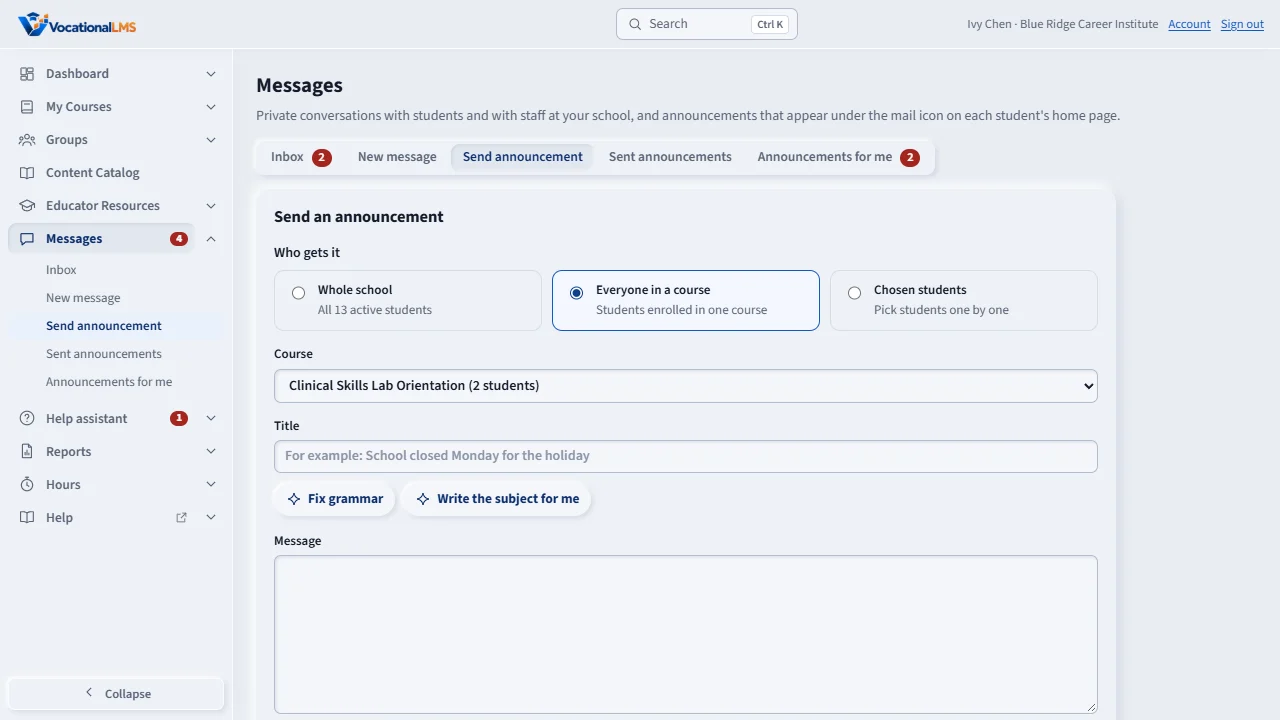
An announcement is one message to many students. Click Messages, then Send announcement. Under Who gets it, choose Everyone in a course and pick the course, or choose Chosen students and tick them.
Type a title and the message. Tick Priority for something students must see: it shows as a banner on their home page until they read it. Then click Send announcement.
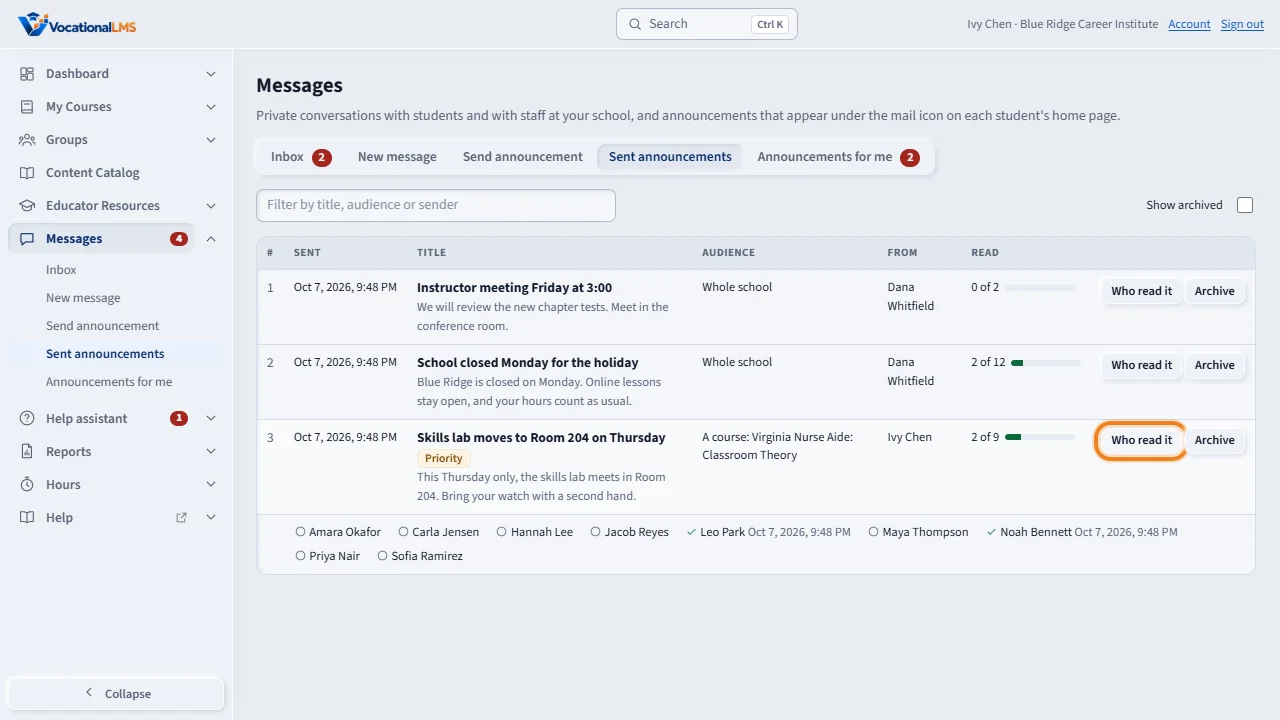
Sent announcements shows how many people have read each one. Click Who read it to see each student, with a check mark and the time.
Archive hides an announcement from students once it is over. Tick Show archived to see it again.
Announcements for me lists what your school sent to instructors. Click Mark as read when you have read one. Instructors send announcements to students only.
Open this in VocationalLMSMessages > Send announcement
What it is for
An announcement is one message to many students: a room change, a reminder, a deadline. Students find it under their mail icon. You can see who has read it.
Steps
- Click Messages, then Send announcement.
- Under Who gets it choose Everyone in a course and pick the course, or Chosen students and tick them one by one.
- Type a Title and the Message.
- Tick Priority for something students must see: it also shows as a banner on their My courses page until they read it.
- Tick Also email each student a short notice if you want an email to go out, and click Send announcement.
- Open Sent announcements and click Who read it to see each student, with a check mark and the time they read it.
What happens next
Archive hides an announcement from students once it is over; Show archived brings it back into view for you. Announcements your school sends to instructors appear under Announcements for me.
Common problems
| # | Problem | What to do |
|---|---|---|
| 1 | You cannot tick Instructors or Admins. | Instructors send announcements to students only. A School Admin or Director can send to staff groups (A-18). |
| 2 | A new student did not get an old announcement. | Announcements go to the people enrolled when they are sent. |