
S-42For students
See your attendance, schedule, progress report and transcript
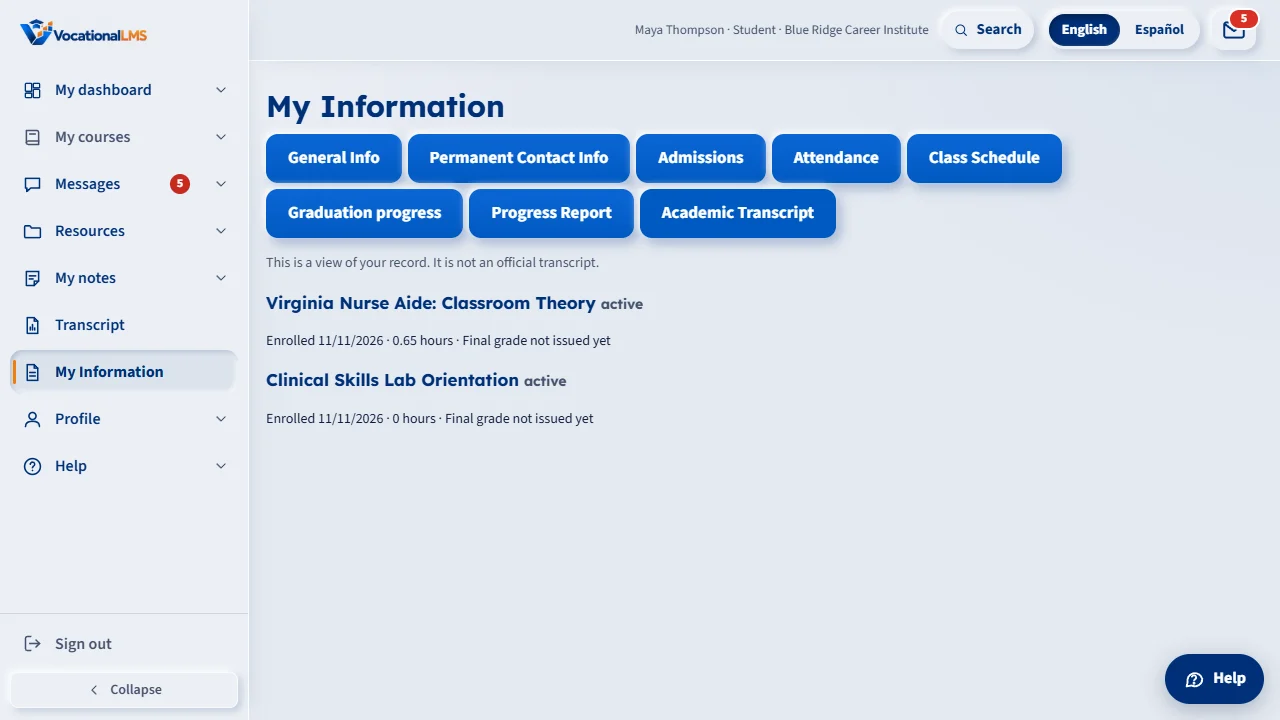
If your school has turned them on, My Information shows your own attendance, class schedule, progress report and transcript on the screen.
How-to video S-42 · 0:27
Read the words of this video
Open My Information. Your school decides which of these you see: Attendance, Class Schedule, Progress Report and Academic Transcript. They are for looking only.
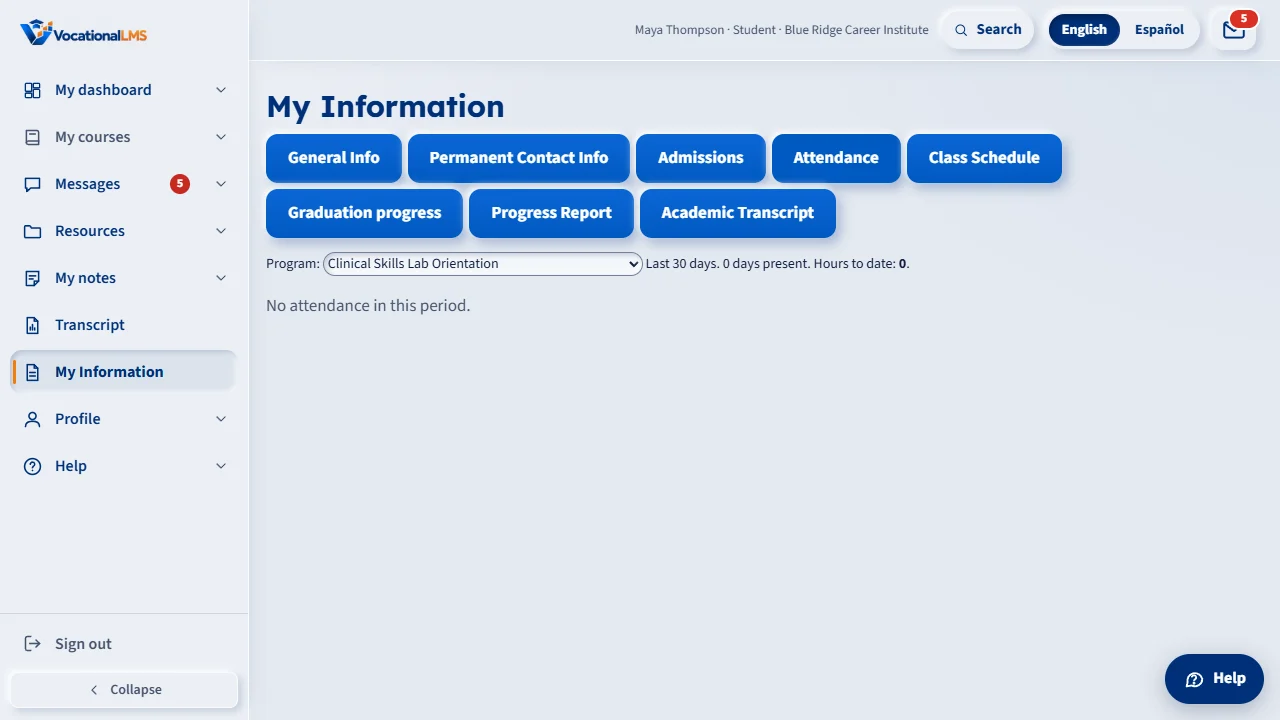
In Attendance, choose a program to see the last thirty days and your hours to date. Graduation progress is a short summary of what is left.
Open this in VocationalLMSMy Information
What it is for
Your school decides which of these you can see. They are for looking only: you cannot print or download them here. If you need an official transcript, ask the school office.
Steps
Open them
- Sign in and open My Information. Click Attendance, Class Schedule, Progress Report or Academic Transcript.
- In Attendance, choose a program to see the last 30 days and your hours to date.
What happens next
A final grade appears after your school finalizes it. Until then you see how you are doing so far.
Common problems
| # | Problem | What to do |
|---|---|---|
| 1 | I do not see these buttons. | Your school has not turned them on. Ask the school office. |
| 2 | A score is missing. | Scores your school has not released yet are not shown. |