
S-41For students
My Account: your balance and payment plan
When your school turns it on, My Account shows your own balance and payment plan, read only, and lets you sign the plan.
How-to video S-41 · 0:23
Read the words of this video
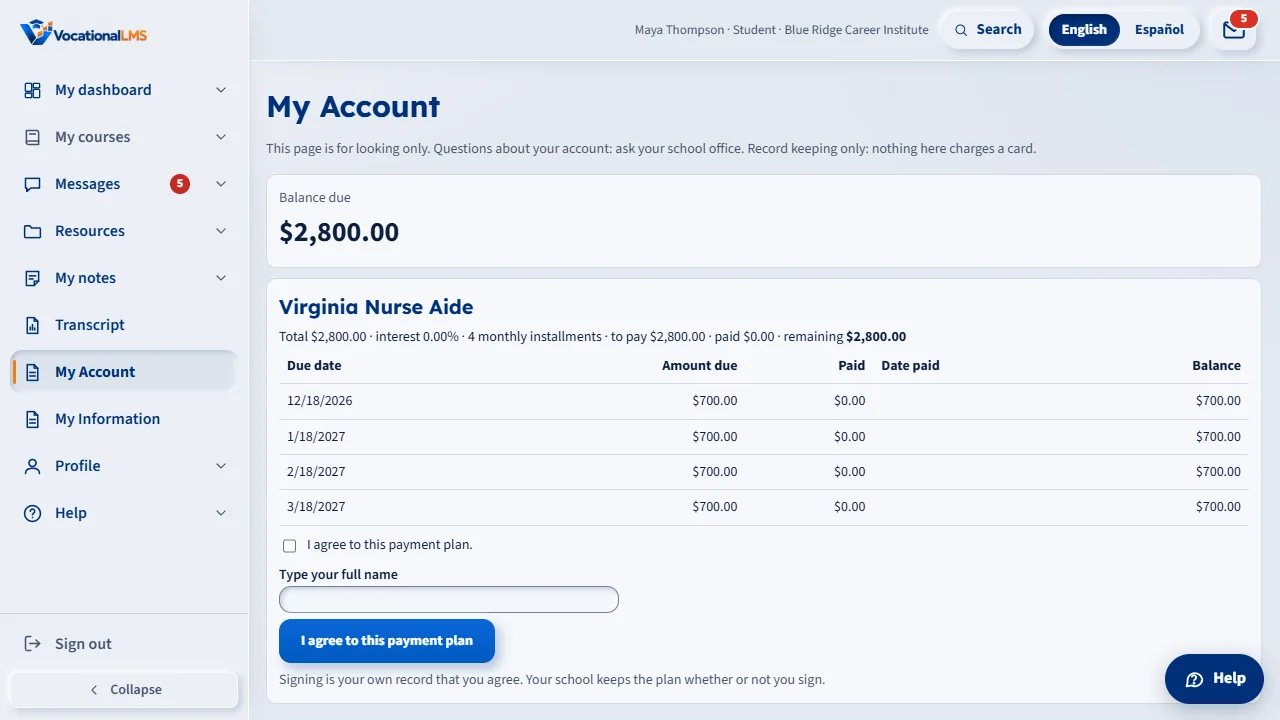
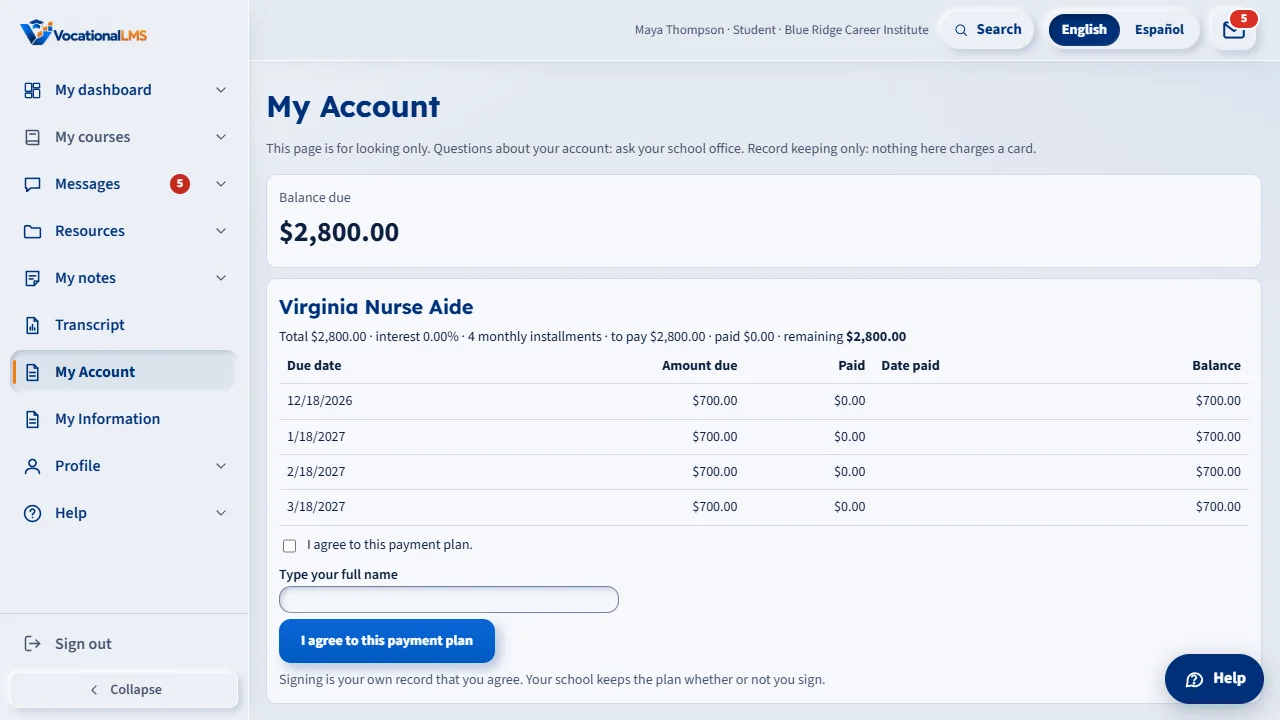
My Account shows what you owe and your payment plan: for each installment, the due date, the amount, what you paid and what is left. It is for looking only.
To agree to your plan, tick the box, type your full name and press I agree. Your name and the time are recorded.
Open this in VocationalLMSMy Account
What it is for
My Account shows what you owe and your payment plan: the due date, the amount due, what you paid and what is left for each installment. It is for looking only; you cannot print it. If your school did not turn it on, the item is not in your menu.
Steps
- Open My Account in the menu on the left.
- To agree to your plan, tick I agree to this payment plan, type your full name as your school has it and press I agree to this payment plan. Your name, the time and your internet address are recorded.
- Signing is your own record that you agree. Your school keeps the plan whether or not you sign.
What happens next
Your school sees that you signed. Questions about an amount go to your school office.
Common problems
| # | Problem | What to do |
|---|---|---|
| 1 | I do not see My Account. | Your school has not turned it on. |
| 2 | It says to type my full name. | Type your first and last name as your school has them. |
| 3 | I want to pay. | My Account only shows your balance. Pay your school office as they tell you. |