
S-37For students
My Information
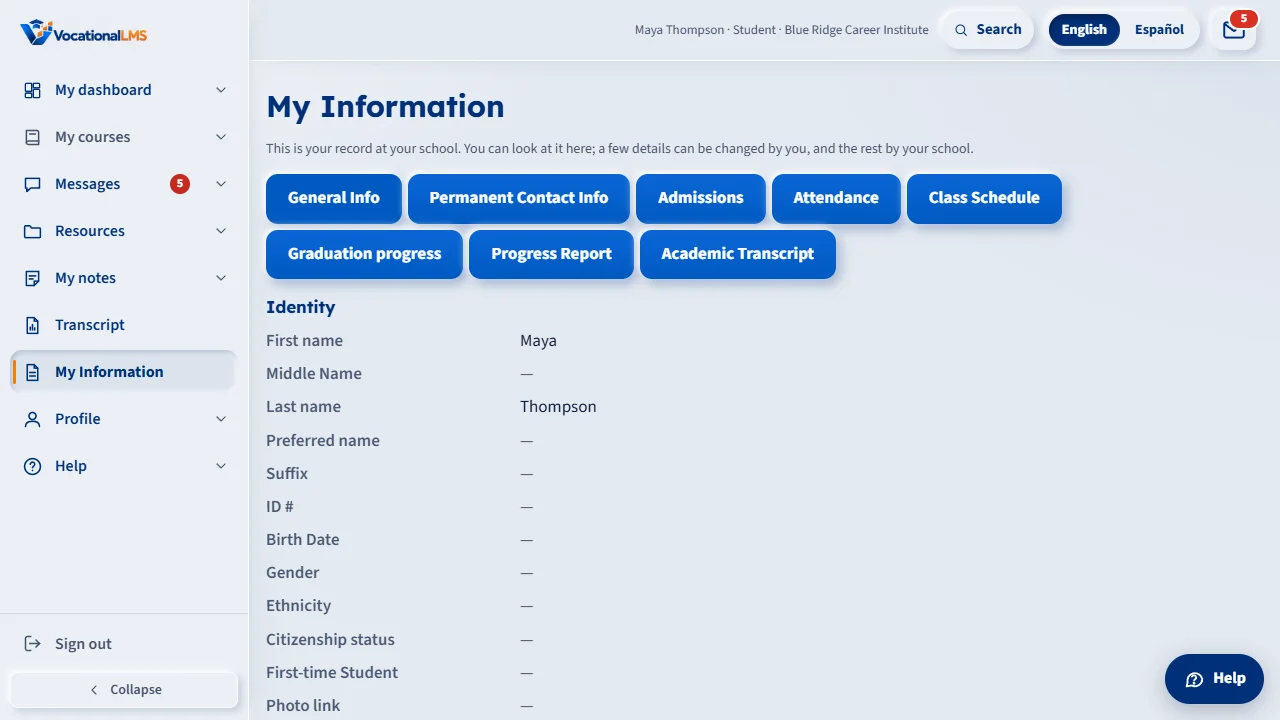
Your student record at your school, read only, in the tabs your school lets you see. Your school may let you change your phone number, address and e-mail.
How-to video S-37 · 0:26
Read the words of this video
My Information shows the part of your student record your school chose to share with you. Click a tab to read it. You can look, but you cannot print.
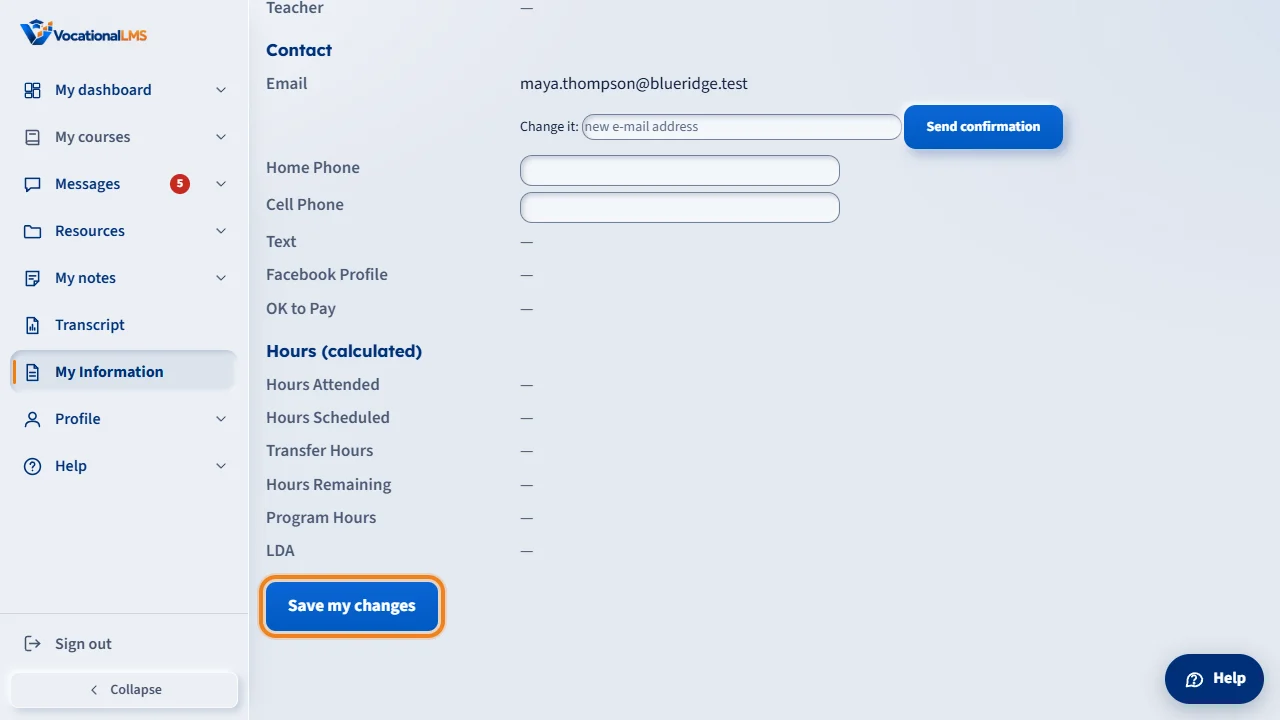
If your school allows it, you can change your phone number or address and press Save my changes. To change your e-mail, type the new one and press Send confirmation. Open the link we send to the new address to finish.
Open this in VocationalLMSMy Information
What it is for
My Information shows the part of your student record your school chose to share with you. You can look at it; you cannot print it. If your school did not switch anything on, the item is not in your menu.
Steps
- Open My Information in the menu on the left and click a tab.
- If your school allows it, a box lets you change your phone number or address, then press Save my changes.
- To change your e-mail: type the new address and press Send confirmation. We send a link to the NEW address. Open it and press Confirm my new e-mail. Until then you keep signing in with the old e-mail; after, with the new one.
What happens next
Your school sees what you changed. Other details can only be changed by your school office.
Common problems
| # | Problem | What to do |
|---|---|---|
| 1 | I do not see My Information. | Your school has not made any part of your record available. |
| 2 | It says that e-mail is already used. | Use a different address: an e-mail can belong to one account only. |
| 3 | The confirmation link says it expired. | It works for 24 hours and once. Ask for a new one from My Information. |