
A-96For School Admins and Directors
Sign forms through your school's own DocuSign account (optional)
Connect your own DocuSign account once, then choose Sign with DocuSign on a form. Each form is one envelope on your DocuSign plan.
How-to video A-96 · 0:38
Read the words of this video
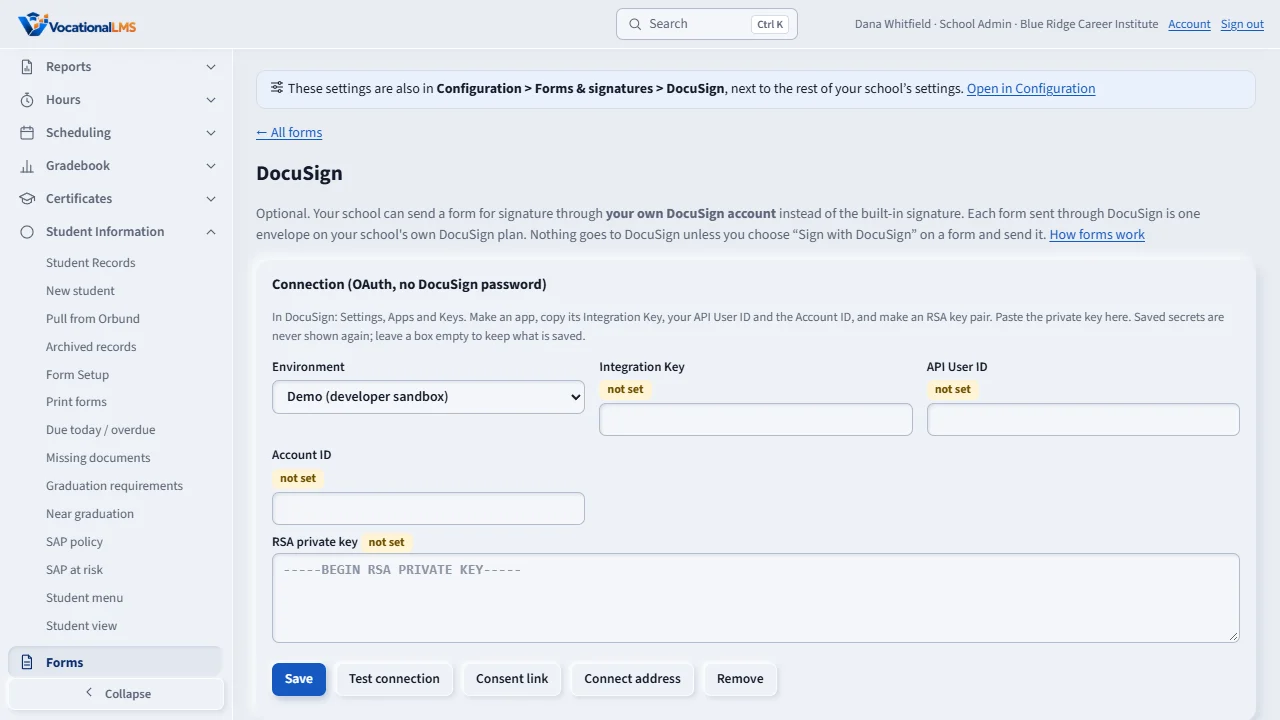
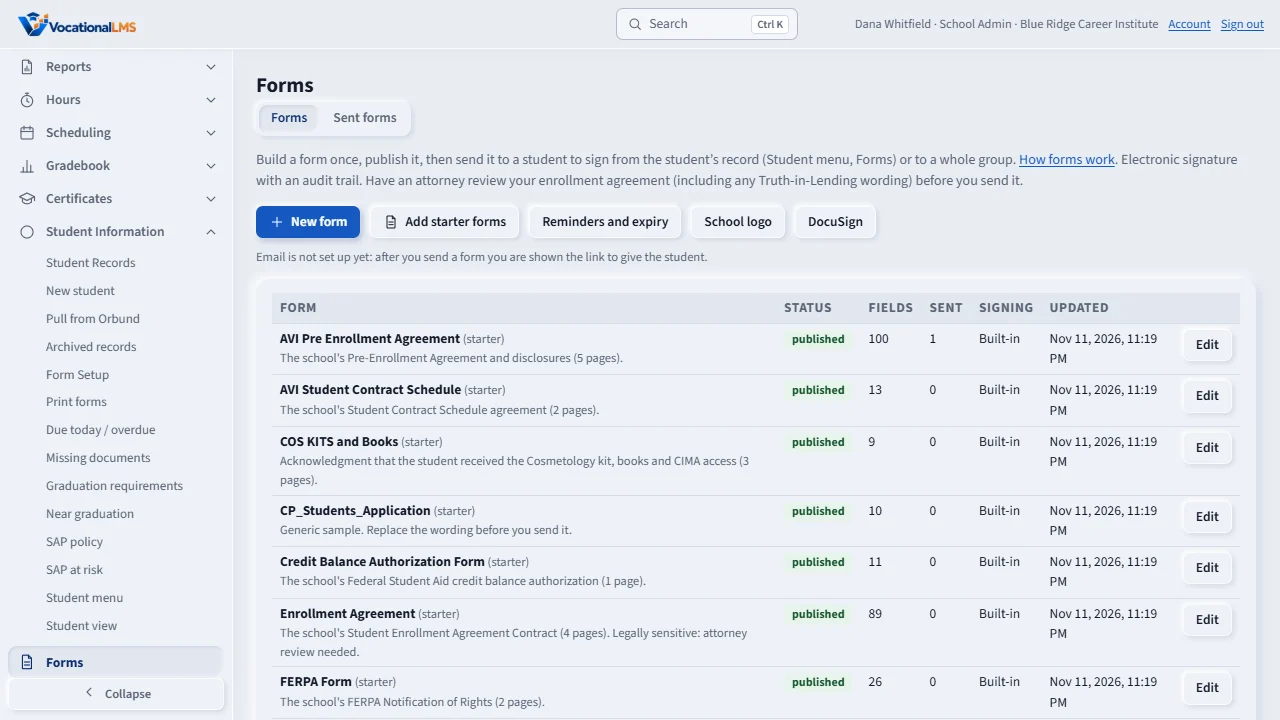
The built-in electronic signature is the default. If your school already uses DocuSign, open Forms, then DocuSign, to connect your own account.
Copy the Integration Key, API User ID, Account ID and private key from DocuSign and paste them in. Secrets are stored encrypted and never shown again. Click Save, then Test connection.
On a form, tick Sign with DocuSign, then Save and Publish. Send it from the student's record as usual.
Open this in VocationalLMSForms > DocuSign
Who can do this: The School Admin only. Each envelope counts against your school's own DocuSign plan, so a form goes to DocuSign only when you press Send.
What it is for
The built-in electronic signature is the default. If your school already uses DocuSign, open Forms › DocuSign to connect your own account. VocationalLMS uses DocuSign's modern sign-in (a JWT grant): you give an Integration Key, an API User ID, an Account ID and an RSA private key. No DocuSign password is asked for or stored. Secrets are stored encrypted and are never shown again; the page only says saved.
Steps
Connect
- In DocuSign, go to Settings, Apps and Keys. Make an app and copy its Integration Key, your API User ID and the Account ID. Make an RSA key pair and copy the private key.
- In VocationalLMS open Forms › DocuSign, choose Demo (the sandbox) or Production, paste the values, and click Save.
- Click Consent link and open it once as the DocuSign administrator to approve the integration. Add the redirect address shown there to your DocuSign app.
- Click Test connection. Optionally click Connect address and give it to DocuSign Connect so DocuSign tells us at once when a form is signed; otherwise the status is checked automatically every few minutes. Remove deletes the connection and its secrets.
Use it on a form
- Open the form in Forms, tick Sign with DocuSign, Save and Publish. A DocuSign form cannot have a file upload field.
- Send it from the student's record. You are asked to confirm because it uses one envelope on your DocuSign plan. A group send names the number of envelopes and needs a confirmation.
- When the student signs in DocuSign, the status changes to completed, and the signed PDF and DocuSign's certificate of completion are saved on the record.
What happens next
Everything is written to the audit trail: saving, testing and removing the connection (never with the secret values), each envelope, and each status change.
Common problems
| # | Problem | What to do |
|---|---|---|
| 1 | Test connection says consent is needed. | Open the Consent link as the DocuSign administrator and approve it once, then test again. |
| 2 | The student has no email. | DocuSign needs an email address. Add one on the student record first. |